> ## Documentation Index
> Fetch the complete documentation index at: https://docs.rootly.com/llms.txt
> Use this file to discover all available pages before exploring further.
# AI Settings
> Rootly AI is opt-in by design: enable it for your organization, then govern it feature by feature.
## Overview
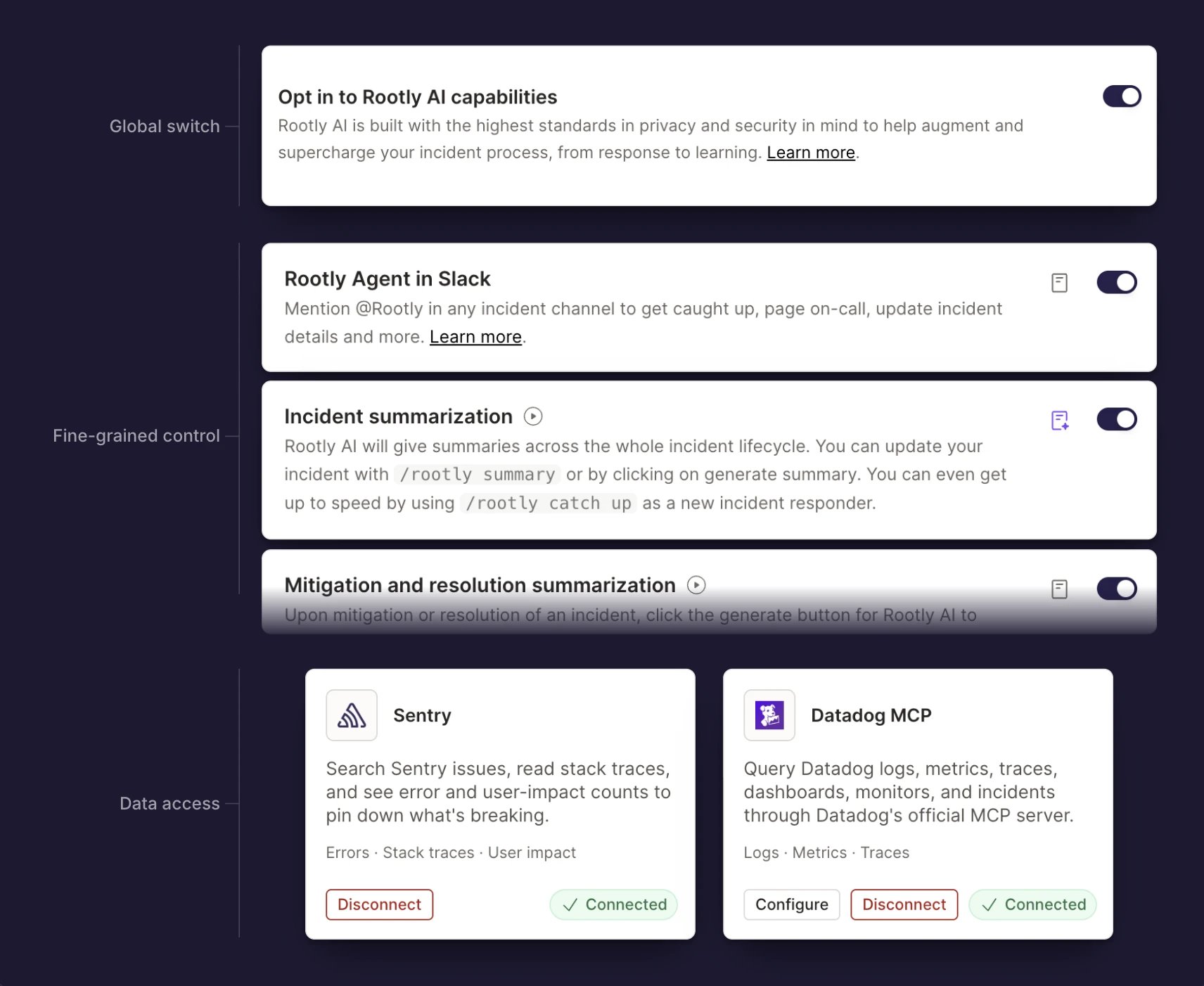
Every Rootly AI control lives in one place: **AI & Agents**. Decide what Rootly AI does, where it shows up, and what it can access, placing control in your team's hands.
 ***
## Global
Guardrails for Rootly AI's entire surface area. Every section below, from Features to AI SRE to Connectors, is gated by what you set here.
| Setting | What it controls |
| ------------------------------------ | ------------------------------------------------------------------------------------------------------------------------------------------- |
| **Opt in to Rootly AI capabilities** | The organization-wide switch. Turning it off disables every Rootly AI feature at once, regardless of the individual toggles under Features. |
***
## Features
Rootly AI's core capabilities are grouped by surface area, so your team decides exactly where Rootly AI shows up.
### Slack
| Toggle | What it controls | Learn more |
| ------------------------- | ---------------------------------------------------------- | ----------------------------------------------- |
| **Rootly Agent in Slack** | The AI assistant responders talk to without leaving Slack. | [Rootly in Slack](/ai/rootly-in-slack/overview) |
### Incidents
| Toggle | What it controls | Learn more |
| ------------------------------------------- | ------------------------------------------------------------------------------------ | -------------------------------------------------------------------------- |
| **Incident summarization** | AI-generated summaries that bring your team up to speed on the incident. | [Incident Summarization](/ai/incident-summarization) |
| **Mitigation and resolution summarization** | Suggested mitigation and resolution summaries when incidents reach those milestones. | [Mitigation and Resolution Summary](/ai/mitigation-and-resolution-summary) |
| **Incident title suggestion** | Suggested titles drawn from the incident's details. | [Generated Incident Title](/ai/generated-incident-title) |
### Retros
| Toggle | What it controls | Learn more |
| ------------------------ | ------------------------------------------------------------- | --------------------------------------------------------- |
| **AI in Retrospectives** | AI help drafting retrospectives, right inside your templates. | [AI in Retrospectives](/ai/ai-in-retrospectives/overview) |
### Web
| Toggle | What it controls | Learn more |
| ----------------------- | ---------------------------------------- | ---------------------------------- |
| **Rootly Agent in Web** | The ask-anything AI chat in the web app. | [Ask Rootly AI](/ai/ask-rootly-ai) |
### Mobile
| Toggle | What it controls | Learn more |
| -------------------------- | ------------------------------ | ---------------------------------------------- |
| **Rootly Agent in Mobile** | The AI chat in the mobile app. | [Rootly AI on Mobile](/ai/rootly-ai-on-mobile) |
***
## AI SRE
Talk to your Rootly team to request access.
***
## Connectors
You choose the data sources Rootly AI can query during investigations: observability platforms, code hosts, docs, and your own MCP servers. Configure them here, documented in full at [Connectors](/ai/connectors/overview).
***
## Global
Guardrails for Rootly AI's entire surface area. Every section below, from Features to AI SRE to Connectors, is gated by what you set here.
| Setting | What it controls |
| ------------------------------------ | ------------------------------------------------------------------------------------------------------------------------------------------- |
| **Opt in to Rootly AI capabilities** | The organization-wide switch. Turning it off disables every Rootly AI feature at once, regardless of the individual toggles under Features. |
***
## Features
Rootly AI's core capabilities are grouped by surface area, so your team decides exactly where Rootly AI shows up.
### Slack
| Toggle | What it controls | Learn more |
| ------------------------- | ---------------------------------------------------------- | ----------------------------------------------- |
| **Rootly Agent in Slack** | The AI assistant responders talk to without leaving Slack. | [Rootly in Slack](/ai/rootly-in-slack/overview) |
### Incidents
| Toggle | What it controls | Learn more |
| ------------------------------------------- | ------------------------------------------------------------------------------------ | -------------------------------------------------------------------------- |
| **Incident summarization** | AI-generated summaries that bring your team up to speed on the incident. | [Incident Summarization](/ai/incident-summarization) |
| **Mitigation and resolution summarization** | Suggested mitigation and resolution summaries when incidents reach those milestones. | [Mitigation and Resolution Summary](/ai/mitigation-and-resolution-summary) |
| **Incident title suggestion** | Suggested titles drawn from the incident's details. | [Generated Incident Title](/ai/generated-incident-title) |
### Retros
| Toggle | What it controls | Learn more |
| ------------------------ | ------------------------------------------------------------- | --------------------------------------------------------- |
| **AI in Retrospectives** | AI help drafting retrospectives, right inside your templates. | [AI in Retrospectives](/ai/ai-in-retrospectives/overview) |
### Web
| Toggle | What it controls | Learn more |
| ----------------------- | ---------------------------------------- | ---------------------------------- |
| **Rootly Agent in Web** | The ask-anything AI chat in the web app. | [Ask Rootly AI](/ai/ask-rootly-ai) |
### Mobile
| Toggle | What it controls | Learn more |
| -------------------------- | ------------------------------ | ---------------------------------------------- |
| **Rootly Agent in Mobile** | The AI chat in the mobile app. | [Rootly AI on Mobile](/ai/rootly-ai-on-mobile) |
***
## AI SRE
Talk to your Rootly team to request access.
***
## Connectors
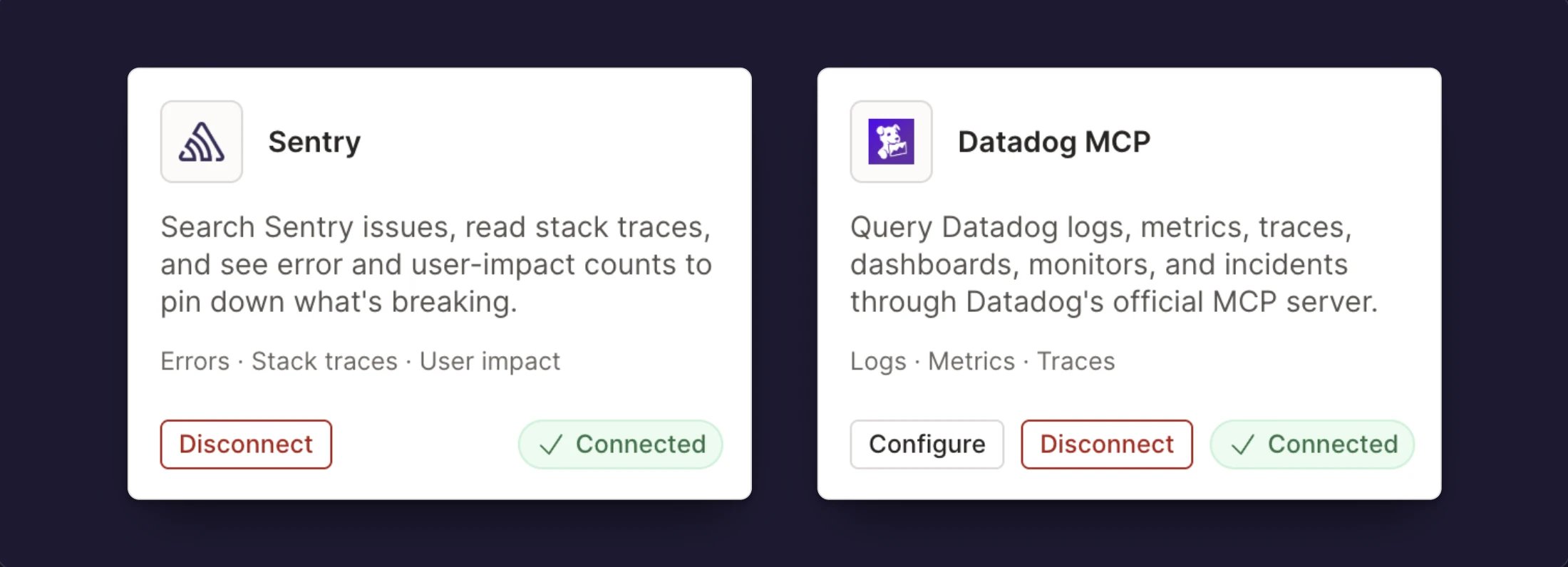
You choose the data sources Rootly AI can query during investigations: observability platforms, code hosts, docs, and your own MCP servers. Configure them here, documented in full at [Connectors](/ai/connectors/overview).
 ***
## Related Pages
What Rootly AI is and everything it can do.
What Rootly AI sees, retention, and model training controls.
Every data source Rootly AI can investigate with.
***
## Related Pages
What Rootly AI is and everything it can do.
What Rootly AI sees, retention, and model training controls.
Every data source Rootly AI can investigate with.