> ## Documentation Index
> Fetch the complete documentation index at: https://docs.rootly.com/llms.txt
> Use this file to discover all available pages before exploring further.
# AI Summaries
> Titles, summaries, catchups, and status write-ups, generated from the incident's own record so nobody has to write documentation mid-incident.
## Overview
Documentation is the first casualty of a real incident. AI Summaries writes it for you, from what the incident already knows: metadata, alerts, timeline events, action items, and (when permitted) Slack messages and meeting transcripts.
| Feature | What you get | Where |
| -------------------- | --------------------------------------------------------------------------------------------------------------------------------- | --------------------------------------------------- |
| **Incident summary** | A single-paragraph narrative: problem, impact, cause, resolution steps, and who was involved. Regenerate as the incident evolves. | Slack (`/rootly summary`) |
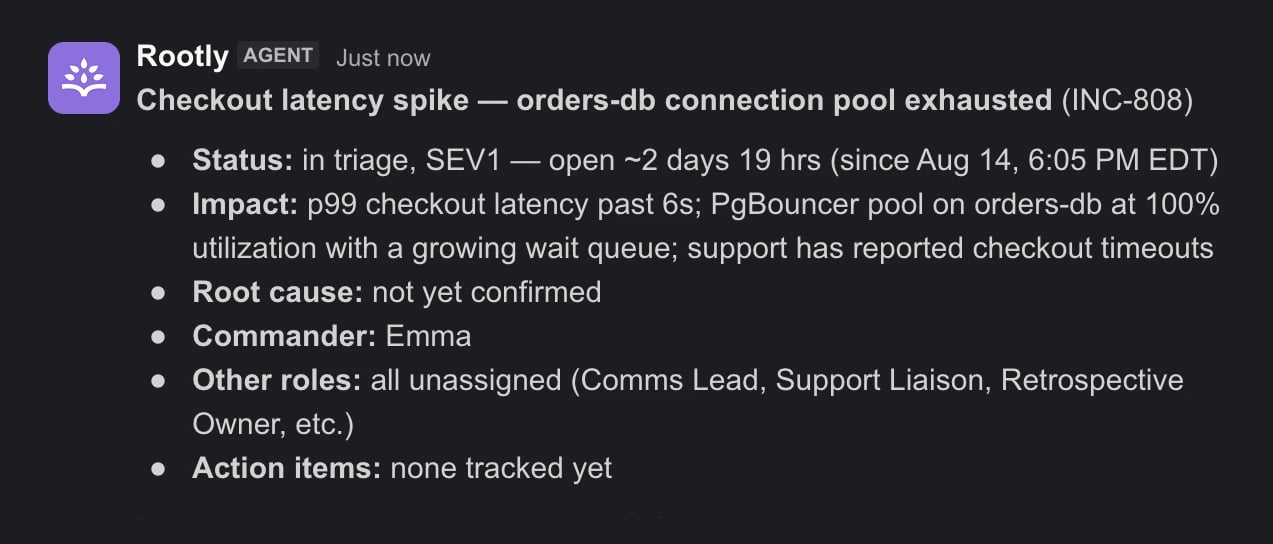
| **Incident catchup** | The summary, expanded and delivered privately to responders joining midstream. Only you see it. | Slack (`/rootly catchup`) |
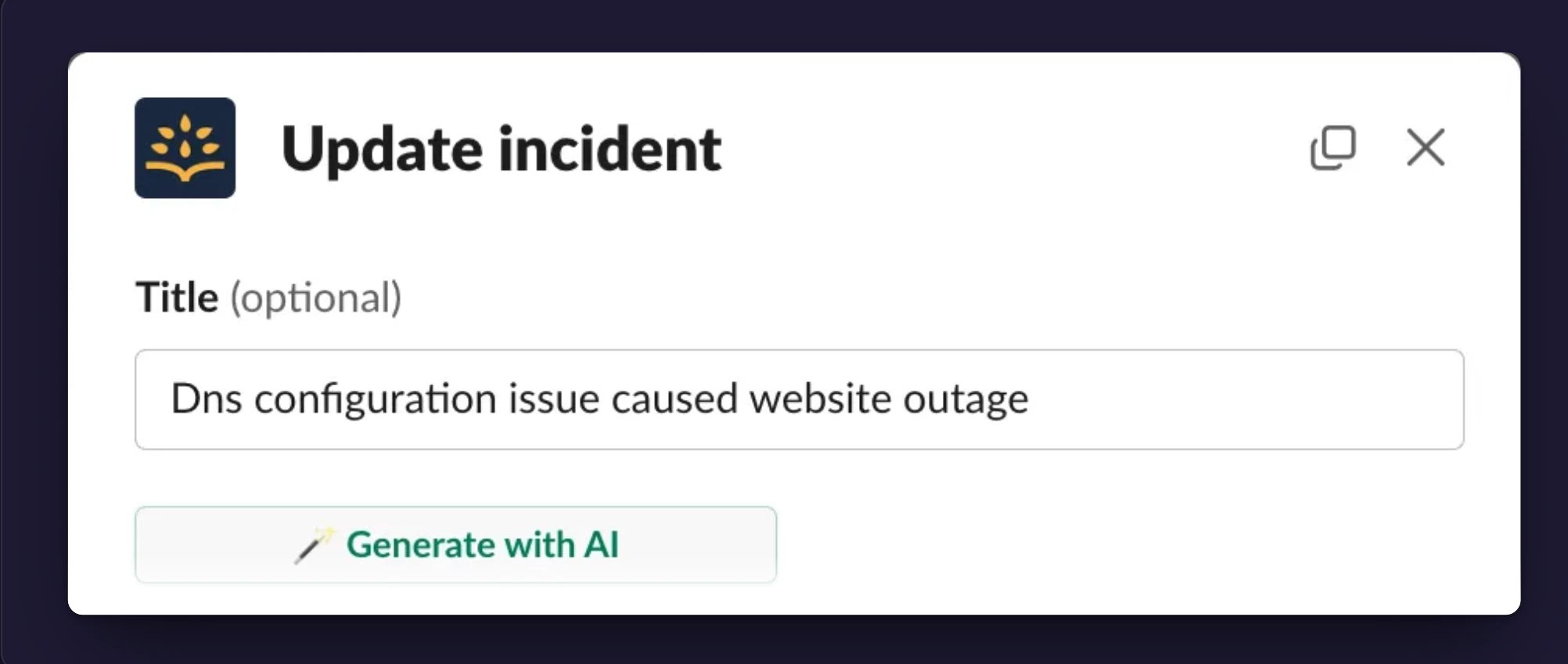
| **Generated title** | A title under 90 characters that says what actually broke, readable on any dashboard. | Slack (`/rootly update`, then **Generate with AI**) |
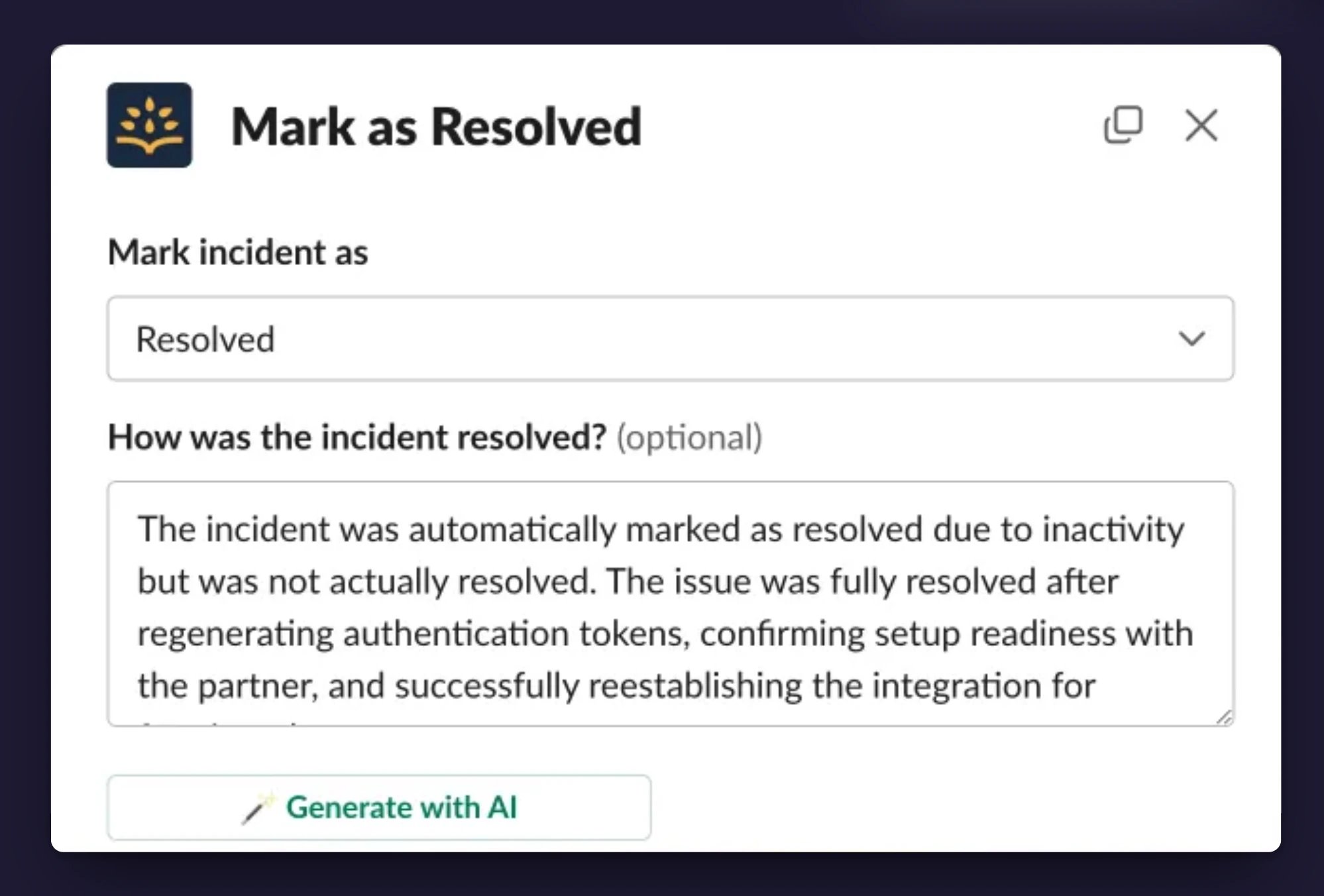
| **Status summaries** | One or two sentences explaining each transition: mitigated, resolved, cancelled, or closed. | Web and Slack status dialogs (**Generate with AI**) |
Every output is grounded in the incident record. When there isn't enough context to say something true, Rootly AI says so instead of guessing.
These are single-turn generators: one click or command, one result. For a conversation you can question, refine, and act from, talk to [Rootly AI in Slack](/ai/rootly-in-slack/overview).
***
## Incident Summaries
Run `/rootly summary` in the incident channel. When configured, the summary appends a structured attributes list: meeting links, severity, affected environments and services, and selected form field values.
***
## Catch Up Mid-Incident
`/rootly catchup` (also `catch up`, `catch-up`, or `summarize`) returns an expanded summary as an ephemeral message.
 Catchup requires permission to generate summaries on the incident or permission to update it.
***
## Generated Titles
Run `/rootly update` in the incident channel and click **Generate with AI**. Rootly AI reads the summary, alerts, and early timeline to produce the title. Regenerate as the picture sharpens.
Catchup requires permission to generate summaries on the incident or permission to update it.
***
## Generated Titles
Run `/rootly update` in the incident channel and click **Generate with AI**. Rootly AI reads the summary, alerts, and early timeline to produce the title. Regenerate as the picture sharpens.
 ***
## Status Summaries
When an incident changes status, Rootly AI drafts the explanation, focused on what the transition needs:
| Status | The summary explains |
| ------------- | ----------------------------------- |
| **Mitigated** | What was done to reduce impact |
| **Resolved** | How the incident was fully resolved |
| **Cancelled** | Why the incident was cancelled |
| **Closed** | Why the incident was closed |
In the web app, click **Generate with AI** next to the status message field when updating status. In Slack, `/rootly mitigate` or `/rootly resolve` opens the same dialog. You review and edit the draft before submitting.
***
## Status Summaries
When an incident changes status, Rootly AI drafts the explanation, focused on what the transition needs:
| Status | The summary explains |
| ------------- | ----------------------------------- |
| **Mitigated** | What was done to reduce impact |
| **Resolved** | How the incident was fully resolved |
| **Cancelled** | Why the incident was cancelled |
| **Closed** | Why the incident was closed |
In the web app, click **Generate with AI** next to the status message field when updating status. In Slack, `/rootly mitigate` or `/rootly resolve` opens the same dialog. You review and edit the draft before submitting.
 ***
## Setup
All four features are part of Rootly AI, behind the [organization-wide opt-in](/ai/ai-settings). Only Admins can change AI settings.
1. Open **AI & Agents** and turn on **Opt in to Rootly AI capabilities**. Titles and status summaries are available immediately; they have no separate toggle.
2. Under **Features**, toggle **Incident summarization** on. This enables both summaries and catchup.
For the best results, set **Slack channel message visibility** to **All messages** or **All messages in Public + pinned in Private**, so summaries can draw on channel communications.
In private incidents, these features read the incident's own record. Slack channel messages are included only when your message visibility setting covers private incidents.
***
## FAQ
The incident record is too thin. Add a description, alerts, timeline events, or action items, then generate again. In private incidents, confirm your message visibility settings allow Rootly AI access.
Generation only sees what the incident knows at that moment. Record the missing detail (a timeline event, a resolution note, an action item), then regenerate. If Slack messages or transcripts should be included, check your visibility settings.
It did, privately. Catchup summaries are ephemeral and visible only to the person who ran the command.
Confirm **Incident summarization** is toggled on under **AI & Agents**, and that you have permission to generate summaries on the incident or to update it.
***
## Related Pages
The conversational agent that answers questions and takes actions.
Ranked matches from your own incident history.
Every Rootly AI control in one place.
***
## Setup
All four features are part of Rootly AI, behind the [organization-wide opt-in](/ai/ai-settings). Only Admins can change AI settings.
1. Open **AI & Agents** and turn on **Opt in to Rootly AI capabilities**. Titles and status summaries are available immediately; they have no separate toggle.
2. Under **Features**, toggle **Incident summarization** on. This enables both summaries and catchup.
For the best results, set **Slack channel message visibility** to **All messages** or **All messages in Public + pinned in Private**, so summaries can draw on channel communications.
In private incidents, these features read the incident's own record. Slack channel messages are included only when your message visibility setting covers private incidents.
***
## FAQ
The incident record is too thin. Add a description, alerts, timeline events, or action items, then generate again. In private incidents, confirm your message visibility settings allow Rootly AI access.
Generation only sees what the incident knows at that moment. Record the missing detail (a timeline event, a resolution note, an action item), then regenerate. If Slack messages or transcripts should be included, check your visibility settings.
It did, privately. Catchup summaries are ephemeral and visible only to the person who ran the command.
Confirm **Incident summarization** is toggled on under **AI & Agents**, and that you have permission to generate summaries on the incident or to update it.
***
## Related Pages
The conversational agent that answers questions and takes actions.
Ranked matches from your own incident history.
Every Rootly AI control in one place.