> ## Documentation Index
> Fetch the complete documentation index at: https://docs.rootly.com/llms.txt
> Use this file to discover all available pages before exploring further.
# Generated Incident Title
> Rootly AI generates concise, descriptive incident titles from the incident's current context — and improves them as more details become available.
## Overview
Rootly AI can automatically generate concise, descriptive incident titles by analyzing the current context of an incident, including summaries, alerts, and early timeline events. Titles are designed to clearly describe the underlying problem and are kept short for readability across dashboards, timelines, and retrospectives.
Generated titles are limited to under 90 characters and can be regenerated as more information becomes available, allowing titles to improve in accuracy as an incident evolves.
## How to Generate an Incident Title
You can generate or regenerate an incident title from both the web application and Slack.
### Via the Web
Within an incident, click the **magic pen** icon next to the incident title to generate a suggested title using Rootly AI.
 ### Via Slack
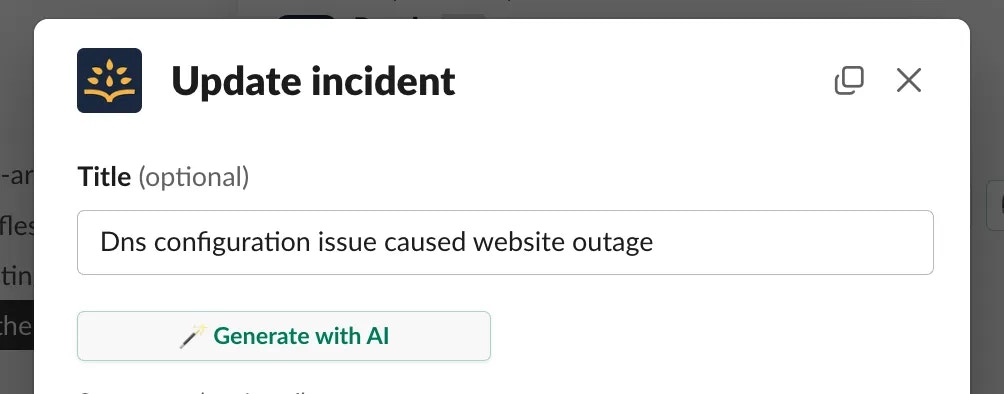
In an incident Slack channel, run the `/rootly update` command and click **Generate with AI** to generate or regenerate the incident title using Rootly AI.
### Via Slack
In an incident Slack channel, run the `/rootly update` command and click **Generate with AI** to generate or regenerate the incident title using Rootly AI.
 You may regenerate the title multiple times as the incident progresses to reflect newly available information.
## How It Works
Rootly AI analyzes the incident’s current context, which may include:
* Incident summary and description
* Associated alerts and alert metadata
* Initial timeline events
* Slack channel messages, when available and permitted by privacy settings
From this information, Rootly AI generates a concise title that describes the problem that caused the incident. If insufficient information is available, Rootly AI will indicate that more incident context is required before a meaningful title can be generated.
## Configuration
Generated incident titles are available to all customers but must be explicitly enabled.
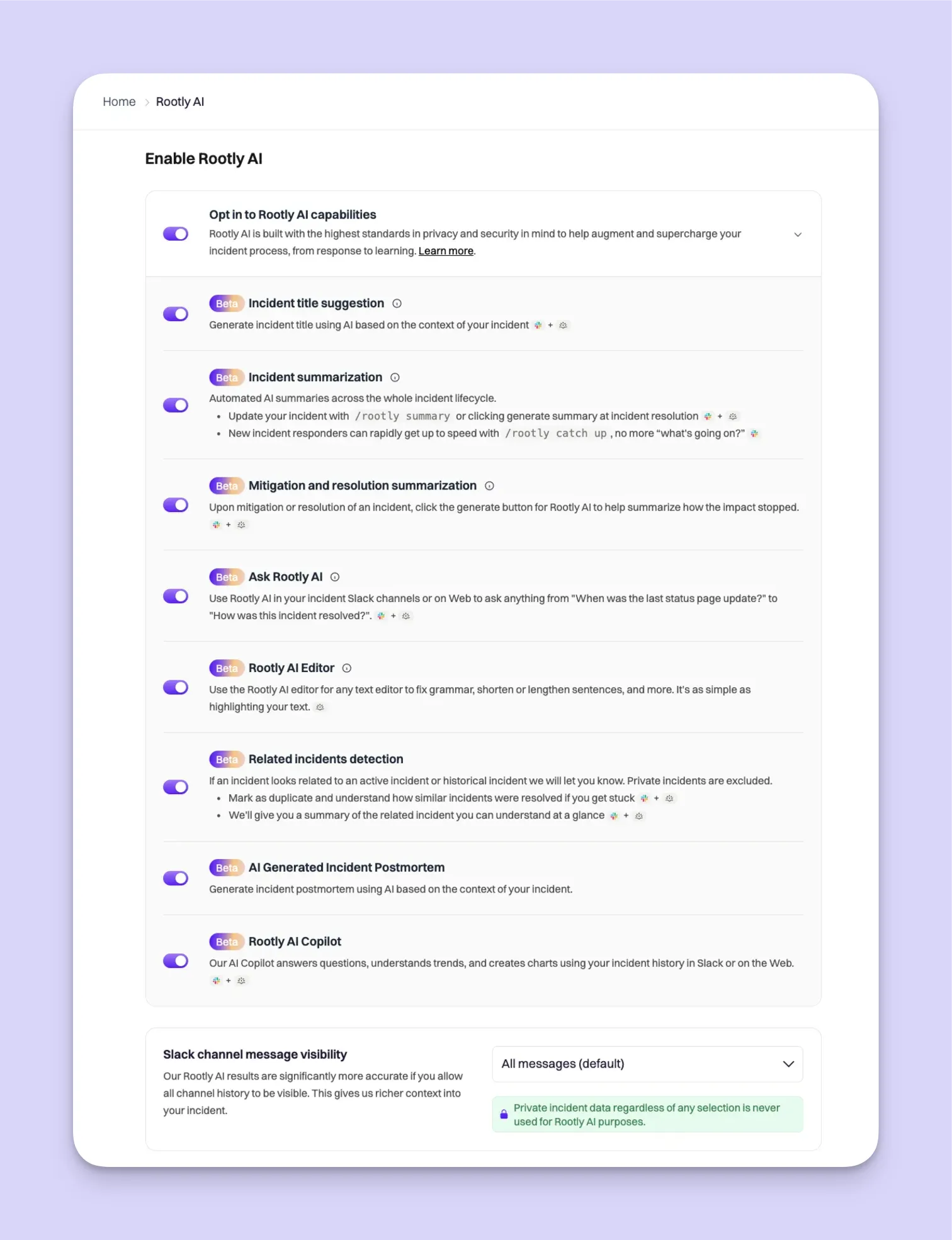
To enable this feature, navigate to **Rootly AI** and toggle on **Enable Rootly AI**. Only Admins can enable Rootly AI features. Ensure that **Incident title suggestion** is enabled.
For best results, configure **Slack channel message visibility** to one of the following:
* **All messages**
* **All messages in Public + pinned in Private**
This allows Rootly AI to access sufficient context when generating titles. These settings can be updated at any time from **Rootly AI** configuration.
Incident title generation in private incidents depends on your Slack channel message visibility settings. For private incidents, Rootly AI features are only available when your channel history scope includes private messages.
***
## Troubleshooting
Ensure that Rootly AI is enabled and that **Incident title suggestion** is turned on. Verify that the incident contains sufficient information, such as alerts, timeline events, or a summary. For private incidents, confirm that Slack channel message visibility settings allow Rootly AI access.
Try regenerating the title after additional incident details become available. Adding more context to the incident summary or allowing relevant Slack messages to be included often improves results.
You may regenerate the title multiple times as the incident progresses to reflect newly available information.
## How It Works
Rootly AI analyzes the incident’s current context, which may include:
* Incident summary and description
* Associated alerts and alert metadata
* Initial timeline events
* Slack channel messages, when available and permitted by privacy settings
From this information, Rootly AI generates a concise title that describes the problem that caused the incident. If insufficient information is available, Rootly AI will indicate that more incident context is required before a meaningful title can be generated.
## Configuration
Generated incident titles are available to all customers but must be explicitly enabled.
To enable this feature, navigate to **Rootly AI** and toggle on **Enable Rootly AI**. Only Admins can enable Rootly AI features. Ensure that **Incident title suggestion** is enabled.
For best results, configure **Slack channel message visibility** to one of the following:
* **All messages**
* **All messages in Public + pinned in Private**
This allows Rootly AI to access sufficient context when generating titles. These settings can be updated at any time from **Rootly AI** configuration.
Incident title generation in private incidents depends on your Slack channel message visibility settings. For private incidents, Rootly AI features are only available when your channel history scope includes private messages.
***
## Troubleshooting
Ensure that Rootly AI is enabled and that **Incident title suggestion** is turned on. Verify that the incident contains sufficient information, such as alerts, timeline events, or a summary. For private incidents, confirm that Slack channel message visibility settings allow Rootly AI access.
Try regenerating the title after additional incident details become available. Adding more context to the incident summary or allowing relevant Slack messages to be included often improves results.