> ## Documentation Index
> Fetch the complete documentation index at: https://docs.rootly.com/llms.txt
> Use this file to discover all available pages before exploring further.
# Catalog Sync CLI
> Use the rootly-catalog-sync CLI to keep services, teams, and metadata in your Rootly Catalog continuously synced from GitHub, Backstage, APIs, and more.
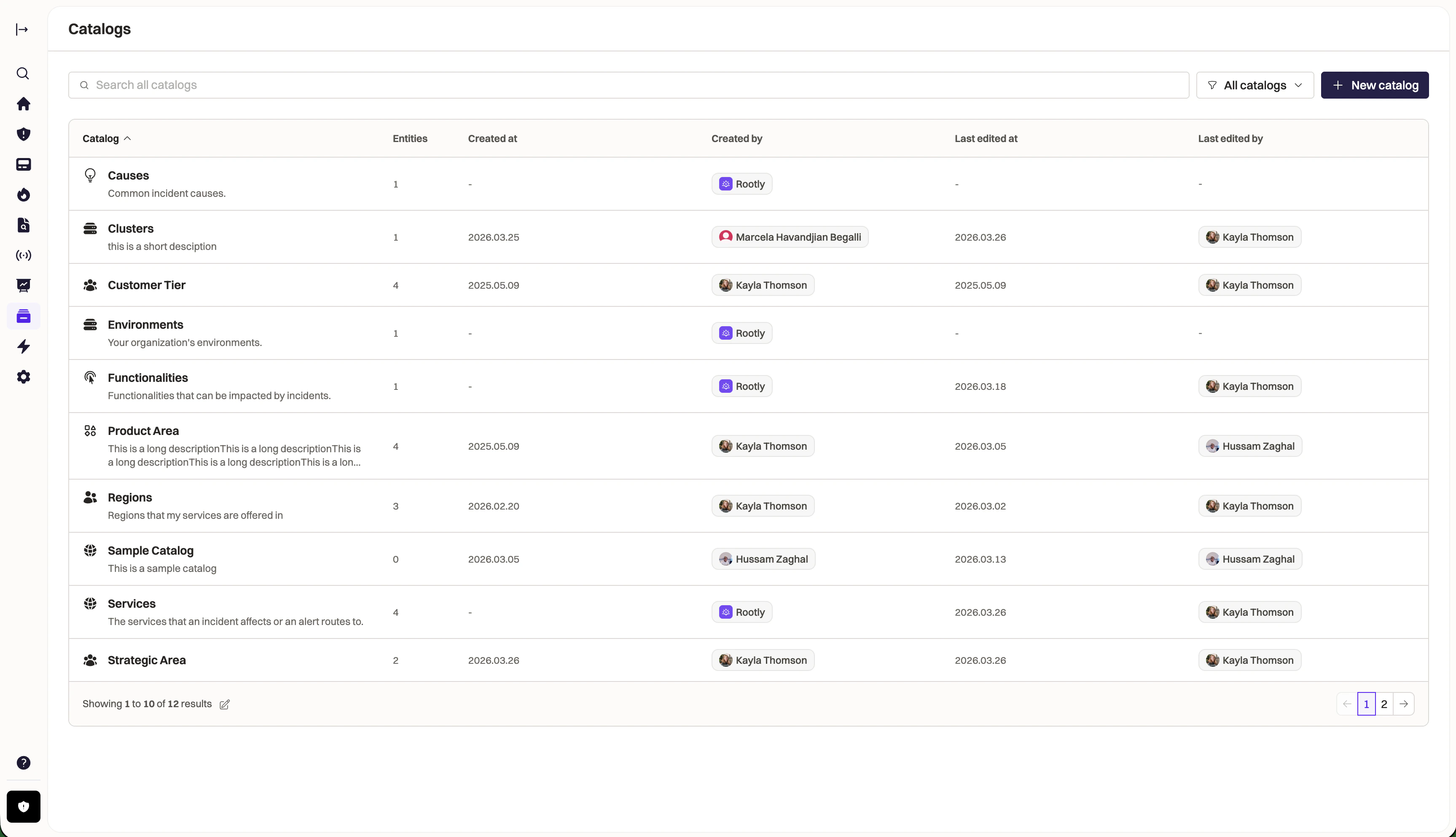
`rootly-catalog-sync` is a standalone CLI tool that reconciles external sources of truth into Rootly's Catalog. It pulls data from your existing systems — GitHub repos, Backstage, internal APIs, CSV files, or any command — and syncs it one-way into Rootly, keeping services, teams, and metadata up to date automatically.
 ## Why use Catalog Sync?
* **Single source of truth** — your service catalog lives in GitHub, Backstage, or a database. Rootly mirrors it automatically.
* **No manual data entry** — add a service to your repo, it appears in Rootly on the next sync.
* **Safe by default** — deletes are opt-in, empty sources abort, prune ratio thresholds prevent mass deletion.
* **Terraform-style workflow** — `plan` to preview, `apply` to execute, `status` to check drift.
## Install
```bash theme={null}
# Homebrew
brew install rootlyhq/tap/rootly-catalog-sync
# Go
go install github.com/rootlyhq/rootly-catalog-sync/cmd/rootly-catalog-sync@latest
# Docker (mount your config + catalog data)
docker run --rm -e ROOTLY_API_KEY \
-v $PWD/rootly-catalog-sync.yaml:/config.yaml:ro \
-v $PWD/catalog:/catalog:ro \
rootlyhq/rootly-catalog-sync sync --config=/config.yaml
```
## Quick start
```bash theme={null}
# Set your API key
export ROOTLY_API_KEY=rootly_...
# Create a config
rootly-catalog-sync init
# Check your setup
rootly-catalog-sync doctor
# Preview changes
rootly-catalog-sync plan
# Apply
rootly-catalog-sync sync
```
## Authentication
Two methods are supported, in priority order:
### API key (CI / non-interactive)
```bash theme={null}
export ROOTLY_API_KEY=rootly_...
```
Create an API key at **Settings → API Keys** in your Rootly dashboard.
### OAuth 2.0 (interactive)
```bash theme={null}
# Login via browser (Authorization Code + PKCE)
rootly-catalog-sync login
# Tokens saved to ~/.rootly-catalog-sync/config.yaml
# Auto-refreshed transparently on expiry
# Clear stored tokens
rootly-catalog-sync logout
```
If `ROOTLY_API_KEY` is set, it always takes precedence over OAuth tokens.
## Configuration
The sync tool uses a declarative config file that defines **pipelines** — each pipeline connects sources to catalog outputs.
```yaml YAML theme={null}
version: 1
sync_id: services
pipelines:
- sources:
- local:
files: ["catalog/*.yaml"]
outputs:
- catalog: "Services"
external_id: "{{ .id }}"
name: "{{ .name }}"
fields:
owner: "{{ .owner }}"
tier: "{{ .tier }}"
```
```jsonnet Jsonnet theme={null}
{
version: 1,
sync_id: "services",
pipelines: [
{
sources: [
{
github: {
token: "$(GITHUB_TOKEN)",
owner: "acme",
repos: ["payments", "auth", "gateway"],
files: ["catalog.yaml"],
},
},
],
outputs: [
{
catalog: "Services",
external_id: "{{ .id }}",
name: "{{ .name }}",
fields: {
owner: "{{ .owner }}",
tier: "{{ .tier }}",
},
},
],
},
],
}
```
```hcl HCL theme={null}
version = 1
sync_id = "services"
pipeline {
source {
local {
files = ["catalog/*.yaml"]
}
}
output {
catalog = "Services"
external_id = "{{ .id }}"
name = "{{ .name }}"
fields = {
owner = "{{ .owner }}"
tier = "{{ .tier }}"
}
}
}
```
Config files are detected by extension: `.yaml` (default), `.jsonnet`, or `.hcl`. Credentials use `$(ENV_VAR)` substitution.
## Sources
| Source | Description |
| ----------- | -------------------------------------------------------- |
| `inline` | Entries defined directly in config |
| `local` | YAML/JSON files from disk (glob patterns) |
| `github` | Files from GitHub repositories (supports `**` patterns) |
| `exec` | Run a command, parse stdout as JSON/YAML |
| `backstage` | Backstage catalog API with pagination |
| `graphql` | Arbitrary GraphQL endpoint with cursor/offset pagination |
| `csv` | CSV files with header row |
| `url` | Fetch YAML/JSON from remote URLs |
| `http` | Generic REST API with JSONPath extraction |
### GitHub source example
```yaml theme={null}
sources:
- github:
token: "$(GITHUB_TOKEN)"
owner: acme
repos: ["payments", "auth", "gateway"]
files: ["**/catalog.yaml"]
ref: main
```
### Exec source example
```yaml theme={null}
sources:
- exec:
command: bq
args: ["query", "--format=json", "SELECT id, name, owner FROM dataset.services"]
```
### URL source example
```yaml theme={null}
sources:
- url:
urls:
- https://internal.company.com/catalog/services.yaml
- https://internal.company.com/catalog/teams.json
headers:
Authorization: "Bearer $(API_TOKEN)"
```
### HTTP source example
```yaml theme={null}
sources:
- http:
url: https://api.internal.com/v1/services
method: GET
headers:
Authorization: "Bearer $(API_TOKEN)"
result: data.services
```
## Commands
| Command | Description |
| ----------------- | ------------------------------------------------------------ |
| `plan` | Preview changes (creates a saved plan file) |
| `apply ` | Apply a saved plan (validates freshness first) |
| `sync` | Plan + apply in one step |
| `status` | Read-only drift check (`--fail-on-drift` for CI gates) |
| `init` | Create a config file (add `--interactive` for guided wizard) |
| `validate` | Check config syntax |
| `doctor` | Verify API key, connectivity, and permissions |
| `sources inspect` | Dump raw source entries before mapping |
| `explain ` | Trace one entry through source → mapping → diff |
| `adopt` | Claim existing UI entries under sync management |
| `import` | One-shot seed (no prune, no lock) |
| `watch` | Continuous sync loop (`--interval=5m`) |
| `tui` | Interactive terminal UI for selective apply |
| `login` | Authenticate via browser OAuth 2.0 (PKCE) |
| `logout` | Clear stored OAuth tokens |
## Safety guarantees
* **Deletes are opt-in** — `--allow-prune` required, off by default
* **Empty source aborts** — never wipes a catalog on a source failure
* **Prune ratio threshold** — aborts if deletes exceed 20% of live entities (configurable via `--prune-threshold`)
* **Manual entries are safe** — only entries with `external_id` (created by sync) are prunable
* **Order: create/update first, delete last** — no window where entries are missing
* **Plan freshness** — `apply` validates that live state hasn't changed since the plan was created
## CI/CD integration
### GitHub Actions
```yaml theme={null}
name: Catalog Sync
on:
push:
branches: [main]
paths:
- "catalog/**"
- "rootly-catalog-sync.yaml"
jobs:
sync:
runs-on: ubuntu-latest
steps:
- uses: actions/checkout@v4
- uses: actions/setup-go@v5
with:
go-version: stable
- run: |
go install github.com/rootlyhq/rootly-catalog-sync/cmd/rootly-catalog-sync@latest
$(go env GOPATH)/bin/rootly-catalog-sync sync
env:
ROOTLY_API_KEY: ${{ secrets.ROOTLY_API_KEY }}
```
### Dry-run on PRs
```yaml theme={null}
- run: rootly-catalog-sync plan --dry-run --output=json
env:
ROOTLY_API_KEY: ${{ secrets.ROOTLY_API_KEY }}
```
### Nightly drift detection
```yaml theme={null}
- run: rootly-catalog-sync status --fail-on-drift
env:
ROOTLY_API_KEY: ${{ secrets.ROOTLY_API_KEY }}
```
## Environment variables
| Variable | Description | Default |
| ----------------- | ---------------------------------- | ------------------------ |
| `ROOTLY_API_KEY` | API key (or use `login` for OAuth) | — |
| `ROOTLY_API_URL` | Override base URL | `https://api.rootly.com` |
| `ROOTLY_API_PATH` | Override API path prefix | `/v1` |
## Interactive TUI
The `tui` command launches a full-screen terminal UI for reviewing and selectively applying changes:
* Browse changes with colored badges (CREATE/UPDATE/DELETE/NOOP)
* Toggle individual changes with `space`, expand field diffs with `enter`
* Filter by operation type (`c`/`u`/`d`) or search (`/`)
* Detail pane shows full entity fields on wide terminals
* Apply only selected changes with `A`
## Resources
* [GitHub repository](https://github.com/rootlyhq/rootly-catalog-sync)
* [Troubleshooting guide](https://github.com/rootlyhq/rootly-catalog-sync/blob/master/docs/troubleshooting.md)
* [Template syntax reference](https://github.com/rootlyhq/rootly-catalog-sync/blob/master/docs/templates.md)
* [Working examples](https://github.com/rootlyhq/rootly-catalog-sync/tree/master/docs/examples)
## Why use Catalog Sync?
* **Single source of truth** — your service catalog lives in GitHub, Backstage, or a database. Rootly mirrors it automatically.
* **No manual data entry** — add a service to your repo, it appears in Rootly on the next sync.
* **Safe by default** — deletes are opt-in, empty sources abort, prune ratio thresholds prevent mass deletion.
* **Terraform-style workflow** — `plan` to preview, `apply` to execute, `status` to check drift.
## Install
```bash theme={null}
# Homebrew
brew install rootlyhq/tap/rootly-catalog-sync
# Go
go install github.com/rootlyhq/rootly-catalog-sync/cmd/rootly-catalog-sync@latest
# Docker (mount your config + catalog data)
docker run --rm -e ROOTLY_API_KEY \
-v $PWD/rootly-catalog-sync.yaml:/config.yaml:ro \
-v $PWD/catalog:/catalog:ro \
rootlyhq/rootly-catalog-sync sync --config=/config.yaml
```
## Quick start
```bash theme={null}
# Set your API key
export ROOTLY_API_KEY=rootly_...
# Create a config
rootly-catalog-sync init
# Check your setup
rootly-catalog-sync doctor
# Preview changes
rootly-catalog-sync plan
# Apply
rootly-catalog-sync sync
```
## Authentication
Two methods are supported, in priority order:
### API key (CI / non-interactive)
```bash theme={null}
export ROOTLY_API_KEY=rootly_...
```
Create an API key at **Settings → API Keys** in your Rootly dashboard.
### OAuth 2.0 (interactive)
```bash theme={null}
# Login via browser (Authorization Code + PKCE)
rootly-catalog-sync login
# Tokens saved to ~/.rootly-catalog-sync/config.yaml
# Auto-refreshed transparently on expiry
# Clear stored tokens
rootly-catalog-sync logout
```
If `ROOTLY_API_KEY` is set, it always takes precedence over OAuth tokens.
## Configuration
The sync tool uses a declarative config file that defines **pipelines** — each pipeline connects sources to catalog outputs.
```yaml YAML theme={null}
version: 1
sync_id: services
pipelines:
- sources:
- local:
files: ["catalog/*.yaml"]
outputs:
- catalog: "Services"
external_id: "{{ .id }}"
name: "{{ .name }}"
fields:
owner: "{{ .owner }}"
tier: "{{ .tier }}"
```
```jsonnet Jsonnet theme={null}
{
version: 1,
sync_id: "services",
pipelines: [
{
sources: [
{
github: {
token: "$(GITHUB_TOKEN)",
owner: "acme",
repos: ["payments", "auth", "gateway"],
files: ["catalog.yaml"],
},
},
],
outputs: [
{
catalog: "Services",
external_id: "{{ .id }}",
name: "{{ .name }}",
fields: {
owner: "{{ .owner }}",
tier: "{{ .tier }}",
},
},
],
},
],
}
```
```hcl HCL theme={null}
version = 1
sync_id = "services"
pipeline {
source {
local {
files = ["catalog/*.yaml"]
}
}
output {
catalog = "Services"
external_id = "{{ .id }}"
name = "{{ .name }}"
fields = {
owner = "{{ .owner }}"
tier = "{{ .tier }}"
}
}
}
```
Config files are detected by extension: `.yaml` (default), `.jsonnet`, or `.hcl`. Credentials use `$(ENV_VAR)` substitution.
## Sources
| Source | Description |
| ----------- | -------------------------------------------------------- |
| `inline` | Entries defined directly in config |
| `local` | YAML/JSON files from disk (glob patterns) |
| `github` | Files from GitHub repositories (supports `**` patterns) |
| `exec` | Run a command, parse stdout as JSON/YAML |
| `backstage` | Backstage catalog API with pagination |
| `graphql` | Arbitrary GraphQL endpoint with cursor/offset pagination |
| `csv` | CSV files with header row |
| `url` | Fetch YAML/JSON from remote URLs |
| `http` | Generic REST API with JSONPath extraction |
### GitHub source example
```yaml theme={null}
sources:
- github:
token: "$(GITHUB_TOKEN)"
owner: acme
repos: ["payments", "auth", "gateway"]
files: ["**/catalog.yaml"]
ref: main
```
### Exec source example
```yaml theme={null}
sources:
- exec:
command: bq
args: ["query", "--format=json", "SELECT id, name, owner FROM dataset.services"]
```
### URL source example
```yaml theme={null}
sources:
- url:
urls:
- https://internal.company.com/catalog/services.yaml
- https://internal.company.com/catalog/teams.json
headers:
Authorization: "Bearer $(API_TOKEN)"
```
### HTTP source example
```yaml theme={null}
sources:
- http:
url: https://api.internal.com/v1/services
method: GET
headers:
Authorization: "Bearer $(API_TOKEN)"
result: data.services
```
## Commands
| Command | Description |
| ----------------- | ------------------------------------------------------------ |
| `plan` | Preview changes (creates a saved plan file) |
| `apply ` | Apply a saved plan (validates freshness first) |
| `sync` | Plan + apply in one step |
| `status` | Read-only drift check (`--fail-on-drift` for CI gates) |
| `init` | Create a config file (add `--interactive` for guided wizard) |
| `validate` | Check config syntax |
| `doctor` | Verify API key, connectivity, and permissions |
| `sources inspect` | Dump raw source entries before mapping |
| `explain ` | Trace one entry through source → mapping → diff |
| `adopt` | Claim existing UI entries under sync management |
| `import` | One-shot seed (no prune, no lock) |
| `watch` | Continuous sync loop (`--interval=5m`) |
| `tui` | Interactive terminal UI for selective apply |
| `login` | Authenticate via browser OAuth 2.0 (PKCE) |
| `logout` | Clear stored OAuth tokens |
## Safety guarantees
* **Deletes are opt-in** — `--allow-prune` required, off by default
* **Empty source aborts** — never wipes a catalog on a source failure
* **Prune ratio threshold** — aborts if deletes exceed 20% of live entities (configurable via `--prune-threshold`)
* **Manual entries are safe** — only entries with `external_id` (created by sync) are prunable
* **Order: create/update first, delete last** — no window where entries are missing
* **Plan freshness** — `apply` validates that live state hasn't changed since the plan was created
## CI/CD integration
### GitHub Actions
```yaml theme={null}
name: Catalog Sync
on:
push:
branches: [main]
paths:
- "catalog/**"
- "rootly-catalog-sync.yaml"
jobs:
sync:
runs-on: ubuntu-latest
steps:
- uses: actions/checkout@v4
- uses: actions/setup-go@v5
with:
go-version: stable
- run: |
go install github.com/rootlyhq/rootly-catalog-sync/cmd/rootly-catalog-sync@latest
$(go env GOPATH)/bin/rootly-catalog-sync sync
env:
ROOTLY_API_KEY: ${{ secrets.ROOTLY_API_KEY }}
```
### Dry-run on PRs
```yaml theme={null}
- run: rootly-catalog-sync plan --dry-run --output=json
env:
ROOTLY_API_KEY: ${{ secrets.ROOTLY_API_KEY }}
```
### Nightly drift detection
```yaml theme={null}
- run: rootly-catalog-sync status --fail-on-drift
env:
ROOTLY_API_KEY: ${{ secrets.ROOTLY_API_KEY }}
```
## Environment variables
| Variable | Description | Default |
| ----------------- | ---------------------------------- | ------------------------ |
| `ROOTLY_API_KEY` | API key (or use `login` for OAuth) | — |
| `ROOTLY_API_URL` | Override base URL | `https://api.rootly.com` |
| `ROOTLY_API_PATH` | Override API path prefix | `/v1` |
## Interactive TUI
The `tui` command launches a full-screen terminal UI for reviewing and selectively applying changes:
* Browse changes with colored badges (CREATE/UPDATE/DELETE/NOOP)
* Toggle individual changes with `space`, expand field diffs with `enter`
* Filter by operation type (`c`/`u`/`d`) or search (`/`)
* Detail pane shows full entity fields on wide terminals
* Apply only selected changes with `A`
## Resources
* [GitHub repository](https://github.com/rootlyhq/rootly-catalog-sync)
* [Troubleshooting guide](https://github.com/rootlyhq/rootly-catalog-sync/blob/master/docs/troubleshooting.md)
* [Template syntax reference](https://github.com/rootlyhq/rootly-catalog-sync/blob/master/docs/templates.md)
* [Working examples](https://github.com/rootlyhq/rootly-catalog-sync/tree/master/docs/examples)