> ## Documentation Index
> Fetch the complete documentation index at: https://docs.rootly.com/llms.txt
> Use this file to discover all available pages before exploring further.
# Importing from Atlassian Statuspage
> Move your status pages from Atlassian Statuspage to Rootly with your components, subscribers, and incident history.
Move to Rootly without losing your history or your audience. Rootly pulls your pages straight from Atlassian through the API, so subscribers and past incidents come with you and nobody gets a re-subscribe email.
## What Comes Over
* Page settings
* Components, mapped into Rootly groups
* Subscribers, imported silently
* Incident history
## Before You Begin
You need a [Statuspage.io](http://Statuspage.io) API key.
## Import Your Pages
1. Go to **Status Pages** → **Import from Atlassian**.
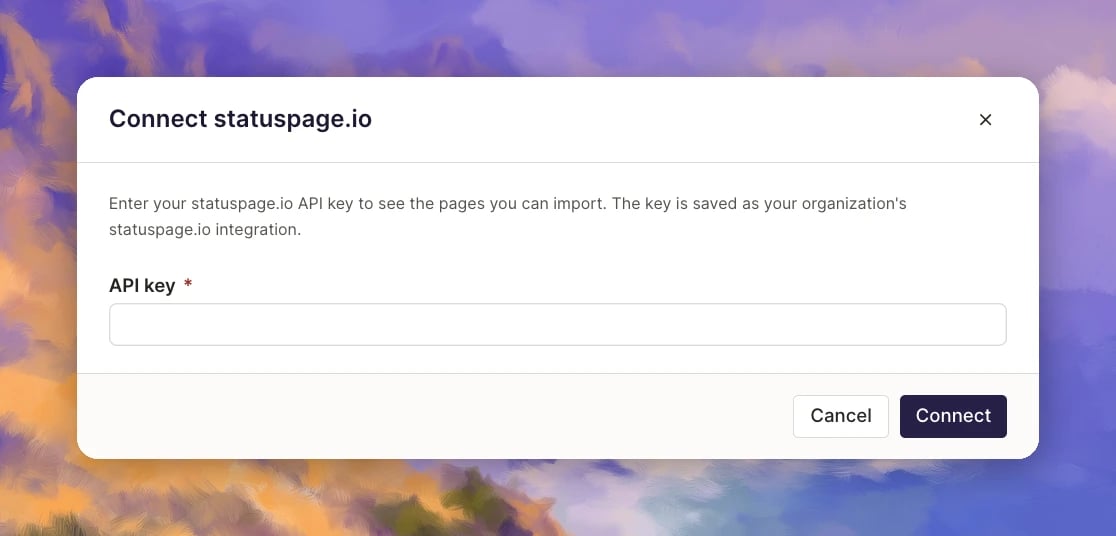
2. In **Connect [statuspage.io](http://statuspage.io)**, paste your **API key** and click **Connect**. Rootly saves the key as your organization's [Statuspage.io](http://Statuspage.io) integration, so you only do this once.
 3. Select the pages to import.
4. Review how components map into groups.
5. Click **Import**.
**Need help?** If you run into any issues during the import, contact our team at [support@rootly.com](mailto:support@rootly.com) and we'll help you get your pages moved over.
Still using Atlassian for now? The [Statuspage.io integration](/integrations/status-page-io) links Rootly to a page that stays in Atlassian. This guide is for moving your pages to Rootly.
The umbrella concept — what public and private status pages are and when to use each.
Point your own domain at a Rootly status page with CNAME + CAA records.
Communicate the status business entity your customers care about with Components.
This documentation is built and hosted on [Mintlify](https://mintlify.com), a developer documentation platform.
3. Select the pages to import.
4. Review how components map into groups.
5. Click **Import**.
**Need help?** If you run into any issues during the import, contact our team at [support@rootly.com](mailto:support@rootly.com) and we'll help you get your pages moved over.
Still using Atlassian for now? The [Statuspage.io integration](/integrations/status-page-io) links Rootly to a page that stays in Atlassian. This guide is for moving your pages to Rootly.
The umbrella concept — what public and private status pages are and when to use each.
Point your own domain at a Rootly status page with CNAME + CAA records.
Communicate the status business entity your customers care about with Components.
This documentation is built and hosted on [Mintlify](https://mintlify.com), a developer documentation platform.