> ## Documentation Index
> Fetch the complete documentation index at: https://docs.rootly.com/llms.txt
> Use this file to discover all available pages before exploring further.
# Viewing Action Items in Slack
> View and manage your assigned incident action items directly in Slack incident channels using the /rootly tasks command and interactive modal dialogs.
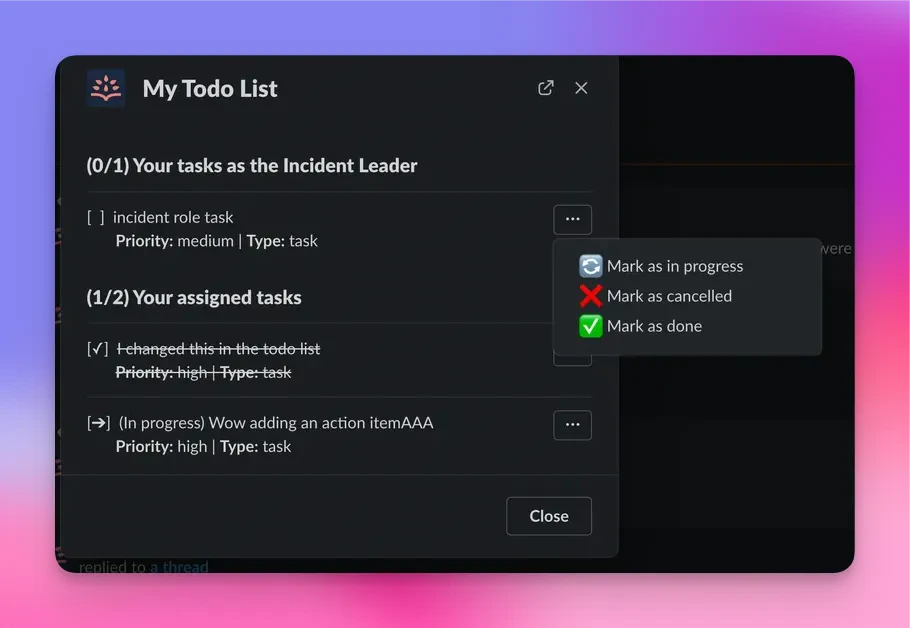
Within an incident channel in Slack you can get an interactive list of action items assigned to you by using the /incident todo command. The command will surface a modal that will inform you of all the action items assigned to you for that particular incident.
In an incident channel type `/incident todo` or `/incident task`