> ## Documentation Index
> Fetch the complete documentation index at: https://docs.rootly.com/llms.txt
> Use this file to discover all available pages before exploring further.
# Asana
> Connect Asana to Rootly to automatically create and update tasks from incidents and action items in your Asana workspace.
The Asana integration connects Rootly with your Asana workspace so teams can automatically create and update tasks through Genius workflows. Tasks can be assigned, linked to projects, given due dates, and populated with custom fields — all driven by incident data.
With the Asana integration, you can:
* Automatically create Asana tasks when incidents are declared or reach a certain state
* Create subtasks under an existing Asana task to track action items
* Update task title, completion status, assignee, and custom fields as incidents evolve
* Set task dependencies to model blocking relationships between tasks
## Before You Begin
Before setting up the integration, make sure you have:
* A Rootly account with admin permission to manage integrations
* An Asana account with access to the workspace you want to use
Rootly recommends installing with a dedicated Asana service account so the integration does not break if an individual user leaves your organization.
## Installation
Navigate to the integrations page in Rootly and select **Asana**.
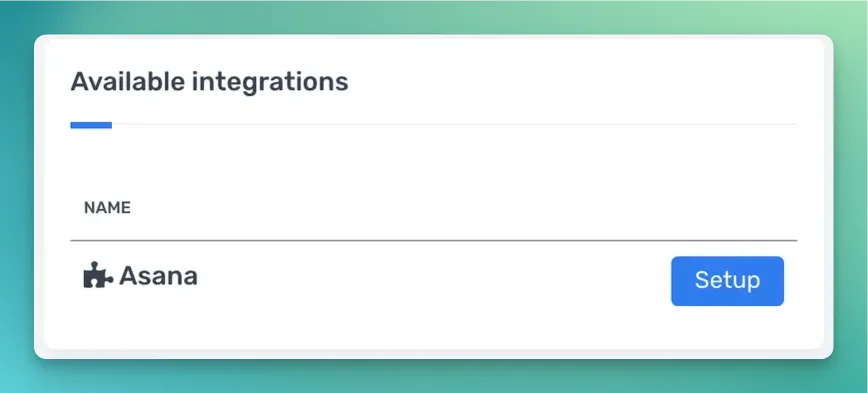 You will be redirected to Asana to sign in and grant Rootly permission to access your workspace. Once authorized, the installation is complete.
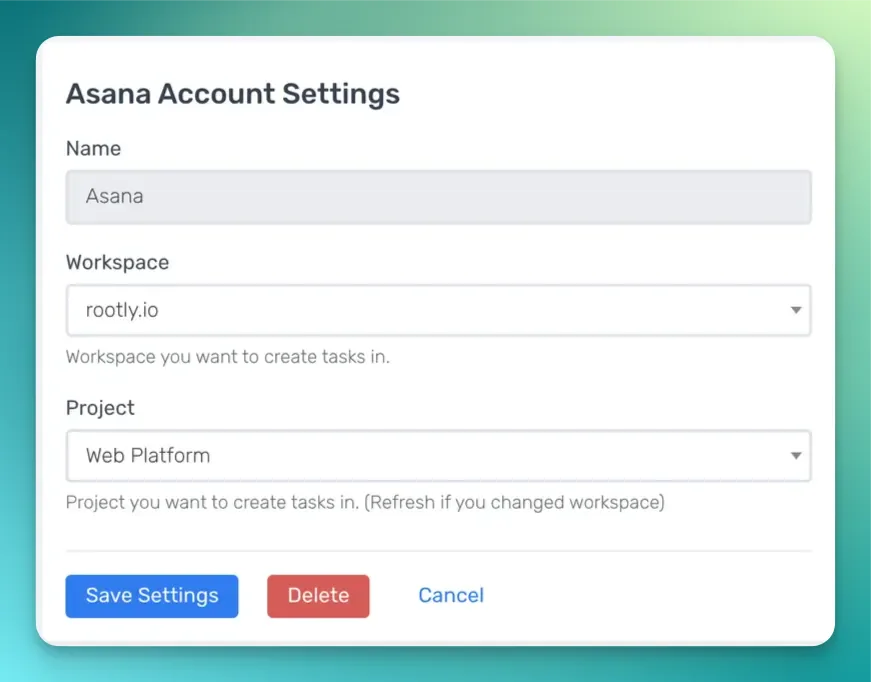 After authorization, the **Create an Asana Task**, **Create an Asana Subtask**, and **Update an Asana Task** workflow actions are available in your Genius workflows.
## Workflow Actions
The Asana integration provides three workflow actions for managing tasks directly from Rootly incidents. If you are unfamiliar with how Genius workflows work, visit the [Workflows](/workflows/workflows) documentation first.
### Create an Asana Task
This action creates a new task in a specified Asana project.
| Field | Description | Required |
| ------------------------- | --------------------------------------------------------------------------- | -------- |
| **Name** | Display name for this workflow action | |
| **Workspace** | Asana workspace where the task will be created | Yes |
| **Team** | Asana team used to filter available projects | |
| **Projects** | One or more Asana projects to associate the task with | Yes |
| **Title** | Task title. Defaults to `{{ incident.title }}`. Supports Liquid | Yes |
| **Notes** | Task description. Supports Liquid | |
| **Assign User Email** | Email of the Asana user to assign the task to. Supports Liquid | |
| **Completion** | Task completion status. **Auto** mirrors the incident or action item status | Yes |
| **Due Date** | Task due date. Supports Liquid | |
| **Custom Fields Mapping** | JSON mapping Asana custom field IDs to values. Supports Liquid | |
| **Dependency Direction** | Whether this task is **blocking** or **blocked by** the dependent tasks | |
| **Dependent Task IDs** | Asana task IDs that this task has a dependency relationship with | |
After authorization, the **Create an Asana Task**, **Create an Asana Subtask**, and **Update an Asana Task** workflow actions are available in your Genius workflows.
## Workflow Actions
The Asana integration provides three workflow actions for managing tasks directly from Rootly incidents. If you are unfamiliar with how Genius workflows work, visit the [Workflows](/workflows/workflows) documentation first.
### Create an Asana Task
This action creates a new task in a specified Asana project.
| Field | Description | Required |
| ------------------------- | --------------------------------------------------------------------------- | -------- |
| **Name** | Display name for this workflow action | |
| **Workspace** | Asana workspace where the task will be created | Yes |
| **Team** | Asana team used to filter available projects | |
| **Projects** | One or more Asana projects to associate the task with | Yes |
| **Title** | Task title. Defaults to `{{ incident.title }}`. Supports Liquid | Yes |
| **Notes** | Task description. Supports Liquid | |
| **Assign User Email** | Email of the Asana user to assign the task to. Supports Liquid | |
| **Completion** | Task completion status. **Auto** mirrors the incident or action item status | Yes |
| **Due Date** | Task due date. Supports Liquid | |
| **Custom Fields Mapping** | JSON mapping Asana custom field IDs to values. Supports Liquid | |
| **Dependency Direction** | Whether this task is **blocking** or **blocked by** the dependent tasks | |
| **Dependent Task IDs** | Asana task IDs that this task has a dependency relationship with | |
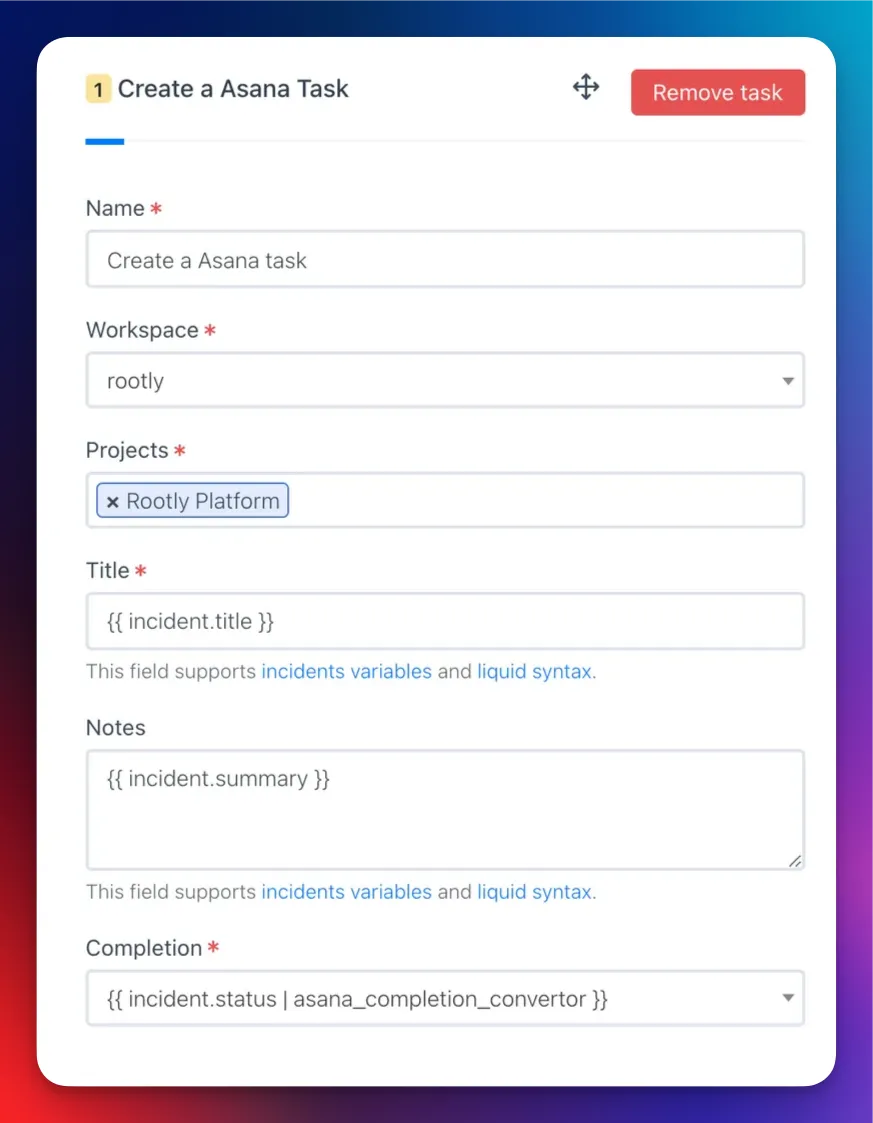 Use the [Incident Variable Explorer](https://rootly.com/account/help/liquid-explorer) to preview what Liquid variables return for your incidents.
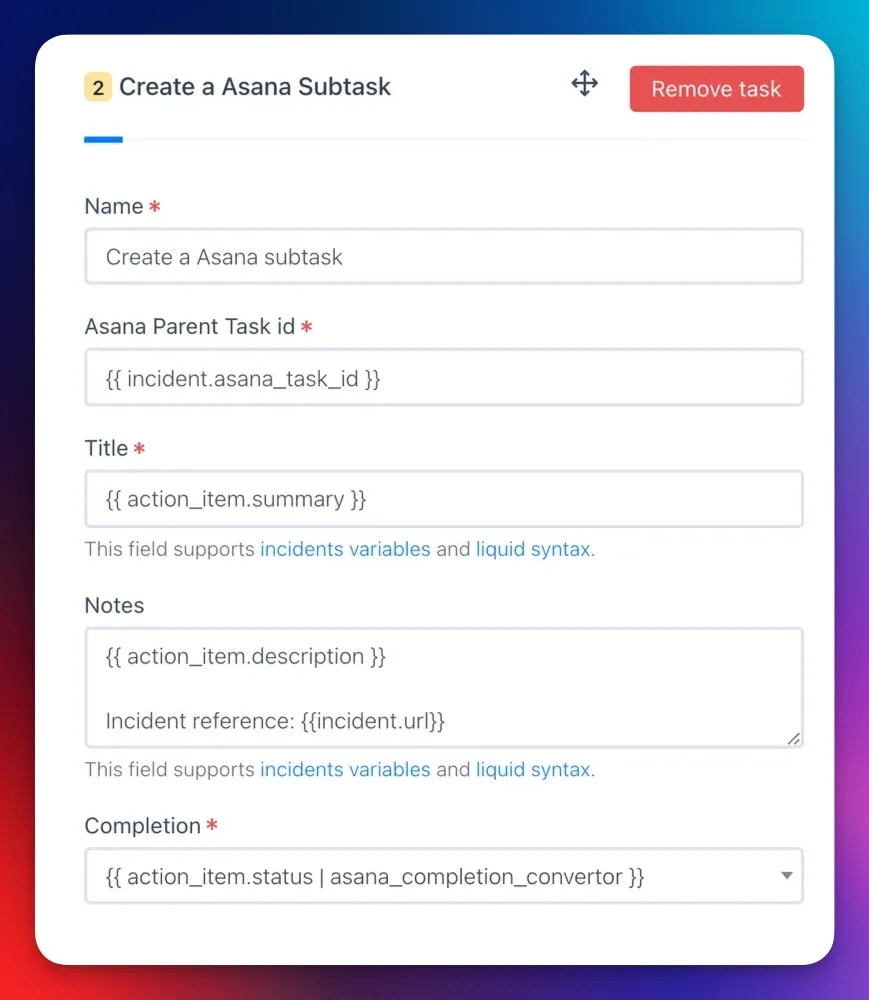
### Create an Asana Subtask
This action creates a subtask under an existing Asana task.
When a **Create an Asana Task** action runs, Rootly stores the resulting task ID on the incident record. Reference it in subsequent subtask actions using Liquid variables.
| Field | Description | Required |
| ------------------------- | -------------------------------------------------------------------------- | -------- |
| **Name** | Display name for this workflow action | |
| **Parent Task ID** | Asana task ID of the parent task. Supports Liquid | Yes |
| **Title** | Subtask title. Supports Liquid | Yes |
| **Notes** | Subtask description. Supports Liquid | |
| **Assign User Email** | Email of the Asana user to assign the subtask to. Supports Liquid | |
| **Completion** | Subtask completion status | Yes |
| **Due Date** | Subtask due date. Supports Liquid | |
| **Custom Fields Mapping** | JSON mapping Asana custom field IDs to values. Supports Liquid | |
| **Dependency Direction** | Whether this subtask is **blocking** or **blocked by** the dependent tasks | |
| **Dependent Task IDs** | Asana task IDs this subtask depends on | |
Use the [Incident Variable Explorer](https://rootly.com/account/help/liquid-explorer) to preview what Liquid variables return for your incidents.
### Create an Asana Subtask
This action creates a subtask under an existing Asana task.
When a **Create an Asana Task** action runs, Rootly stores the resulting task ID on the incident record. Reference it in subsequent subtask actions using Liquid variables.
| Field | Description | Required |
| ------------------------- | -------------------------------------------------------------------------- | -------- |
| **Name** | Display name for this workflow action | |
| **Parent Task ID** | Asana task ID of the parent task. Supports Liquid | Yes |
| **Title** | Subtask title. Supports Liquid | Yes |
| **Notes** | Subtask description. Supports Liquid | |
| **Assign User Email** | Email of the Asana user to assign the subtask to. Supports Liquid | |
| **Completion** | Subtask completion status | Yes |
| **Due Date** | Subtask due date. Supports Liquid | |
| **Custom Fields Mapping** | JSON mapping Asana custom field IDs to values. Supports Liquid | |
| **Dependency Direction** | Whether this subtask is **blocking** or **blocked by** the dependent tasks | |
| **Dependent Task IDs** | Asana task IDs this subtask depends on | |
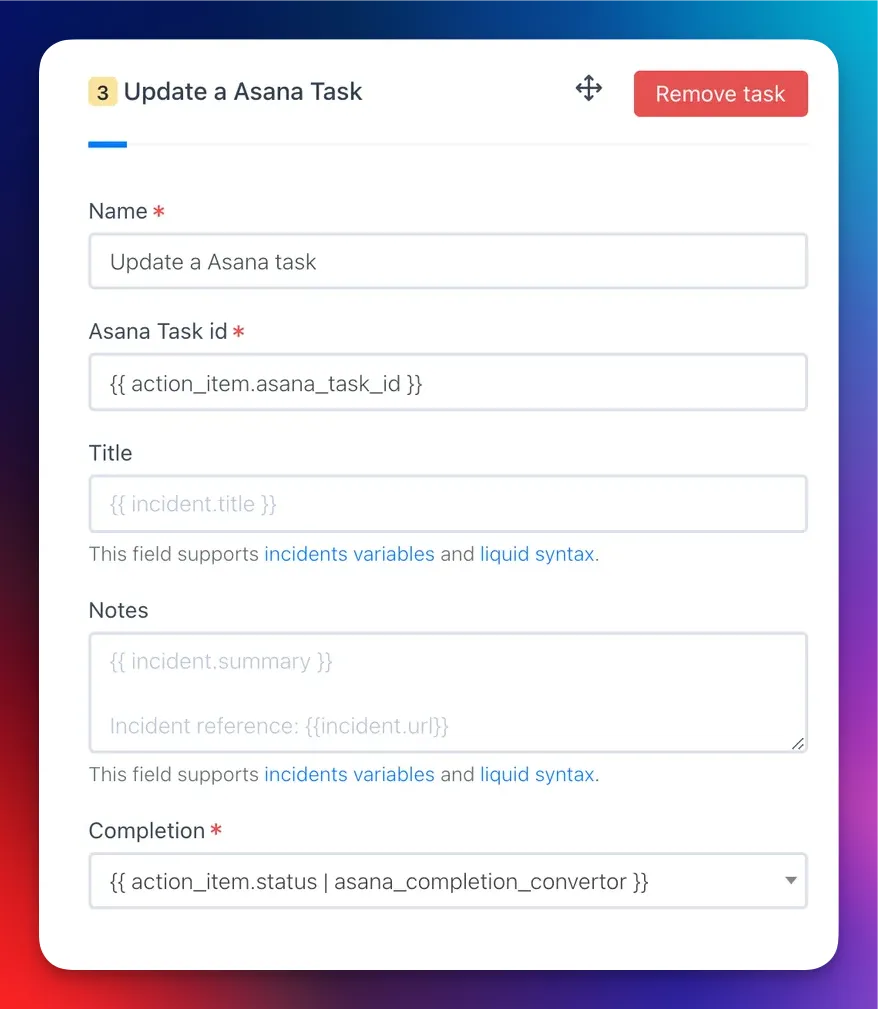
 ### Update an Asana Task
This action updates an existing Asana task with new values.
| Field | Description | Required |
| ------------------------- | ----------------------------------------------------------------- | -------- |
| **Name** | Display name for this workflow action | |
| **Task ID** | Asana task ID to update. Supports Liquid | Yes |
| **Title** | Updated task title. Supports Liquid. Leave blank to keep existing | |
| **Assign User Email** | Updated assignee email. Supports Liquid | |
| **Completion** | Updated completion status | Yes |
| **Due Date** | Updated due date. Supports Liquid | |
| **Custom Fields Mapping** | Updated custom field values as JSON. Supports Liquid | |
| **Dependency Direction** | Updated dependency direction: **blocking** or **blocked by** | |
| **Dependent Task IDs** | Updated list of dependent Asana task IDs | |
### Update an Asana Task
This action updates an existing Asana task with new values.
| Field | Description | Required |
| ------------------------- | ----------------------------------------------------------------- | -------- |
| **Name** | Display name for this workflow action | |
| **Task ID** | Asana task ID to update. Supports Liquid | Yes |
| **Title** | Updated task title. Supports Liquid. Leave blank to keep existing | |
| **Assign User Email** | Updated assignee email. Supports Liquid | |
| **Completion** | Updated completion status | Yes |
| **Due Date** | Updated due date. Supports Liquid | |
| **Custom Fields Mapping** | Updated custom field values as JSON. Supports Liquid | |
| **Dependency Direction** | Updated dependency direction: **blocking** or **blocked by** | |
| **Dependent Task IDs** | Updated list of dependent Asana task IDs | |
 ## Custom Fields
Use the **Custom Fields Mapping** field to set Asana custom field values using a JSON object. The key is the Asana custom field ID and the value depends on the field type.
**Text fields**
```json theme={null}
{
"4578152156": "Not Started",
"5678904321": "On Hold"
}
```
**Liquid syntax in text fields**
```json theme={null}
{
"4578152156": "{{ incident.severity }}",
"5678904321": "{{ incident.status }}"
}
```
**Single-select enum fields** — use the Asana enum option ID as the value:
```json theme={null}
{
"5678904322": "1004598149"
}
```
**Multi-select enum fields** — use an array of enum option IDs:
```json theme={null}
{
"5678904322": ["459021796", "1004598149"]
}
```
**Conditional enum mapping with Liquid**
```json theme={null}
{
"4578152156": "{{ incident.severity }}",
{% if incident.severity == "sev0" %}
"5678904322": "1004598149"
{% elsif incident.severity == "sev1" %}
"5678904322": "2005678230"
{% endif %}
}
```
To find custom field IDs and enum option IDs, use the Asana API or inspect the URL when editing a custom field in Asana.
## Uninstall
To remove the Asana integration, open the integrations panel in Rootly and select **Configure > Delete**.
## Related Resources
* [Workflows](/workflows/workflows)
* [Liquid templating](/liquid/liquid)
* [Integrations overview](/integrations/overview)
## Custom Fields
Use the **Custom Fields Mapping** field to set Asana custom field values using a JSON object. The key is the Asana custom field ID and the value depends on the field type.
**Text fields**
```json theme={null}
{
"4578152156": "Not Started",
"5678904321": "On Hold"
}
```
**Liquid syntax in text fields**
```json theme={null}
{
"4578152156": "{{ incident.severity }}",
"5678904321": "{{ incident.status }}"
}
```
**Single-select enum fields** — use the Asana enum option ID as the value:
```json theme={null}
{
"5678904322": "1004598149"
}
```
**Multi-select enum fields** — use an array of enum option IDs:
```json theme={null}
{
"5678904322": ["459021796", "1004598149"]
}
```
**Conditional enum mapping with Liquid**
```json theme={null}
{
"4578152156": "{{ incident.severity }}",
{% if incident.severity == "sev0" %}
"5678904322": "1004598149"
{% elsif incident.severity == "sev1" %}
"5678904322": "2005678230"
{% endif %}
}
```
To find custom field IDs and enum option IDs, use the Asana API or inspect the URL when editing a custom field in Asana.
## Uninstall
To remove the Asana integration, open the integrations panel in Rootly and select **Configure > Delete**.
## Related Resources
* [Workflows](/workflows/workflows)
* [Liquid templating](/liquid/liquid)
* [Integrations overview](/integrations/overview)