> ## Documentation Index
> Fetch the complete documentation index at: https://docs.rootly.com/llms.txt
> Use this file to discover all available pages before exploring further.
# Kubernetes
> Connect Kubernetes to Rootly to monitor cluster events across pods, deployments, and services, and surface them as pulses during incidents.
## Introduction
The Kubernetes integration connects Rootly with your Kubernetes clusters using an inbound webhook. Cluster events are captured via [kubewatch](https://github.com/robusta-dev/kubewatch) and forwarded to Rootly, where they appear as pulses on your incident timelines and service activity feeds.
With the Kubernetes integration, you can:
* Automatically track events from across your cluster as Rootly pulses in real time
* Correlate Kubernetes events with active incidents to surface infrastructure context fast
* Monitor a wide range of resource types including pods, deployments, services, nodes, and more
* Associate cluster events with Rootly services by matching the Kubernetes deployment name
This integration uses a **static webhook secret** rather than OAuth. Rootly generates a unique webhook URL and signing secret for your workspace — kubewatch sends events to this URL and Rootly verifies the signature on each request.
## Before You Begin
Before setting up the Kubernetes integration, make sure you have:
* A Rootly account with permission to manage integrations
* Access to your Kubernetes cluster to deploy or configure kubewatch
* `kubectl` or Helm available to apply configuration to your cluster
The Kubernetes integration relies on **kubewatch** to watch cluster events and forward them to Rootly. You will need to deploy and configure kubewatch in your cluster as part of the setup process.
## Installation
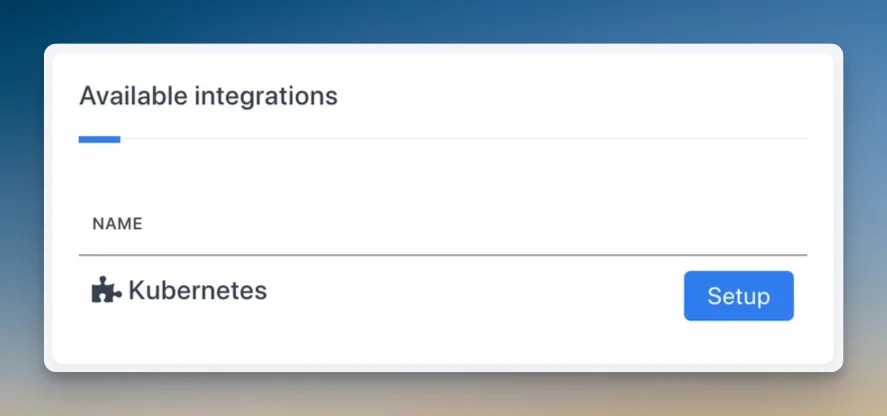
Navigate to the integrations page in your Rootly workspace and select **Kubernetes**.
 Rootly will generate a unique **webhook URL** and **signing secret** for your workspace. Copy both — you will need them when configuring kubewatch.
Kubewatch is an open-source Kubernetes watcher maintained by Robusta. It watches for cluster events and forwards them to webhook endpoints.
An example ConfigMap is available at:
[kubewatch webhook config example](https://github.com/robusta-dev/kubewatch/blob/master/examples/conf/kubewatch.conf.webhook.yaml)
You only need to configure the **webhook handler** portion of kubewatch to integrate with Rootly. Other notification handlers (Slack, Teams, etc.) can be disabled.
In your kubewatch configuration, set the webhook URL to the one displayed in Rootly after creating the integration.
```yaml theme={null}
handler:
webhook:
url: "https://rootly.com/webhooks/kubernetes/YOUR_WEBHOOK_URL"
```
The webhook URL is unique to your Rootly workspace and contains your signing secret. Copy it directly from the Rootly integrations page after connecting — do not use a placeholder URL.
In your kubewatch configuration, enable the Kubernetes resource types you want to track. Rootly supports events from all of the following:
| Resource Type | Description |
| ----------------------- | ----------------------------------------- |
| `deployment` | Deployment creates, updates, and deletes |
| `replicationcontroller` | Replication controller events |
| `replicaset` | Replica set scaling and status events |
| `daemonset` | DaemonSet updates across nodes |
| `services` | Service creation and changes |
| `pod` | Pod scheduling, crashes, and terminations |
| `job` | Batch job completions and failures |
| `node` | Node readiness and condition changes |
| `clusterrole` | RBAC cluster role changes |
| `serviceaccount` | Service account events |
| `persistentvolume` | PersistentVolume binding and release |
| `namespace` | Namespace creation and deletion |
| `secret` | Secret creation and updates |
| `configmap` | ConfigMap changes |
| `ingress` | Ingress rule updates |
Once kubewatch is running and pointing at your Rootly webhook URL, cluster events will begin appearing as pulses in Rootly. You can verify delivery by checking the pulse feed or the incident timeline for any linked services.
## How Pulses Work
When kubewatch forwards a Kubernetes event to Rootly, it is recorded as a pulse with the following structure:
* **Source:** `k8s`
* **Summary:** `[k8s][{resource kind}] {event text}`
* **Labels:** resource kind, reason, action (update)
* **Refs:** resource name, namespace
Pulses are automatically associated with Rootly services where the service's **Kubernetes Deployment Name** field matches the event's resource name. Rootly uses a partial match, so a service named `api-server` will match events from deployments containing `api-server` in the name.
To link Kubernetes pulses to a service, set the **Kubernetes Deployment Name** field on the service in Rootly. This enables automatic correlation between cluster events and the services they affect.
## Troubleshooting
First, verify that kubewatch is running and healthy in your cluster (`kubectl get pods -n kubewatch`). Then check that the webhook URL in your kubewatch config matches exactly what is shown in Rootly — including the path and any query parameters. You can test delivery by checking kubewatch logs for outbound HTTP requests and any error responses.
Rootly matches events to services using the **Kubernetes Deployment Name** field. Navigate to the service in Rootly and confirm this field is populated with the deployment name you expect. The match is a partial text search, so the deployment name does not need to be an exact match, but it must be a substring of the resource name in the event.
A 401 response means the webhook secret does not match. The signing secret is embedded in the webhook URL — make sure you are using the full URL copied from the Rootly integrations page without modification. If you regenerate the integration, the URL will change and you will need to update kubewatch.
If pulse volume is too high, narrow down the resource types you have enabled in kubewatch. For example, disabling `secret` and `configmap` events will significantly reduce low-signal noise. You can also use kubewatch namespace filters to restrict monitoring to specific namespaces.
Kubewatch watches Kubernetes events — not container logs or crash states directly. Pod crash loops may or may not generate Kubernetes events depending on the crash behavior and your cluster version. For deeper crash detection, consider pairing this integration with a monitoring tool like Datadog or Prometheus Alertmanager.
## Uninstall
To remove the Kubernetes integration, navigate to the integrations page in Rootly, find the Kubernetes account, and select **Configure → Delete**. After removing the integration in Rootly, update or remove the kubewatch webhook configuration in your cluster to stop sending events to the now-inactive URL.
## Related Pages
Learn how Kubernetes cluster events appear as pulses in Rootly.
Set the Kubernetes Deployment Name on a service to link cluster events automatically.
Pair Kubernetes monitoring with Alertmanager for alert-driven incident response.
Rootly will generate a unique **webhook URL** and **signing secret** for your workspace. Copy both — you will need them when configuring kubewatch.
Kubewatch is an open-source Kubernetes watcher maintained by Robusta. It watches for cluster events and forwards them to webhook endpoints.
An example ConfigMap is available at:
[kubewatch webhook config example](https://github.com/robusta-dev/kubewatch/blob/master/examples/conf/kubewatch.conf.webhook.yaml)
You only need to configure the **webhook handler** portion of kubewatch to integrate with Rootly. Other notification handlers (Slack, Teams, etc.) can be disabled.
In your kubewatch configuration, set the webhook URL to the one displayed in Rootly after creating the integration.
```yaml theme={null}
handler:
webhook:
url: "https://rootly.com/webhooks/kubernetes/YOUR_WEBHOOK_URL"
```
The webhook URL is unique to your Rootly workspace and contains your signing secret. Copy it directly from the Rootly integrations page after connecting — do not use a placeholder URL.
In your kubewatch configuration, enable the Kubernetes resource types you want to track. Rootly supports events from all of the following:
| Resource Type | Description |
| ----------------------- | ----------------------------------------- |
| `deployment` | Deployment creates, updates, and deletes |
| `replicationcontroller` | Replication controller events |
| `replicaset` | Replica set scaling and status events |
| `daemonset` | DaemonSet updates across nodes |
| `services` | Service creation and changes |
| `pod` | Pod scheduling, crashes, and terminations |
| `job` | Batch job completions and failures |
| `node` | Node readiness and condition changes |
| `clusterrole` | RBAC cluster role changes |
| `serviceaccount` | Service account events |
| `persistentvolume` | PersistentVolume binding and release |
| `namespace` | Namespace creation and deletion |
| `secret` | Secret creation and updates |
| `configmap` | ConfigMap changes |
| `ingress` | Ingress rule updates |
Once kubewatch is running and pointing at your Rootly webhook URL, cluster events will begin appearing as pulses in Rootly. You can verify delivery by checking the pulse feed or the incident timeline for any linked services.
## How Pulses Work
When kubewatch forwards a Kubernetes event to Rootly, it is recorded as a pulse with the following structure:
* **Source:** `k8s`
* **Summary:** `[k8s][{resource kind}] {event text}`
* **Labels:** resource kind, reason, action (update)
* **Refs:** resource name, namespace
Pulses are automatically associated with Rootly services where the service's **Kubernetes Deployment Name** field matches the event's resource name. Rootly uses a partial match, so a service named `api-server` will match events from deployments containing `api-server` in the name.
To link Kubernetes pulses to a service, set the **Kubernetes Deployment Name** field on the service in Rootly. This enables automatic correlation between cluster events and the services they affect.
## Troubleshooting
First, verify that kubewatch is running and healthy in your cluster (`kubectl get pods -n kubewatch`). Then check that the webhook URL in your kubewatch config matches exactly what is shown in Rootly — including the path and any query parameters. You can test delivery by checking kubewatch logs for outbound HTTP requests and any error responses.
Rootly matches events to services using the **Kubernetes Deployment Name** field. Navigate to the service in Rootly and confirm this field is populated with the deployment name you expect. The match is a partial text search, so the deployment name does not need to be an exact match, but it must be a substring of the resource name in the event.
A 401 response means the webhook secret does not match. The signing secret is embedded in the webhook URL — make sure you are using the full URL copied from the Rootly integrations page without modification. If you regenerate the integration, the URL will change and you will need to update kubewatch.
If pulse volume is too high, narrow down the resource types you have enabled in kubewatch. For example, disabling `secret` and `configmap` events will significantly reduce low-signal noise. You can also use kubewatch namespace filters to restrict monitoring to specific namespaces.
Kubewatch watches Kubernetes events — not container logs or crash states directly. Pod crash loops may or may not generate Kubernetes events depending on the crash behavior and your cluster version. For deeper crash detection, consider pairing this integration with a monitoring tool like Datadog or Prometheus Alertmanager.
## Uninstall
To remove the Kubernetes integration, navigate to the integrations page in Rootly, find the Kubernetes account, and select **Configure → Delete**. After removing the integration in Rootly, update or remove the kubewatch webhook configuration in your cluster to stop sending events to the now-inactive URL.
## Related Pages
Learn how Kubernetes cluster events appear as pulses in Rootly.
Set the Kubernetes Deployment Name on a service to link cluster events automatically.
Pair Kubernetes monitoring with Alertmanager for alert-driven incident response.