> ## Documentation Index
> Fetch the complete documentation index at: https://docs.rootly.com/llms.txt
> Use this file to discover all available pages before exploring further.
# Installation
> Connect New Relic to Rootly to capture metric and chart snapshots during incidents through Genius workflows for dashboards, alerts, and applications.
## Introduction
The New Relic integration connects Rootly with your New Relic account so teams can capture metric and chart snapshots directly from incident workflows. This provides point-in-time visibility into your observability data without leaving the incident response flow.
With the New Relic integration, you can:
* Capture New Relic chart snapshots from Genius workflows during incidents
* Attach snapshot links to incident timelines for post-incident review
* Ingest New Relic alert events into Rootly as alerts — see the [Alerts](/integrations/new-relic/alerts) page for setup
## Before You Begin
Before setting up the integration, make sure you have:
* A Rootly account with permission to manage integrations
* A New Relic account with permission to create API keys
* Your New Relic **Account ID**
We recommend integrating with a dedicated service account so the integration does not break if an individual user leaves your organization.
## Installation
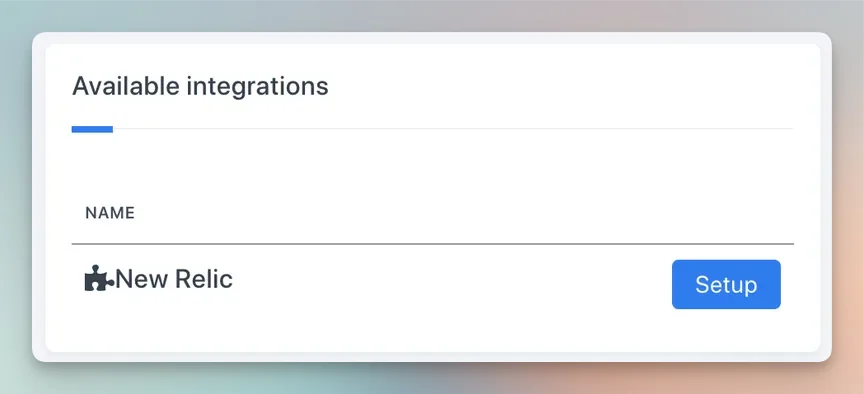
Navigate to the integrations page in Rootly and select **New Relic**.
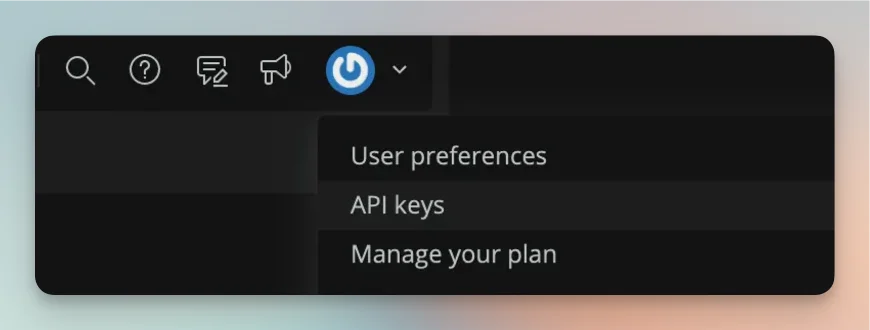
 In New Relic, navigate to your API keys settings.
 Generate a new **User** key and copy it.
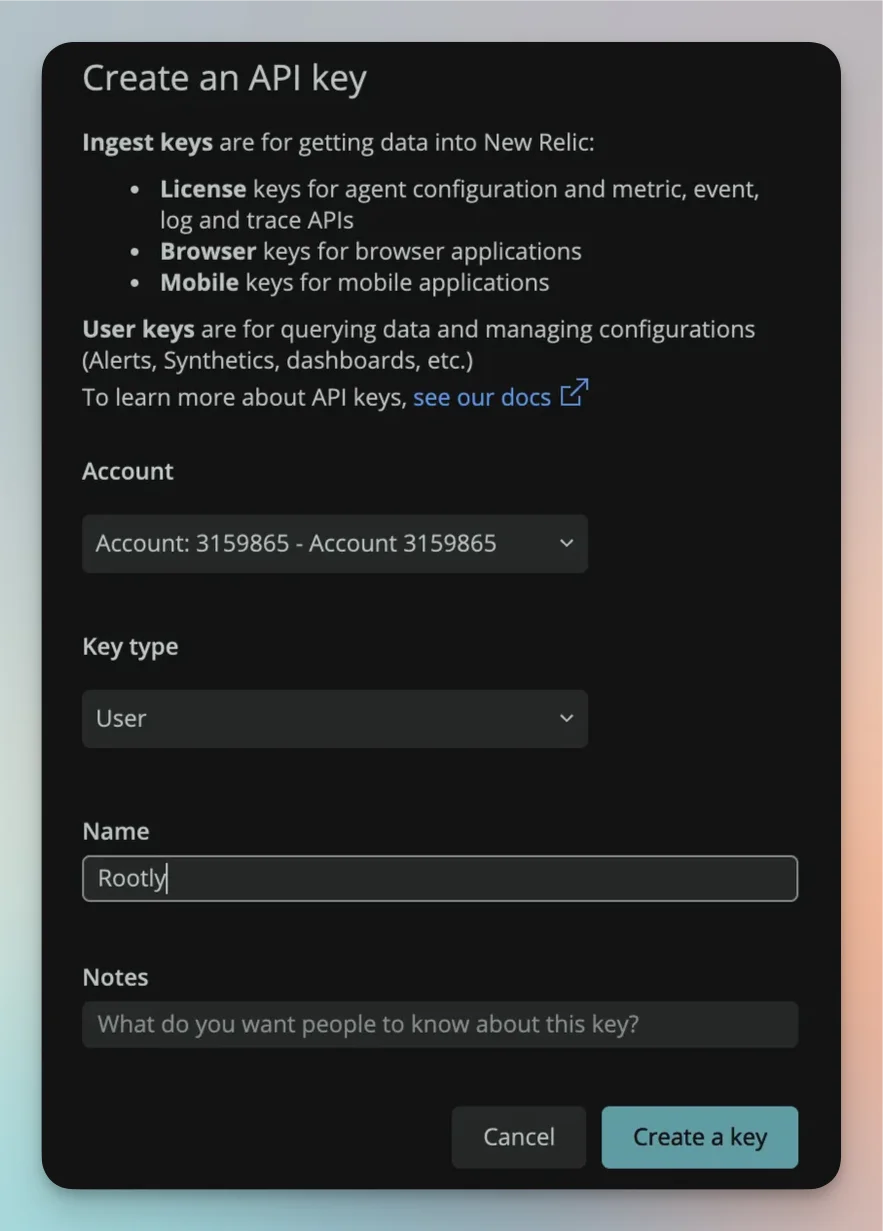 Copy the API key immediately after generating it — New Relic will not show the full key again.
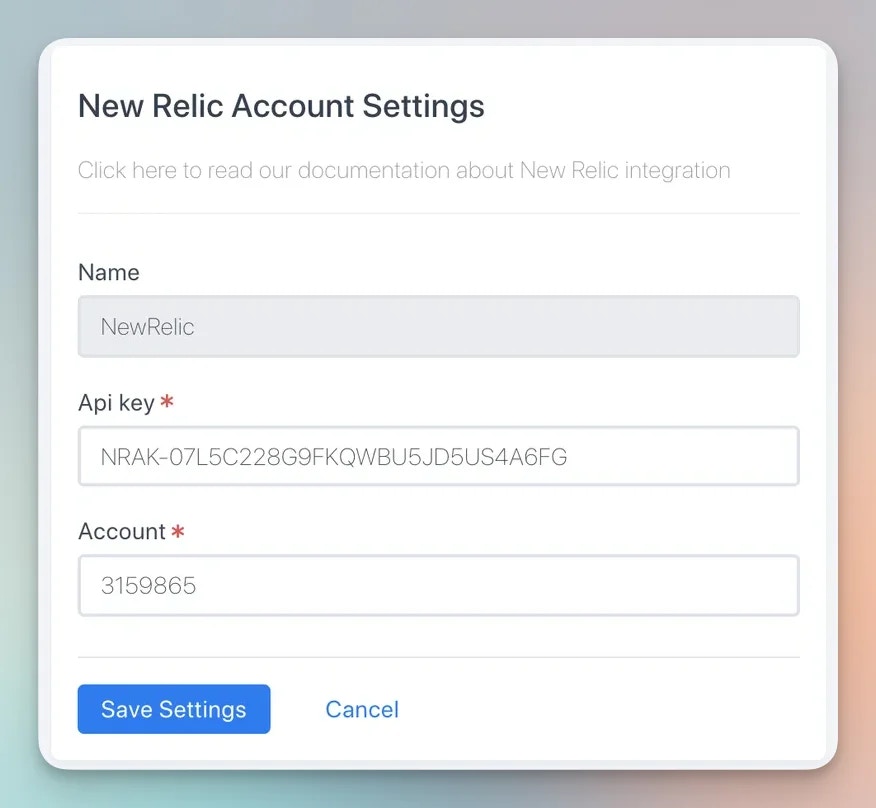
Paste your **API key** and **Account ID** into the New Relic integration settings in Rootly and save.
Copy the API key immediately after generating it — New Relic will not show the full key again.
Paste your **API key** and **Account ID** into the New Relic integration settings in Rootly and save.
 ## Capture Snapshots in Workflows
Once the integration is connected, a new task is available in your Genius workflows to capture New Relic chart snapshots during incidents.
## Capture Snapshots in Workflows
Once the integration is connected, a new task is available in your Genius workflows to capture New Relic chart snapshots during incidents.
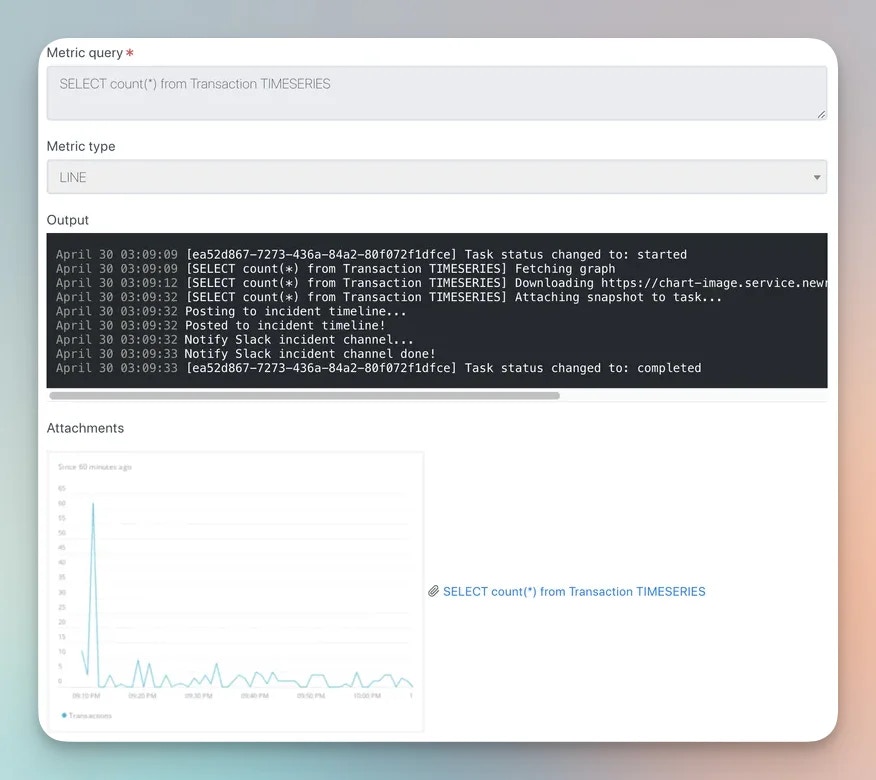 Snapshots are point-in-time captures attached to the incident timeline, so you can reference exactly what your metrics looked like when the incident occurred.
## Uninstall
To remove the New Relic integration, open the integrations panel in Rootly and select **Configure > Delete**.
Snapshots are point-in-time captures attached to the incident timeline, so you can reference exactly what your metrics looked like when the incident occurred.
## Uninstall
To remove the New Relic integration, open the integrations panel in Rootly and select **Configure > Delete**.