> ## Documentation Index
> Fetch the complete documentation index at: https://docs.rootly.com/llms.txt
> Use this file to discover all available pages before exploring further.
# Nobl9
> Receive alerts in Rootly when SLO error budgets are breached in Nobl9, with routing to on-call teams, Slack channels, and incident creation workflows.
## Overview
Rootly's Nobl9 integration turns SLO alert policy violations into Rootly alerts. When Nobl9 detects that a service's error budget has been exhausted or an SLO objective has been breached, it fires a webhook to Rootly which creates an alert automatically.
Alerts created from Nobl9 include contextual labels pulled directly from the payload — service, project, severity, SLO name, alert policy, and organization — making it easy to route and filter alerts in Rootly.
Alerts fire automatically when error budgets are breached or SLO objectives are violated.
Each alert carries service, project, severity, SLO, alert policy, and organization labels from Nobl9.
Route Nobl9 alerts to services, escalation policies, or teams based on label values.
Escalate Nobl9 alerts into full incidents when SLO violations require immediate response.
## Before You Begin
* You must be a Rootly admin to set up the integration
* You must have access to Nobl9 with permissions to create **Alert Methods** and **Alert Policies**
## Installation
In Rootly, go to **Configuration → Integrations** and find **Nobl9**. Click **Connect**.
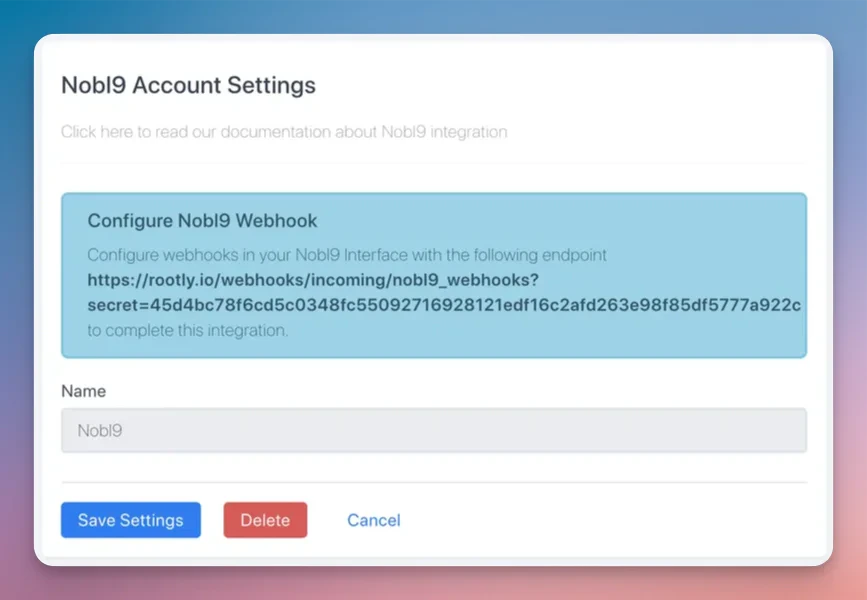
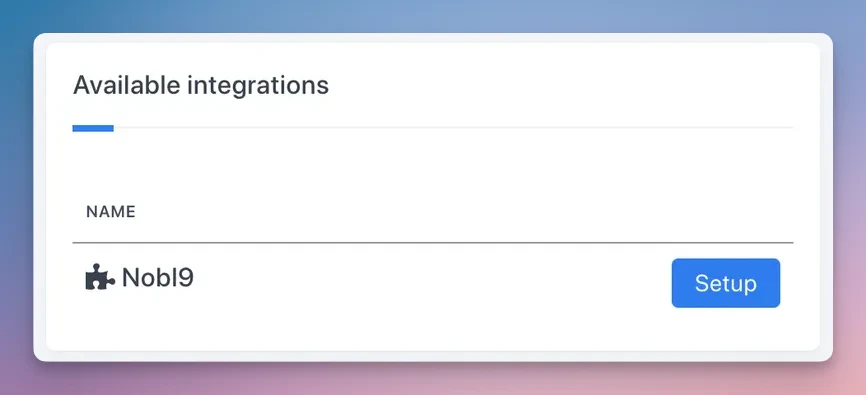 Rootly will generate a unique webhook URL tied to your team. Copy this URL — you'll need it in the next step.
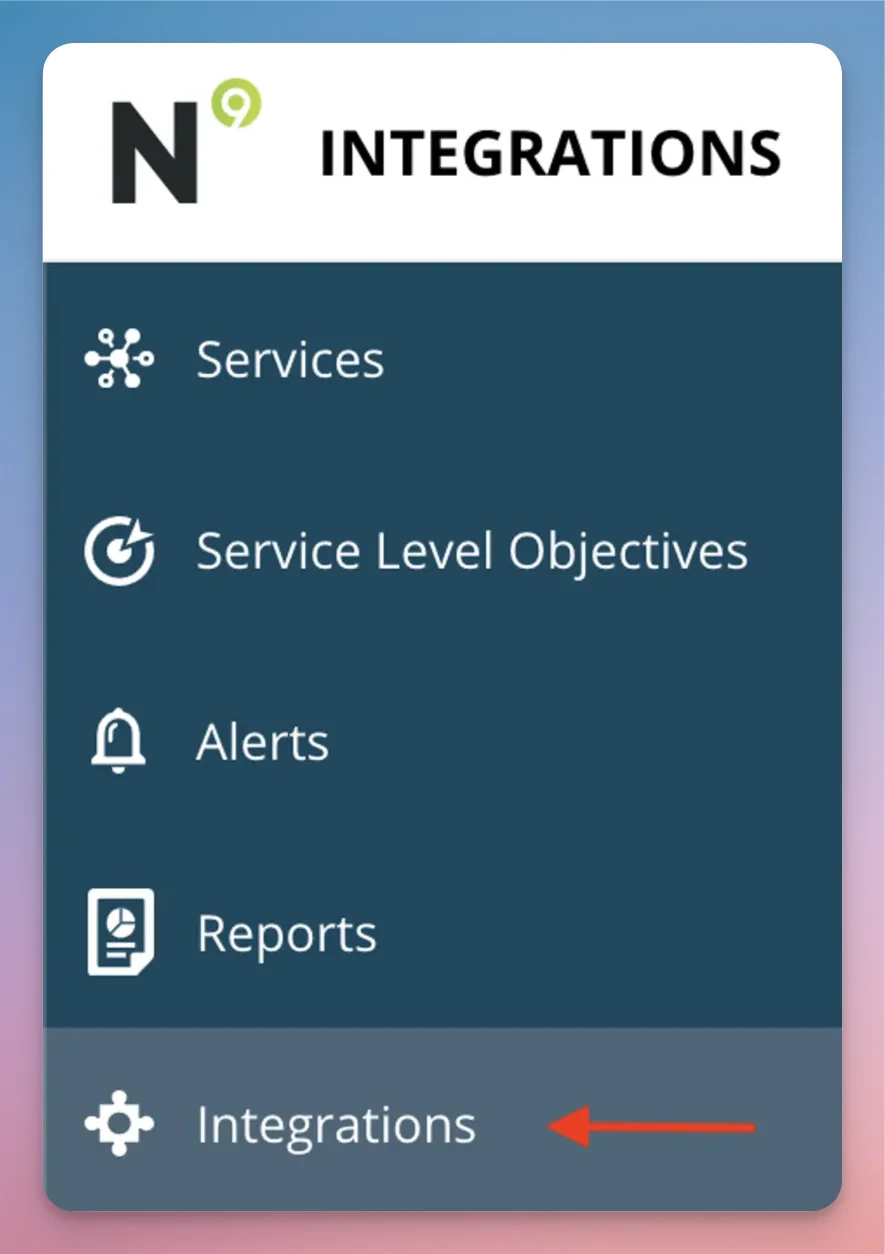
 In Nobl9, navigate to **Integrations → Alert Methods** and click **+ Add Alert Method**.
 Click **Alert Methods** and create a new alert method.
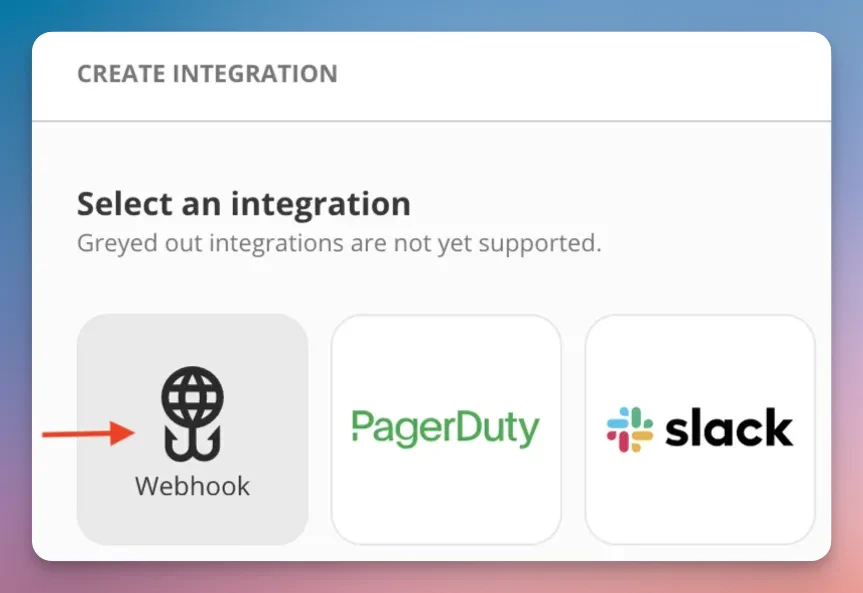
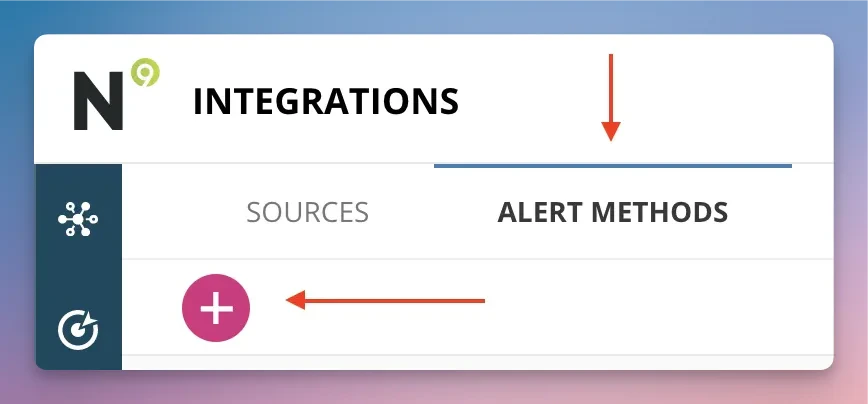 Select **Webhook** as the alert method type.
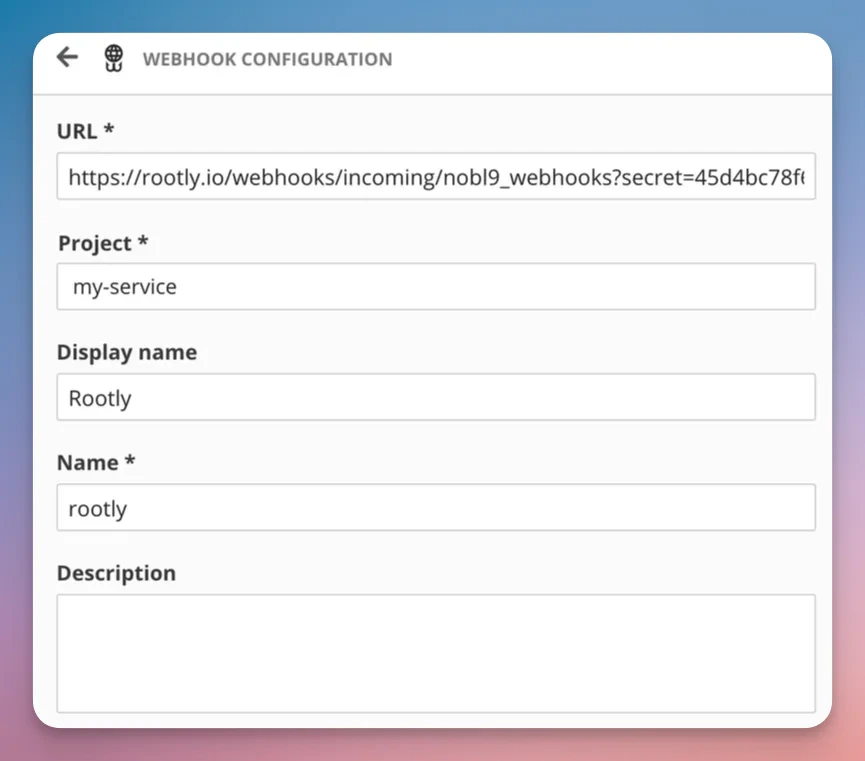
 Paste the webhook URL from Rootly into the URL field and save.
 In Nobl9, open or create an **Alert Policy** and attach the Rootly alert method to it. Any SLO that uses this alert policy will now send alerts to Rootly when violated.
## Alert Labels
When Nobl9 fires an alert, Rootly automatically extracts the following labels from the payload:
| Label | Source |
| -------------- | ------------------ |
| `service` | Nobl9 service name |
| `project` | Nobl9 project name |
| `severity` | Alert severity |
| `slo` | SLO name |
| `alert_policy` | Alert policy name |
| `organization` | Nobl9 organization |
These labels can be used in Rootly to route alerts, set urgency, and filter in dashboards.
## Uninstall
To remove the Nobl9 integration:
1. Go to **Configuration → Integrations** and find **Nobl9**
2. Click **Connected** to reveal the disconnect option
3. Click **Disconnect**
In Nobl9, open or create an **Alert Policy** and attach the Rootly alert method to it. Any SLO that uses this alert policy will now send alerts to Rootly when violated.
## Alert Labels
When Nobl9 fires an alert, Rootly automatically extracts the following labels from the payload:
| Label | Source |
| -------------- | ------------------ |
| `service` | Nobl9 service name |
| `project` | Nobl9 project name |
| `severity` | Alert severity |
| `slo` | SLO name |
| `alert_policy` | Alert policy name |
| `organization` | Nobl9 organization |
These labels can be used in Rootly to route alerts, set urgency, and filter in dashboards.
## Uninstall
To remove the Nobl9 integration:
1. Go to **Configuration → Integrations** and find **Nobl9**
2. Click **Connected** to reveal the disconnect option
3. Click **Disconnect**
 After disconnecting, update or remove any Nobl9 alert methods that reference the Rootly webhook URL. Nobl9 will continue attempting to deliver webhooks to a disconnected endpoint.
## Frequently Asked Questions
No. Nobl9 webhooks are fire-and-forget — they don't send a resolve signal when the SLO recovers. Alerts created from Nobl9 must be resolved manually in Rootly or via a separate automation.
Yes. Use Rootly's alert routing rules to match on labels like `service`, `project`, or `alert_policy` and route to the appropriate team or escalation policy.
Yes. The same webhook URL can be attached to multiple alert methods and policies in Nobl9. All alerts will flow into the same Rootly integration.
The alert summary is set from the `message` field in the Nobl9 payload, which typically describes the SLO violation (e.g., "Error budget exhausted for checkout-latency SLO").
After disconnecting, update or remove any Nobl9 alert methods that reference the Rootly webhook URL. Nobl9 will continue attempting to deliver webhooks to a disconnected endpoint.
## Frequently Asked Questions
No. Nobl9 webhooks are fire-and-forget — they don't send a resolve signal when the SLO recovers. Alerts created from Nobl9 must be resolved manually in Rootly or via a separate automation.
Yes. Use Rootly's alert routing rules to match on labels like `service`, `project`, or `alert_policy` and route to the appropriate team or escalation policy.
Yes. The same webhook URL can be attached to multiple alert methods and policies in Nobl9. All alerts will flow into the same Rootly integration.
The alert summary is set from the `message` field in the Nobl9 payload, which typically describes the SLO violation (e.g., "Error budget exhausted for checkout-latency SLO").