> ## Documentation Index
> Fetch the complete documentation index at: https://docs.rootly.com/llms.txt
> Use this file to discover all available pages before exploring further.
# Installation
> Install the PagerDuty integration, connect PagerDuty with OAuth, and configure webhook delivery for alert and incident activity in Rootly.
## PagerDuty Permissions
PagerDuty permissions in Rootly are tied to the PagerDuty user who completes the OAuth connection.
That means Rootly can only read from and write to the PagerDuty objects that the authenticated PagerDuty user has access to. Choose the PagerDuty account carefully, and use a service account when possible so the integration remains stable over time.
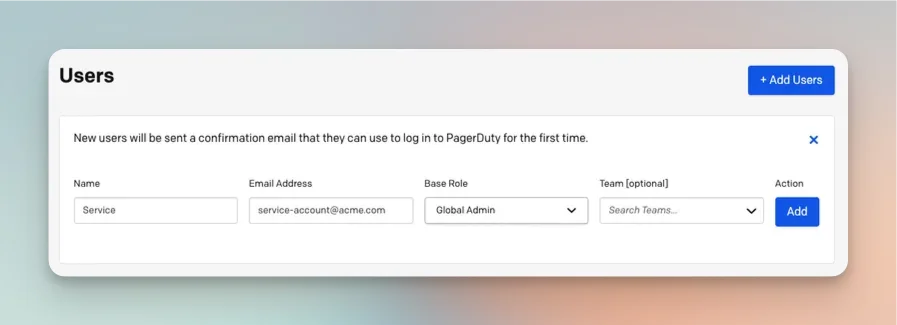 ## Install PagerDuty in Rootly
Locate **PagerDuty** in the [Integrations catalog](https://rootly.com/account/integrations) and select **Setup**.
## Install PagerDuty in Rootly
Locate **PagerDuty** in the [Integrations catalog](https://rootly.com/account/integrations) and select **Setup**.
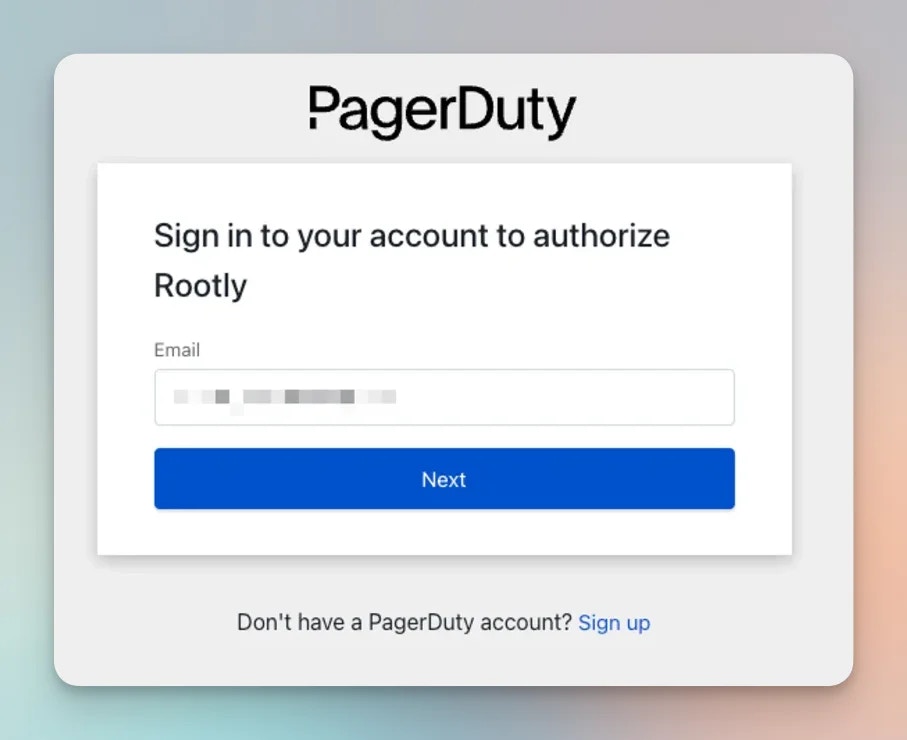
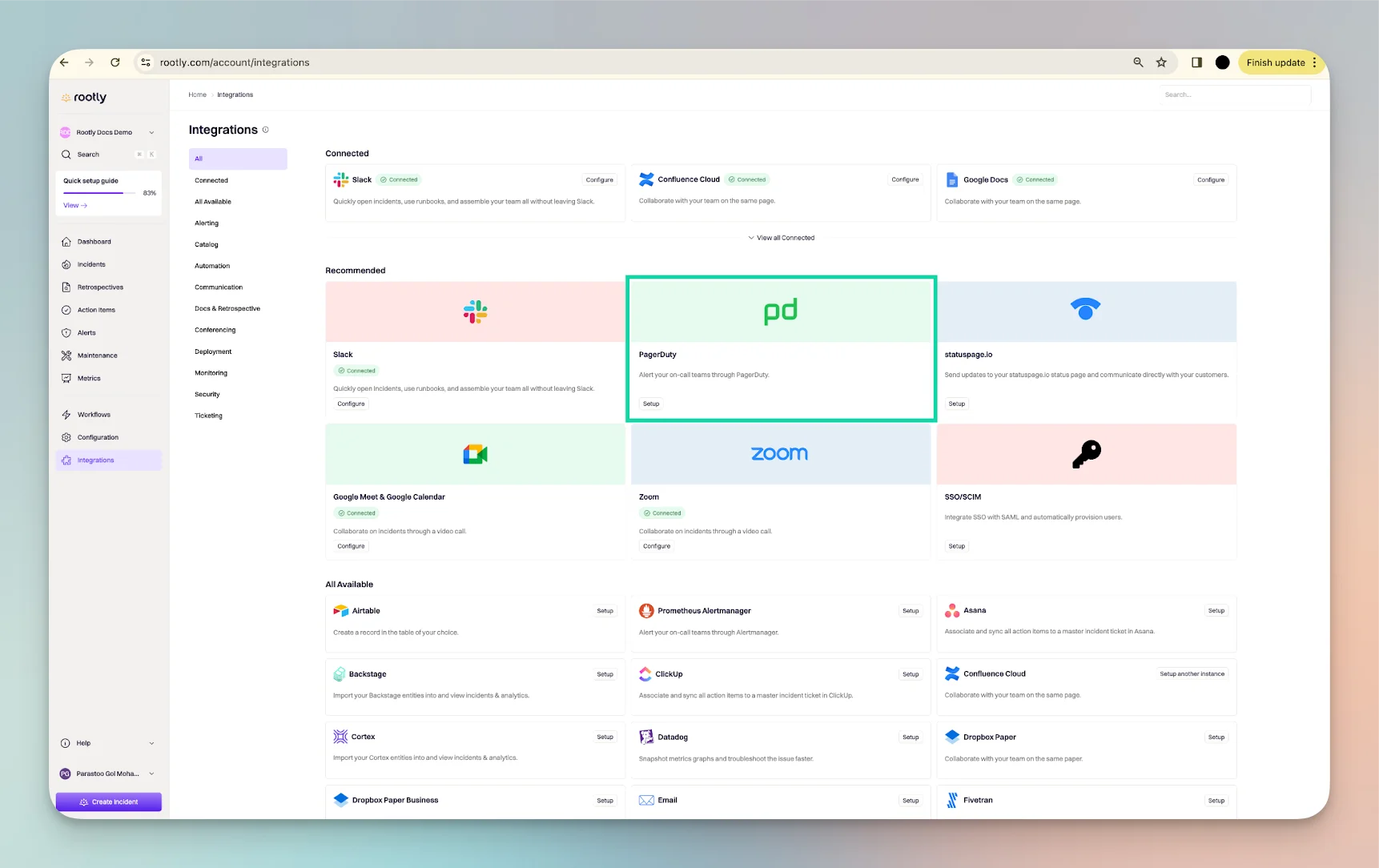 During setup, you will be prompted to sign in to PagerDuty or create a PagerDuty account if needed.
 After signing in, grant Rootly permission to connect to your PagerDuty account.
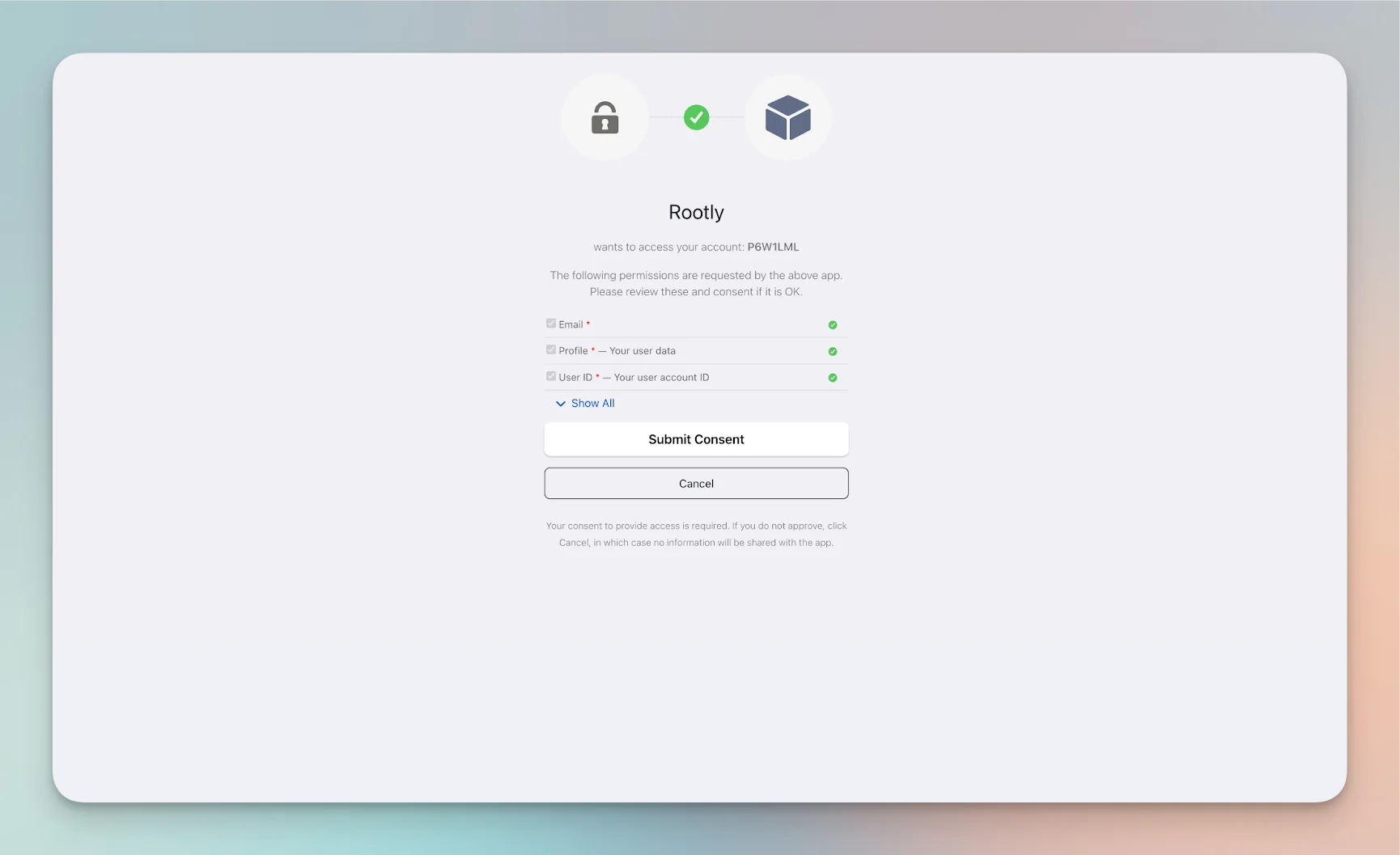 Once authorization is complete, the PagerDuty integration is connected in Rootly.
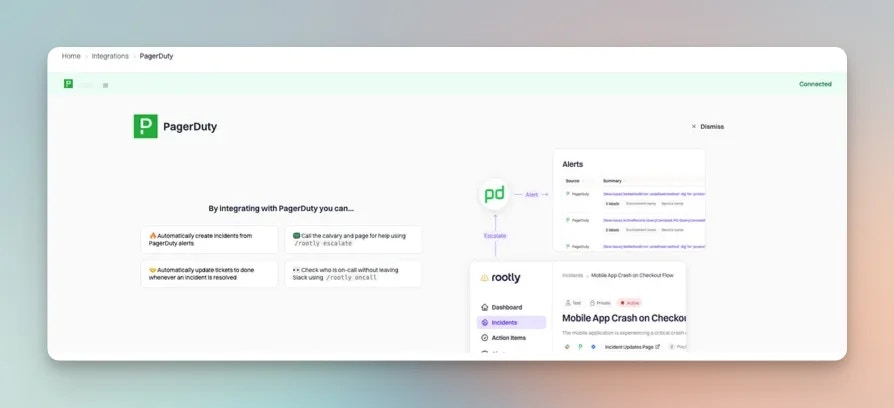 ## Set Up PagerDuty Webhooks
PagerDuty webhooks allow Rootly to receive supported PagerDuty webhook events for alerts and incident-related activity.
Rootly attempts to create the webhook for you automatically if the authenticated PagerDuty user has permission to create webhooks. If not, you can still create the webhook manually in PagerDuty.
### Via the PagerDuty Web UI
In PagerDuty, navigate to **Integrations > Generic Webhooks**.
## Set Up PagerDuty Webhooks
PagerDuty webhooks allow Rootly to receive supported PagerDuty webhook events for alerts and incident-related activity.
Rootly attempts to create the webhook for you automatically if the authenticated PagerDuty user has permission to create webhooks. If not, you can still create the webhook manually in PagerDuty.
### Via the PagerDuty Web UI
In PagerDuty, navigate to **Integrations > Generic Webhooks**.
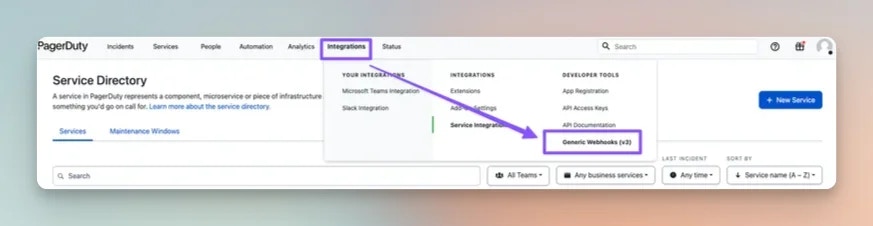 Select **+ New Webhook** to open the webhook creation form.
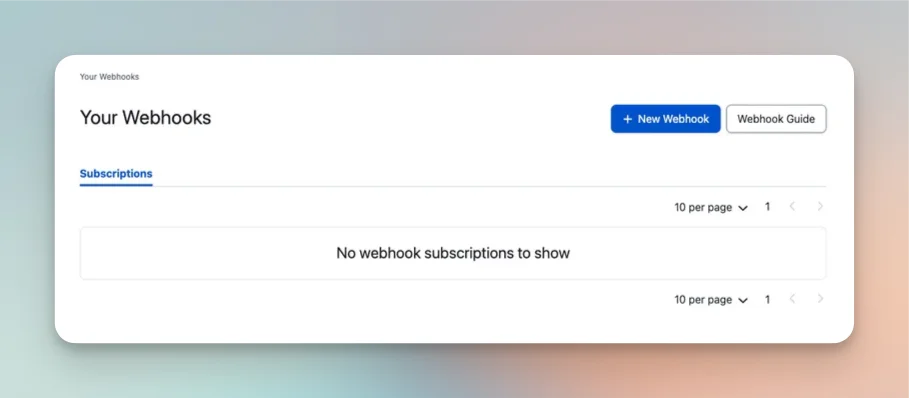 Use the following configuration in PagerDuty:
* **Webhook URL:** `https://webhooks.rootly.com/webhooks/incoming/pagerduty_webhooks`
* **Scope Type:** Choose one of:
* `Service` — only events for the selected service are sent to Rootly
* `Team` — only events for the selected team are sent to Rootly
* `Account` — events across the PagerDuty account are sent to Rootly
* **Description:** Optional
* **Custom Header Name:** `secret`
* **Custom Header Value:** ``
You can find the webhook URL and header secret in Rootly on the **Integrations > PagerDuty** setup screen.
Use the following configuration in PagerDuty:
* **Webhook URL:** `https://webhooks.rootly.com/webhooks/incoming/pagerduty_webhooks`
* **Scope Type:** Choose one of:
* `Service` — only events for the selected service are sent to Rootly
* `Team` — only events for the selected team are sent to Rootly
* `Account` — events across the PagerDuty account are sent to Rootly
* **Description:** Optional
* **Custom Header Name:** `secret`
* **Custom Header Value:** ``
You can find the webhook URL and header secret in Rootly on the **Integrations > PagerDuty** setup screen.
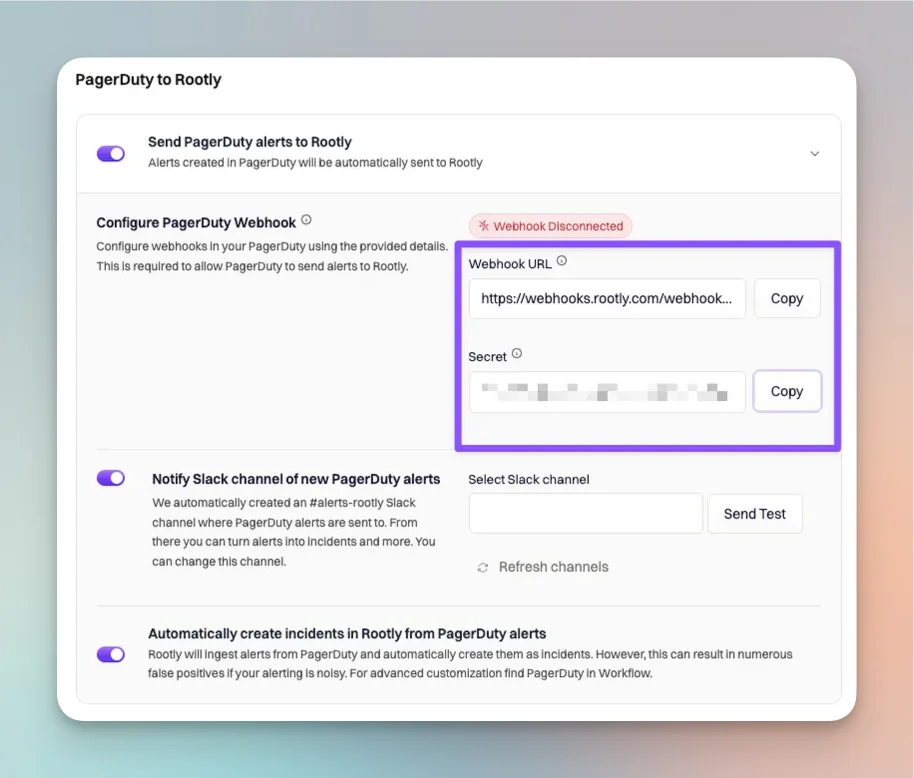 The webhook URL is shared across Rootly accounts. The `secret` value is unique to your Rootly account.
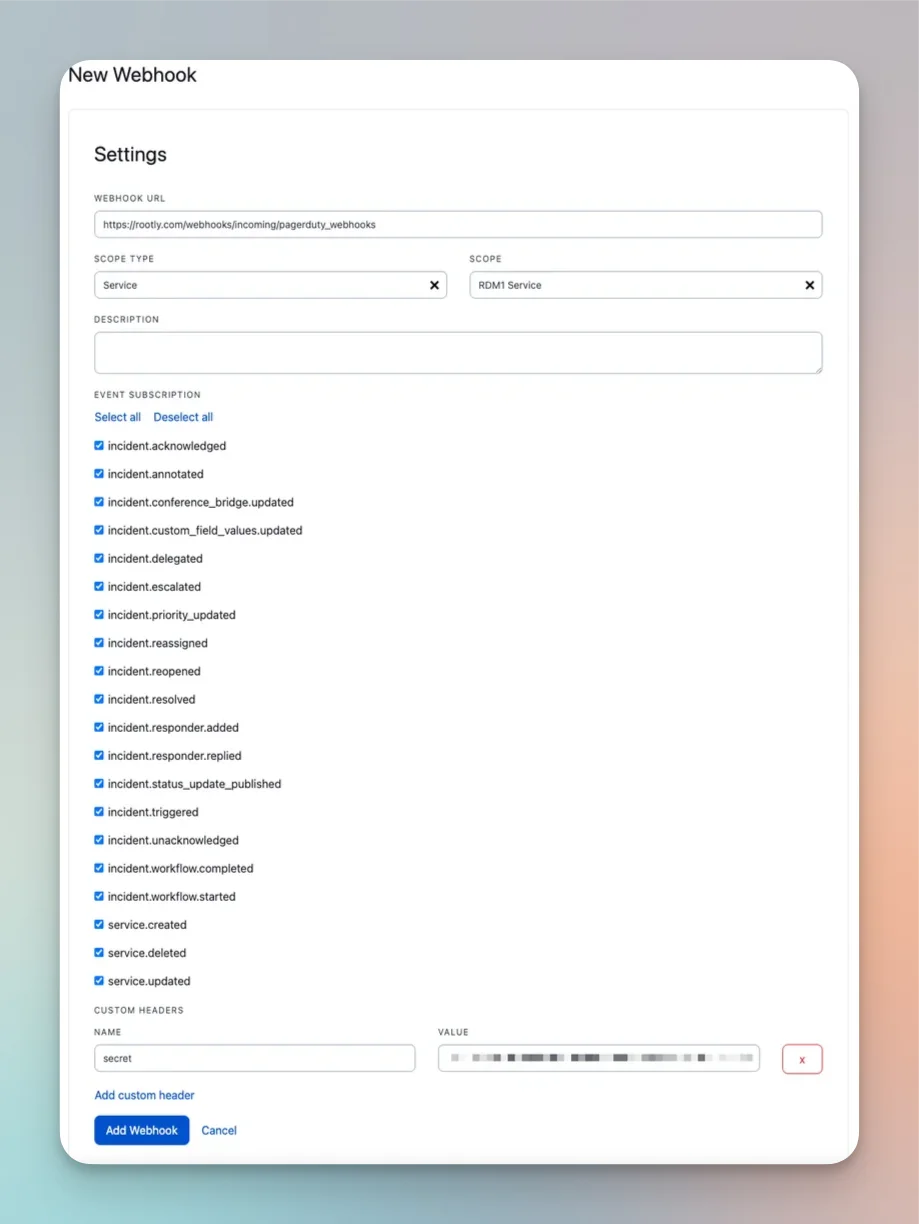 Rootly supports the following PagerDuty webhook event types:
```text theme={null}
incident.acknowledged
incident.annotated
incident.delegated
incident.escalated
incident.priority_updated
incident.reassigned
incident.reopened
incident.resolved
incident.responder.added
incident.responder.replied
incident.triggered
incident.unacknowledged
pagey.ping
```
We recommend selecting the supported incident events relevant to your Rootly workflows.
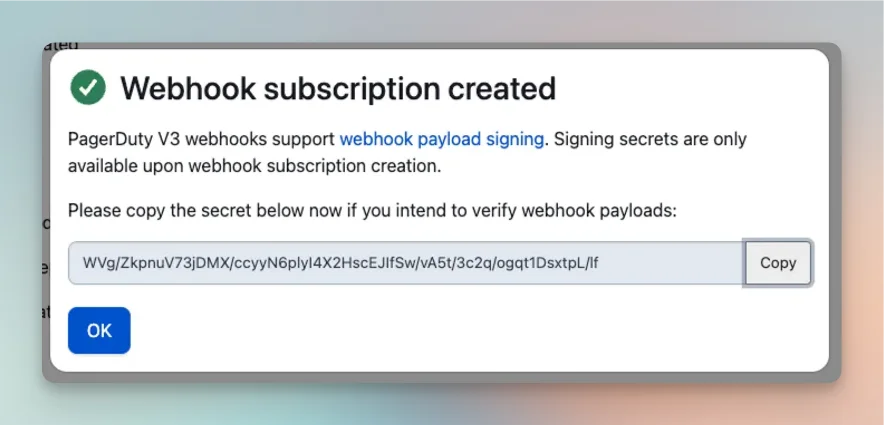
After completing the form, select **Add Webhook**.
PagerDuty may display a PagerDuty-generated webhook secret as part of its confirmation flow. You do not need that value for the Rootly integration.
Rootly supports the following PagerDuty webhook event types:
```text theme={null}
incident.acknowledged
incident.annotated
incident.delegated
incident.escalated
incident.priority_updated
incident.reassigned
incident.reopened
incident.resolved
incident.responder.added
incident.responder.replied
incident.triggered
incident.unacknowledged
pagey.ping
```
We recommend selecting the supported incident events relevant to your Rootly workflows.
After completing the form, select **Add Webhook**.
PagerDuty may display a PagerDuty-generated webhook secret as part of its confirmation flow. You do not need that value for the Rootly integration.
 ### Via the PagerDuty API
PagerDuty webhooks can also be created through the PagerDuty API.
Use the same Rootly endpoint and secret shown in the web UI setup:
* **URL:** `https://webhooks.rootly.com/webhooks/incoming/pagerduty_webhooks`
* **Header:** `secret: `
You can find the secret token on the Rootly **Integrations > PagerDuty** setup screen.
Use the same supported event list shown above when configuring subscriptions.
## Next Steps
After installation, continue with:
Review the default PagerDuty settings and recommended configuration options.
```js theme={null}
incident.acknowledged
incident.annotated
incident.delegated
incident.escalated
incident.priority_updated
incident.reassigned
incident.resolved
incident.responder.added
incident.responder.replied
incident.triggered
incident.unacknowledged
service.created
service.deleted
service.updated
```
Configure how Rootly ingests supported PagerDuty webhook events as alerts.
### Via the PagerDuty API
PagerDuty webhooks can also be created through the PagerDuty API.
Use the same Rootly endpoint and secret shown in the web UI setup:
* **URL:** `https://webhooks.rootly.com/webhooks/incoming/pagerduty_webhooks`
* **Header:** `secret: `
You can find the secret token on the Rootly **Integrations > PagerDuty** setup screen.
Use the same supported event list shown above when configuring subscriptions.
## Next Steps
After installation, continue with:
Review the default PagerDuty settings and recommended configuration options.
```js theme={null}
incident.acknowledged
incident.annotated
incident.delegated
incident.escalated
incident.priority_updated
incident.reassigned
incident.resolved
incident.responder.added
incident.responder.replied
incident.triggered
incident.unacknowledged
service.created
service.deleted
service.updated
```
Configure how Rootly ingests supported PagerDuty webhook events as alerts.