> ## Documentation Index
> Fetch the complete documentation index at: https://docs.rootly.com/llms.txt
> Use this file to discover all available pages before exploring further.
# Custom Workflows
> Build automated Slack actions in Rootly with triggers, conditions, and 10+ actions including channel creation, messaging, bookmarks, reminders, and renaming.
Custom workflows give you full control over Slack automation. Create channels, send messages, invite users, and more based on triggers and conditions you define. If you're new to workflows, see the [Workflows](/workflows/workflows) documentation first.
***
## Available Actions
| Action | What It Does |
| --------------------------------------------------- | ----------------------------------------- |
| [Create Slack Channel](#create-slack-channel) | Create a dedicated incident channel |
| [Send Slack Message](#send-slack-message) | Post a message to channels/users |
| [Send Slack Reminder](#send-slack-reminder) | Send recurring messages with snooze/pause |
| [Send Slack Blocks](#send-slack-blocks) | Send rich Block Kit messages |
| [Invite to Slack Channel](#invite-to-slack-channel) | Add users/groups to a channel |
| [Rename Slack Channel](#rename-slack-channel) | Change channel name dynamically |
| [Update Channel Topic](#update-channel-topic) | Update the channel topic |
| [Add Slack Bookmark](#add-slack-bookmark) | Pin links to channel bookmark bar |
| [Archive Slack Channel](#archive-slack-channel) | Archive inactive channels |
| [Change Channel Privacy](#change-channel-privacy) | Switch between public/private |
***
## Create a Workflow
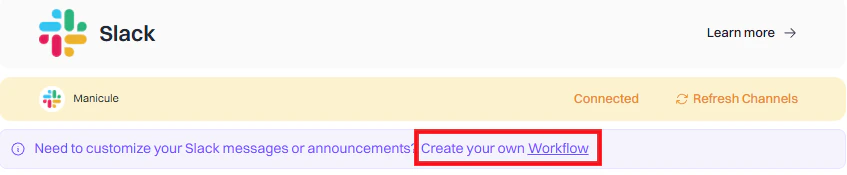
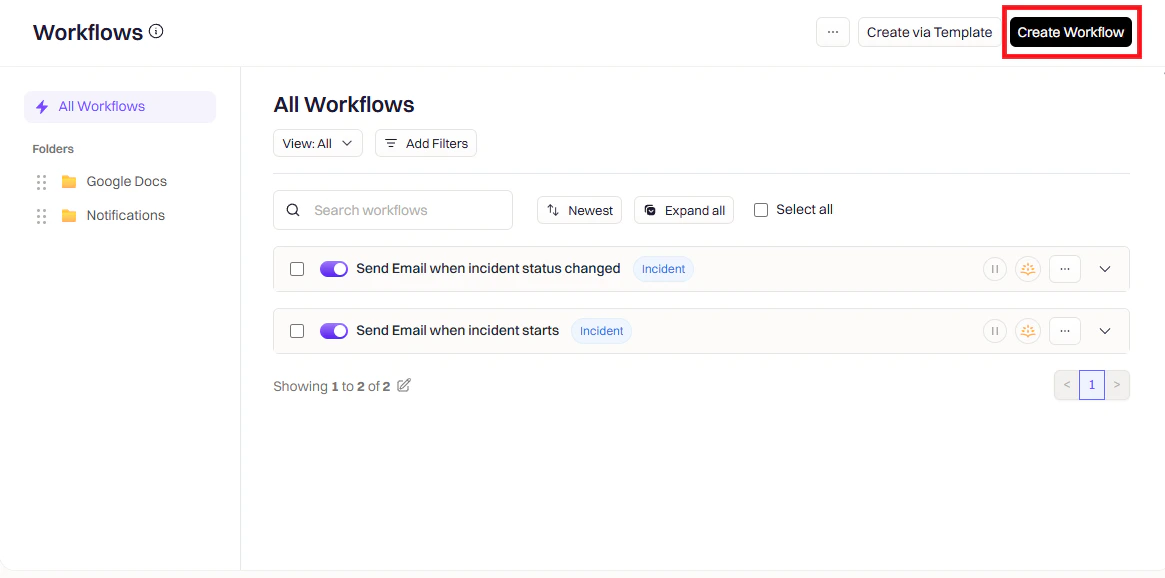
Go to **Rootly → Workflows → Create Workflow**.
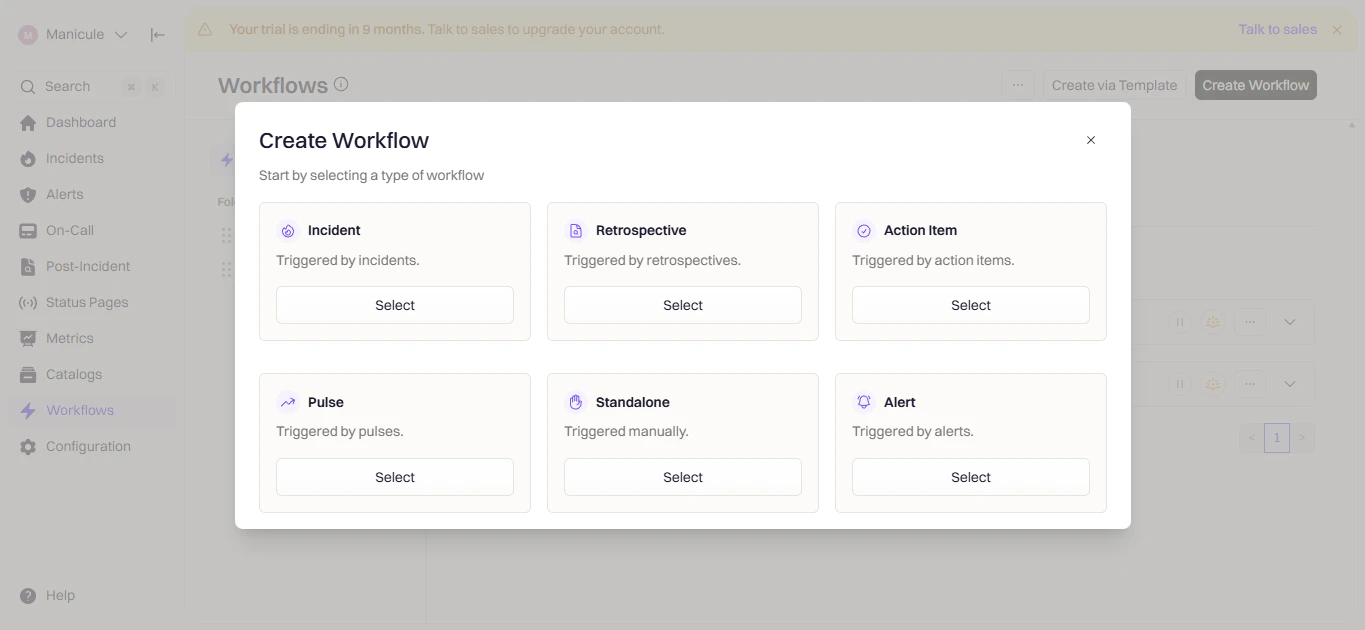 Select **Incident**, **Retrospective**, or **Pulse** depending on when you want the workflow to run.
 Triggers define when the workflow runs.
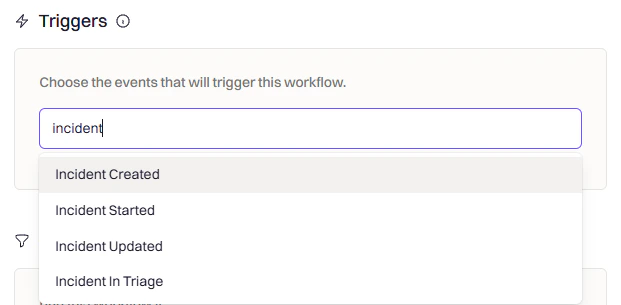 | Trigger | When It Fires |
| ------------------------------- | --------------------------------------- |
| **Incident Created** | New incident declared |
| **Incident Updated** | Fields like severity or status change |
| **Incident Status Changed** | Status moves (e.g., Active → Mitigated) |
| **Incident Commander Assigned** | Someone takes ownership |
| **Manual Trigger** | Run on-demand from Slack or web UI |
Conditions filter when the workflow should actually execute.
| Trigger | When It Fires |
| ------------------------------- | --------------------------------------- |
| **Incident Created** | New incident declared |
| **Incident Updated** | Fields like severity or status change |
| **Incident Status Changed** | Status moves (e.g., Active → Mitigated) |
| **Incident Commander Assigned** | Someone takes ownership |
| **Manual Trigger** | Run on-demand from Slack or web UI |
Conditions filter when the workflow should actually execute.
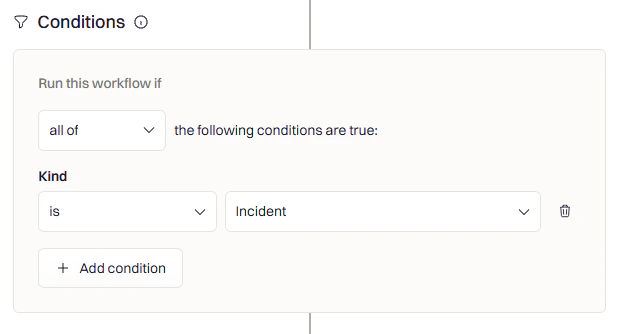 **Common conditions:**
* **Severity** — Only for SEV-1 or SEV-2
* **Team/Service** — Only for specific teams
* **Incident Type** — Only for actual incidents (not tests)
* **Environment** — Only for production
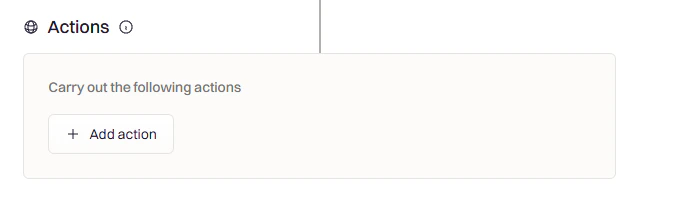
Click **Add Action** and search for **Slack**.
**Common conditions:**
* **Severity** — Only for SEV-1 or SEV-2
* **Team/Service** — Only for specific teams
* **Incident Type** — Only for actual incidents (not tests)
* **Environment** — Only for production
Click **Add Action** and search for **Slack**.
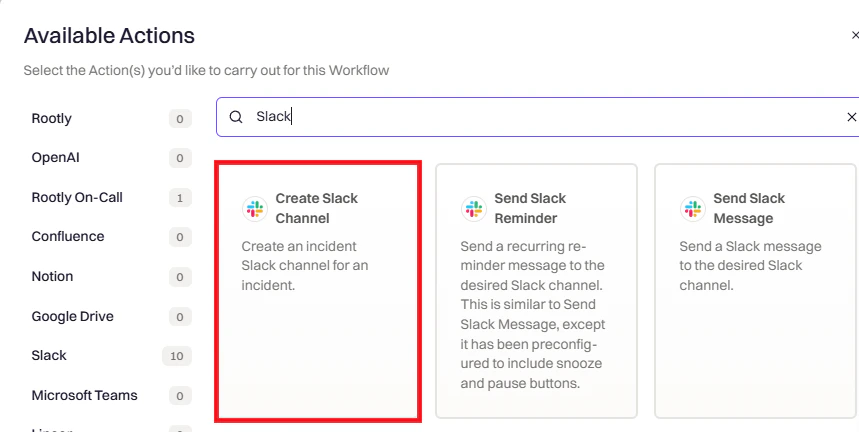 Select one or more Slack actions. Each action is configured independently.
***
## Action Reference
Creates a dedicated channel for the incident.
Select one or more Slack actions. Each action is configured independently.
***
## Action Reference
Creates a dedicated channel for the incident.
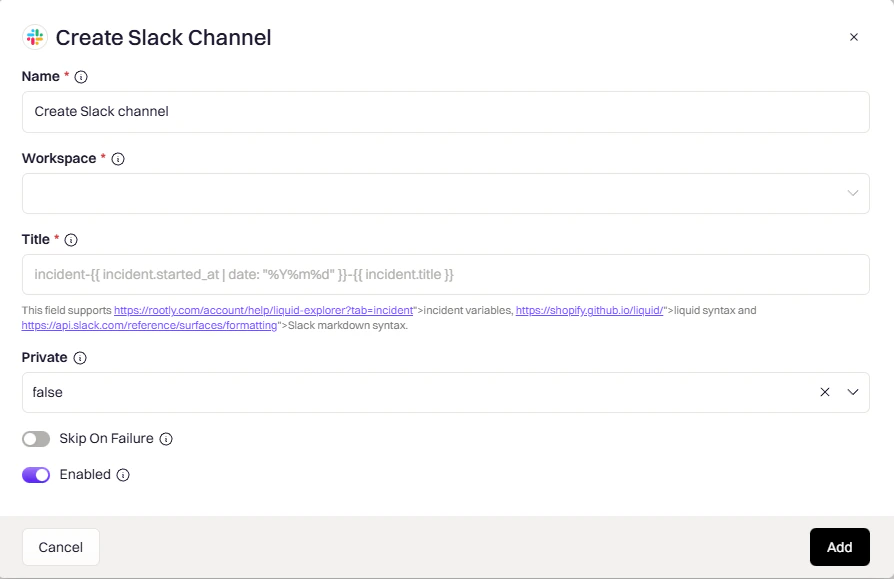 Which Slack workspace to create the channel in.
Channel name. Supports [Liquid variables](/liquid/incident-variables).
Example: `incident-{{ incident.sequential_id }}-{{ incident.title }}`
Controls channel visibility:
* `auto` — matches incident privacy (private incident → private channel)
* `true` — always private
* `false` — always public
If the incident already has a Slack channel, this action will skip channel creation to avoid duplicates.
Posts a message to channels, users, or user groups.
Which Slack workspace to create the channel in.
Channel name. Supports [Liquid variables](/liquid/incident-variables).
Example: `incident-{{ incident.sequential_id }}-{{ incident.title }}`
Controls channel visibility:
* `auto` — matches incident privacy (private incident → private channel)
* `true` — always private
* `false` — always public
If the incident already has a Slack channel, this action will skip channel creation to avoid duplicates.
Posts a message to channels, users, or user groups.
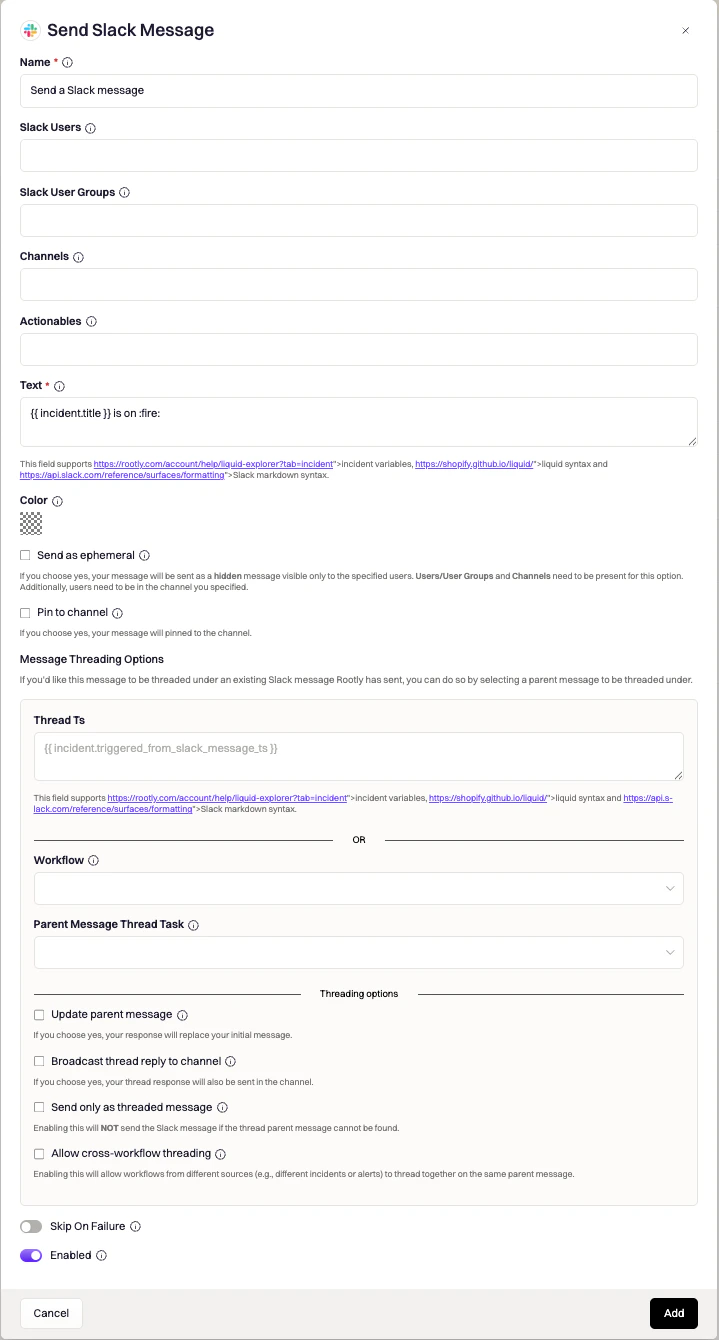 Target channels. Use `{{ incident.slack_channel_id }}` for the incident channel. Supports [Liquid variables](/liquid/incident-variables).
Individual users to message directly.
Groups to notify — all members receive the message.
Message content. Supports [Liquid variables](/liquid/incident-variables) and [Slack markdown](https://api.slack.com/reference/surfaces/formatting).
**Message Options:**
| Option | Description |
| -------------------------- | --------------------------------------- |
| **Pin to Channel** | Pin the message |
| **Send as Ephemeral** | Only visible to specified users |
| **Thread under parent** | Reply to an existing message |
| **Update Parent Message** | Replace the parent instead of threading |
| **Broadcast Thread Reply** | Also post threaded reply as new message |
**Action Buttons** — add interactive buttons to messages:
| Button | What It Opens |
| ------------------------ | ------------------------ |
| Update Summary | Edit incident summary |
| Manage Incident Roles | Assign/remove roles |
| Update Incident | Edit incident fields |
| Leave Feedback | Log incident feedback |
| Manage Action Items | Task/follow-up checklist |
| Add PagerDuty Responders | Page via PagerDuty |
| Add Opsgenie Responders | Page via Opsgenie |
Same as Send Message, but with **Snooze/Pause** buttons and support for **recurring schedules**.
Target channels. Use `{{ incident.slack_channel_id }}` for the incident channel. Supports [Liquid variables](/liquid/incident-variables).
Individual users to message directly.
Groups to notify — all members receive the message.
Message content. Supports [Liquid variables](/liquid/incident-variables) and [Slack markdown](https://api.slack.com/reference/surfaces/formatting).
**Message Options:**
| Option | Description |
| -------------------------- | --------------------------------------- |
| **Pin to Channel** | Pin the message |
| **Send as Ephemeral** | Only visible to specified users |
| **Thread under parent** | Reply to an existing message |
| **Update Parent Message** | Replace the parent instead of threading |
| **Broadcast Thread Reply** | Also post threaded reply as new message |
**Action Buttons** — add interactive buttons to messages:
| Button | What It Opens |
| ------------------------ | ------------------------ |
| Update Summary | Edit incident summary |
| Manage Incident Roles | Assign/remove roles |
| Update Incident | Edit incident fields |
| Leave Feedback | Log incident feedback |
| Manage Action Items | Task/follow-up checklist |
| Add PagerDuty Responders | Page via PagerDuty |
| Add Opsgenie Responders | Page via Opsgenie |
Same as Send Message, but with **Snooze/Pause** buttons and support for **recurring schedules**.
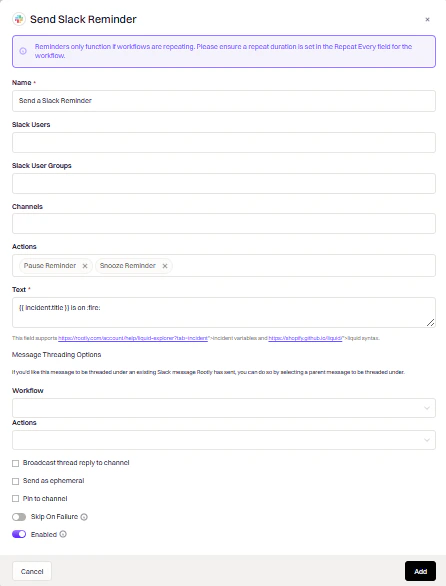 Target channels. Supports [Liquid variables](/liquid/incident-variables).
Reminder message content. Supports [Liquid variables](/liquid/incident-variables).
How often the reminder fires. Options include once, every N minutes, hourly, and daily.
Use reminders for periodic nudges (e.g., "Update the incident summary every 30 minutes"). The Snooze and Pause buttons allow responders to defer or stop reminders without leaving Slack.
Send rich, interactive messages using [Slack Block Kit](https://api.slack.com/reference/block-kit).
Target channels. Supports [Liquid variables](/liquid/incident-variables).
Reminder message content. Supports [Liquid variables](/liquid/incident-variables).
How often the reminder fires. Options include once, every N minutes, hourly, and daily.
Use reminders for periodic nudges (e.g., "Update the incident summary every 30 minutes"). The Snooze and Pause buttons allow responders to defer or stop reminders without leaving Slack.
Send rich, interactive messages using [Slack Block Kit](https://api.slack.com/reference/block-kit).
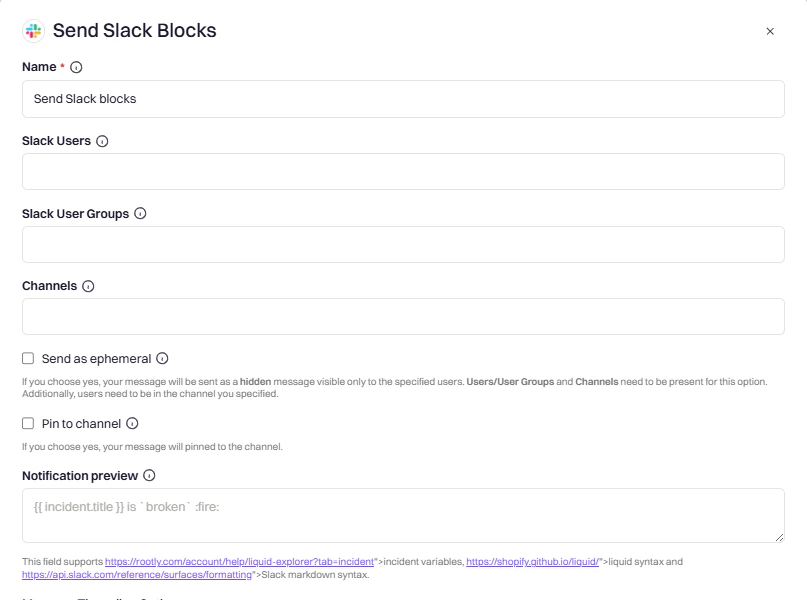 JSON payload following Block Kit format. Supports [Liquid variables](/liquid/incident-variables).
Text shown in push notifications when Block Kit content can't be rendered.
**Block Kit Examples:**
Text section with markdown:
```json theme={null}
{
"type": "section",
"text": {
"type": "mrkdwn",
"text": "*Incident:* {{ incident.title }}\n*Severity:* {{ incident.severity }}"
}
}
```
Button that triggers a workflow:
```json theme={null}
{
"type": "actions",
"elements": [{
"type": "button",
"text": { "type": "plain_text", "text": "View Action Items" },
"action_id": "trigger_custom_workflow",
"value": "incident-list-out-incomplete-action-items"
}]
}
```
**Available `action_id` values:**
| action\_id | What It Does |
| ----------------------------------------- | --------------------------------------------------- |
| `toolbar_update_incident_summary` | Edit summary modal |
| `toolbar_update_status` | Change status modal |
| `toolbar_update_incident` | Edit incident modal |
| `manage_incident_role_assignments_dialog` | Assign roles modal |
| `manage_incident_action_items` | Action items checklist |
| `add_feedback` | Feedback modal |
| `pagerduty_responders` | PagerDuty escalation |
| `opsgenie_responders` | Opsgenie escalation |
| `snooze_reminder` | Snooze recurring workflow |
| `pause_reminder` | Pause recurring workflow |
| `trigger_custom_workflow` | Run another workflow (set `value` to workflow slug) |
| `open_custom_form` | Open a custom form (set `value` to form slug) |
Slack's Block Kit Builder can't interpret Liquid variables. Test your templates in Rootly's [Liquid Variable Explorer](https://rootly.com/account/help/liquid-explorer).
Adds users or user groups to a channel.
JSON payload following Block Kit format. Supports [Liquid variables](/liquid/incident-variables).
Text shown in push notifications when Block Kit content can't be rendered.
**Block Kit Examples:**
Text section with markdown:
```json theme={null}
{
"type": "section",
"text": {
"type": "mrkdwn",
"text": "*Incident:* {{ incident.title }}\n*Severity:* {{ incident.severity }}"
}
}
```
Button that triggers a workflow:
```json theme={null}
{
"type": "actions",
"elements": [{
"type": "button",
"text": { "type": "plain_text", "text": "View Action Items" },
"action_id": "trigger_custom_workflow",
"value": "incident-list-out-incomplete-action-items"
}]
}
```
**Available `action_id` values:**
| action\_id | What It Does |
| ----------------------------------------- | --------------------------------------------------- |
| `toolbar_update_incident_summary` | Edit summary modal |
| `toolbar_update_status` | Change status modal |
| `toolbar_update_incident` | Edit incident modal |
| `manage_incident_role_assignments_dialog` | Assign roles modal |
| `manage_incident_action_items` | Action items checklist |
| `add_feedback` | Feedback modal |
| `pagerduty_responders` | PagerDuty escalation |
| `opsgenie_responders` | Opsgenie escalation |
| `snooze_reminder` | Snooze recurring workflow |
| `pause_reminder` | Pause recurring workflow |
| `trigger_custom_workflow` | Run another workflow (set `value` to workflow slug) |
| `open_custom_form` | Open a custom form (set `value` to form slug) |
Slack's Block Kit Builder can't interpret Liquid variables. Test your templates in Rootly's [Liquid Variable Explorer](https://rootly.com/account/help/liquid-explorer).
Adds users or user groups to a channel.
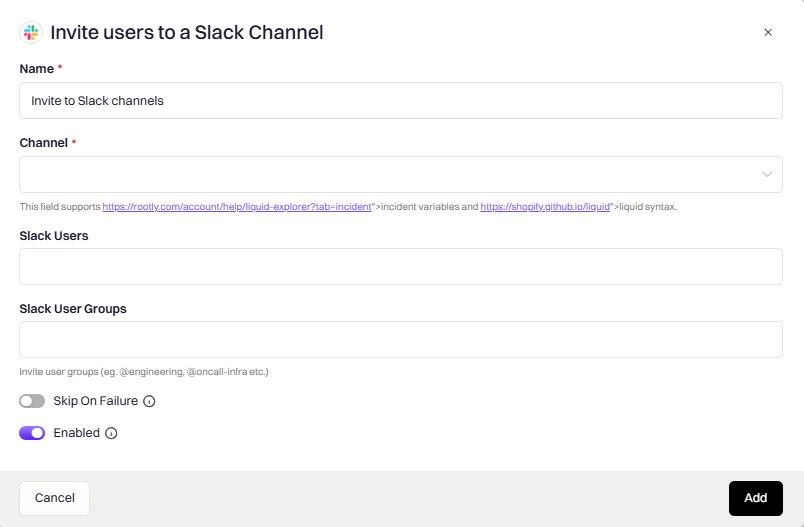 Target channel. Use `{{ incident.slack_channel_id }}` for the incident channel. Supports [Liquid variables](/liquid/incident-variables).
Individual users to invite. Use `{{ incident.creator }}` for the incident creator.
Groups to invite — all members are added to the channel.
Changes the channel name dynamically, useful for reflecting status changes.
Target channel. Use `{{ incident.slack_channel_id }}` for the incident channel. Supports [Liquid variables](/liquid/incident-variables).
Individual users to invite. Use `{{ incident.creator }}` for the incident creator.
Groups to invite — all members are added to the channel.
Changes the channel name dynamically, useful for reflecting status changes.
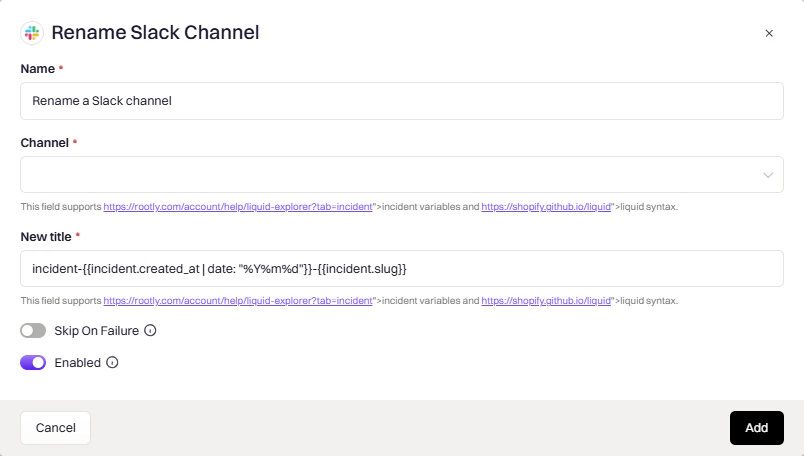 Channel to rename. Use `{{ incident.slack_channel_id }}`. Supports [Liquid variables](/liquid/incident-variables).
New channel name. Supports [Liquid variables](/liquid/incident-variables).
Example: `resolved-{{ incident.title }}`
**Common use case:** Rename to include status when resolved (e.g., `resolved-database-outage`).
Sets the channel topic to display key incident info at a glance.
Channel to rename. Use `{{ incident.slack_channel_id }}`. Supports [Liquid variables](/liquid/incident-variables).
New channel name. Supports [Liquid variables](/liquid/incident-variables).
Example: `resolved-{{ incident.title }}`
**Common use case:** Rename to include status when resolved (e.g., `resolved-database-outage`).
Sets the channel topic to display key incident info at a glance.
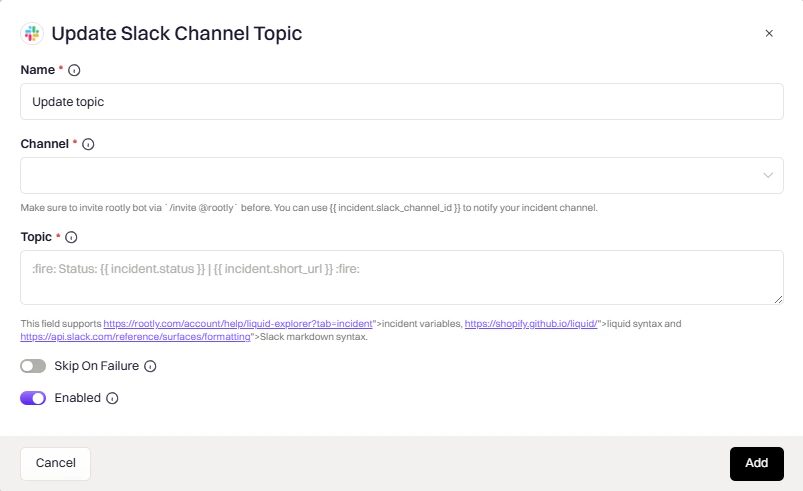 Channels to update. Supports [Liquid variables](/liquid/incident-variables).
New topic text. Supports [Liquid variables](/liquid/incident-variables) and Slack markdown.
**Example topic:**
```
🔴 {{ incident.severity }} | {{ incident.status }} | Commander: {{ incident.commander.name | default: "Unassigned" }}
```
Pins a link to the channel's bookmark bar for quick access during an incident.
Channels to update. Supports [Liquid variables](/liquid/incident-variables).
New topic text. Supports [Liquid variables](/liquid/incident-variables) and Slack markdown.
**Example topic:**
```
🔴 {{ incident.severity }} | {{ incident.status }} | Commander: {{ incident.commander.name | default: "Unassigned" }}
```
Pins a link to the channel's bookmark bar for quick access during an incident.
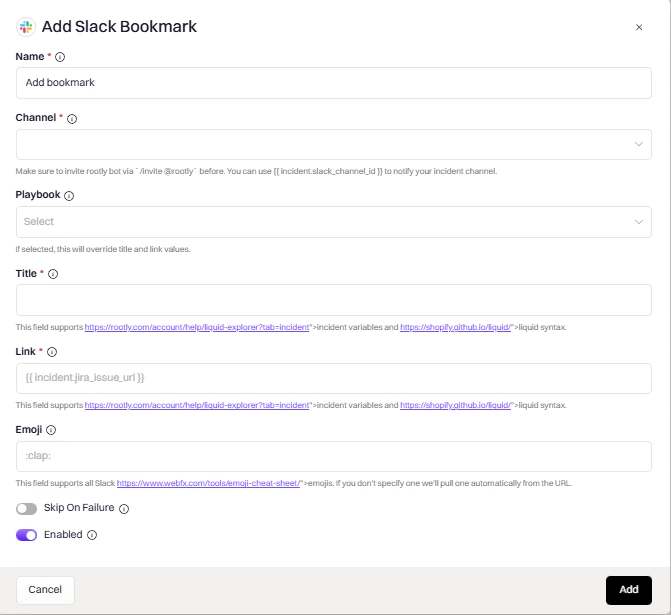 Channel to add the bookmark to. Supports [Liquid variables](/liquid/incident-variables).
Bookmark display text. Supports [Liquid variables](/liquid/incident-variables).
URL to bookmark. Common values: `{{ incident.url }}`, `{{ incident.jira_issue_url }}`. Supports [Liquid variables](/liquid/incident-variables).
Icon shown next to the bookmark.
Optionally link to a Rootly playbook instead of specifying a title and link manually.
Archives the channel to keep your workspace clean after an incident is resolved.
Channel to add the bookmark to. Supports [Liquid variables](/liquid/incident-variables).
Bookmark display text. Supports [Liquid variables](/liquid/incident-variables).
URL to bookmark. Common values: `{{ incident.url }}`, `{{ incident.jira_issue_url }}`. Supports [Liquid variables](/liquid/incident-variables).
Icon shown next to the bookmark.
Optionally link to a Rootly playbook instead of specifying a title and link manually.
Archives the channel to keep your workspace clean after an incident is resolved.
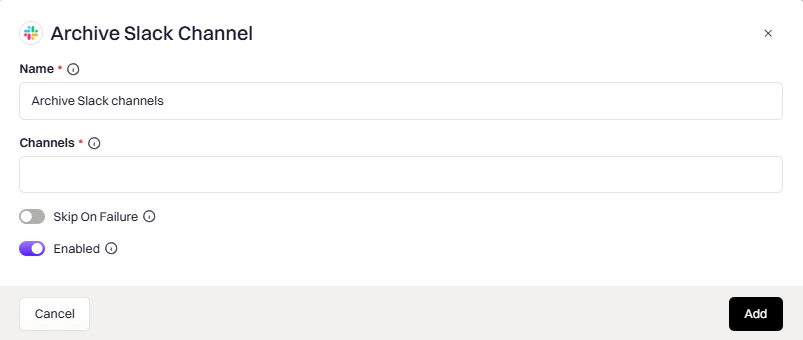 Channel to archive. Use `{{ incident.slack_channel_id }}`. Supports [Liquid variables](/liquid/incident-variables).
**Common trigger:** Incident status changed to "Closed" with a 24–48 hour delay to allow post-incident cleanup.
Switches a channel between public and private.
Channel to archive. Use `{{ incident.slack_channel_id }}`. Supports [Liquid variables](/liquid/incident-variables).
**Common trigger:** Incident status changed to "Closed" with a 24–48 hour delay to allow post-incident cleanup.
Switches a channel between public and private.
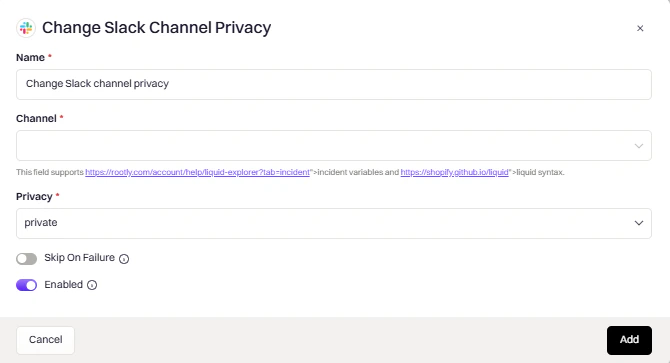 Channel to modify. Supports [Liquid variables](/liquid/incident-variables).
* `public` — make the channel visible to all workspace members
* `private` — restrict access to invited members only
Changing from private to public may not be allowed by your Slack workspace settings.
***
## Common Liquid Variables
| Variable | Description |
| ---------------------------------------- | --------------------------------------------- |
| `{{ incident.slack_channel_id }}` | Current incident's channel ID |
| `{{ incident.title }}` | Incident title |
| `{{ incident.severity }}` | Severity level |
| `{{ incident.status }}` | Current status |
| `{{ incident.url }}` | Link to incident in Rootly |
| `{{ incident.creator }}` | User who created the incident |
| `{{ parent_incident.slack_channel_id }}` | Parent incident's channel (for sub-incidents) |
Explore all variables in the [Liquid Variable Explorer](https://rootly.com/account/help/liquid-explorer).
Channel to modify. Supports [Liquid variables](/liquid/incident-variables).
* `public` — make the channel visible to all workspace members
* `private` — restrict access to invited members only
Changing from private to public may not be allowed by your Slack workspace settings.
***
## Common Liquid Variables
| Variable | Description |
| ---------------------------------------- | --------------------------------------------- |
| `{{ incident.slack_channel_id }}` | Current incident's channel ID |
| `{{ incident.title }}` | Incident title |
| `{{ incident.severity }}` | Severity level |
| `{{ incident.status }}` | Current status |
| `{{ incident.url }}` | Link to incident in Rootly |
| `{{ incident.creator }}` | User who created the incident |
| `{{ parent_incident.slack_channel_id }}` | Parent incident's channel (for sub-incidents) |
Explore all variables in the [Liquid Variable Explorer](https://rootly.com/account/help/liquid-explorer).