> ## Documentation Index
> Fetch the complete documentation index at: https://docs.rootly.com/llms.txt
> Use this file to discover all available pages before exploring further.
# Creating A Statuspage Incident
> Create Atlassian StatusPage.io incidents directly from Rootly incidents using the Status Page Timeline feature, with template population and updates.
## Overview
The following guide will walk you through how to create a StatusPage.IO via a Rootly incident. In order to create a status page incident you first need to import a status page from StatusPage.io. If you have not done that yet please refer to this guide [here](/integrations/status-page-io/importing-status-pages "here").
## Steps
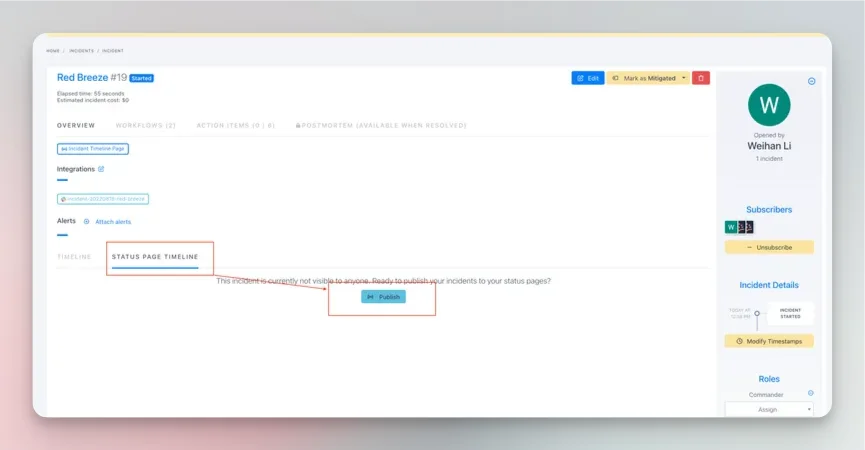
1. Within any non published incident click the Status Page Timeline tab then click publish
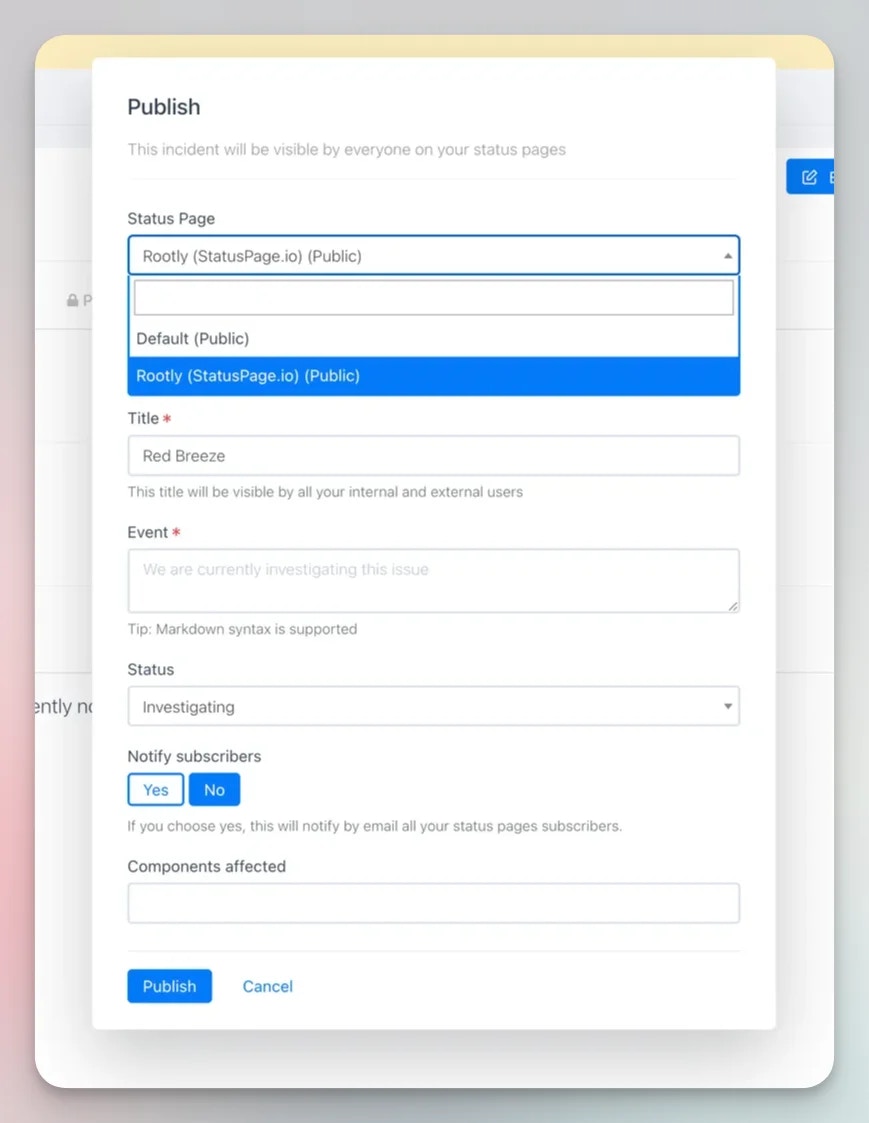
 2. Within the publish dialog select a status page that you have integrated with StatusPage.IO (these pages will have "(StatusPage.io)" in the title). Fill out the publish form with your desired settings.
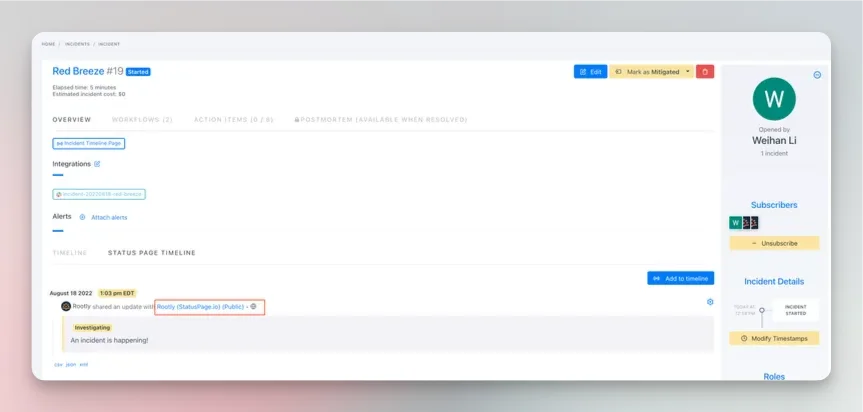
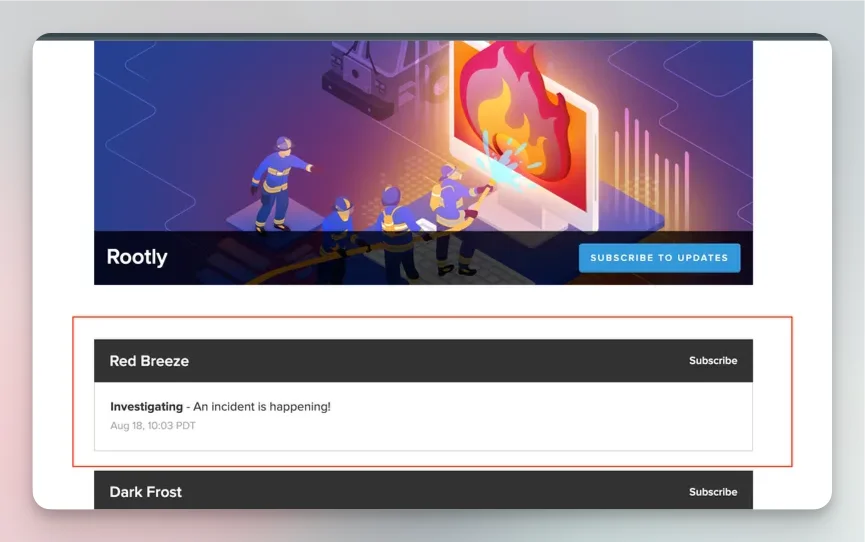
 3. After clicking publish your incident should be added to the Rootly timeline. Clicking the hyperlink next to the incident event will take you to the newly created StatusPage.io incident