> ## Documentation Index
> Fetch the complete documentation index at: https://docs.rootly.com/llms.txt
> Use this file to discover all available pages before exploring further.
# Importing Status Pages
> Import your existing status pages from Atlassian StatusPage.io into Rootly for integrated incident communication management and customer-facing updates.
## Importing Status Pages
### Overview
You can import your existing status pages from statuspage.io. This requires that StatusPageIO integration has already been set up. If you have not done that yet please refer to our guide [here](/integrations/status-page-io "here").
### Steps
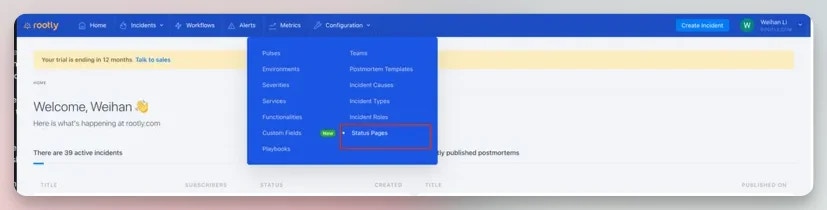
1. Within our web experience navigate to *Configuration > Status pages*
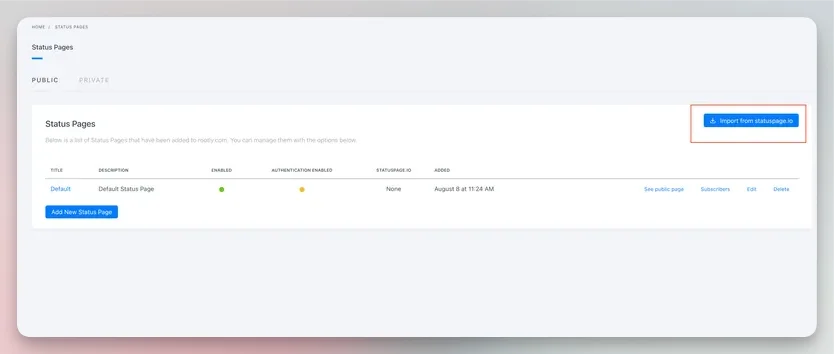
 2. On the status pages configuration page click *Import from statuspage.io*
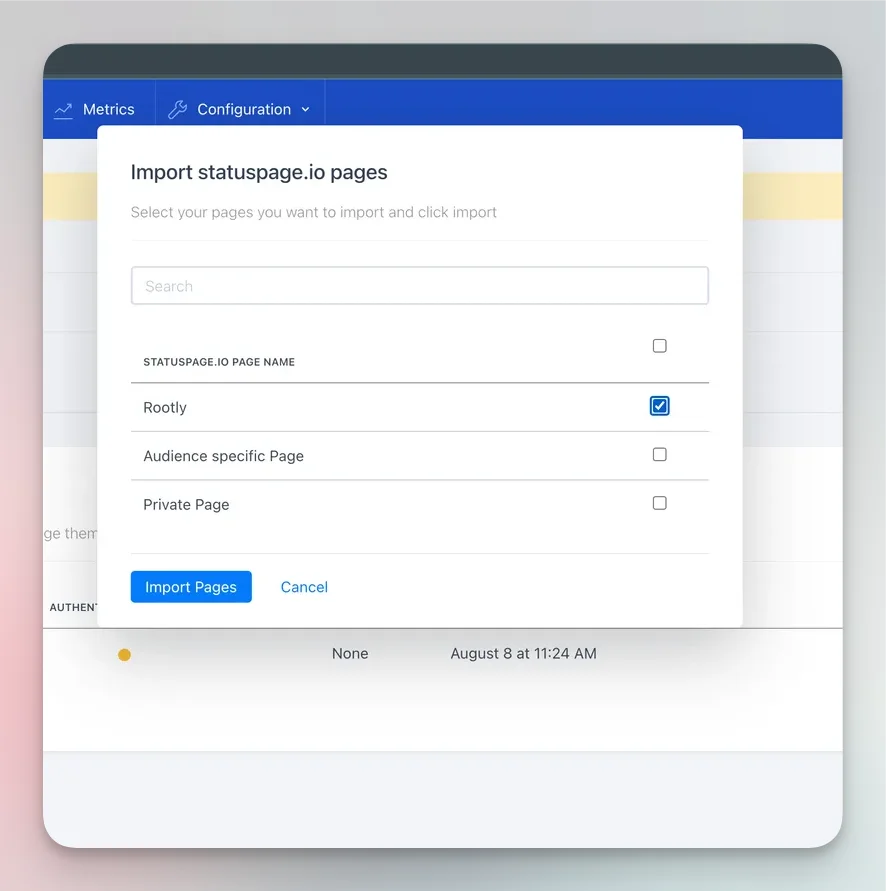
 3. Within the popup modal select the StatusPageIO page you want to import into Rootly. Then click import pages
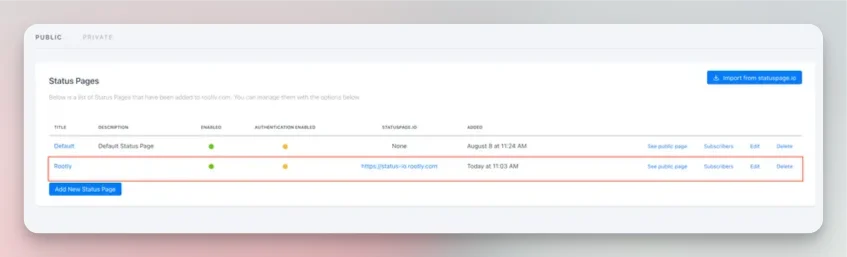
 4. You should see the newly imported page within the list