> ## Documentation Index
> Fetch the complete documentation index at: https://docs.rootly.com/llms.txt
> Use this file to discover all available pages before exploring further.
# Importing Templates
> Import StatusPage.io templates into Rootly to auto-populate status page update fields with standardized content for consistent customer communication.
## Overview
Rootly supports StatusPage.IO templates. After importing your templates from StatusPage.IO you can utilize them when making status page updates to auto populate fields.
Templates can only be imported for status pages that are linked to StatusPage.IO. If you don't have a status page that is linked to StatusPage.io you can follow steps [here](/integrations/status-page-io/importing-status-pages "here") on importing status pages
## Steps
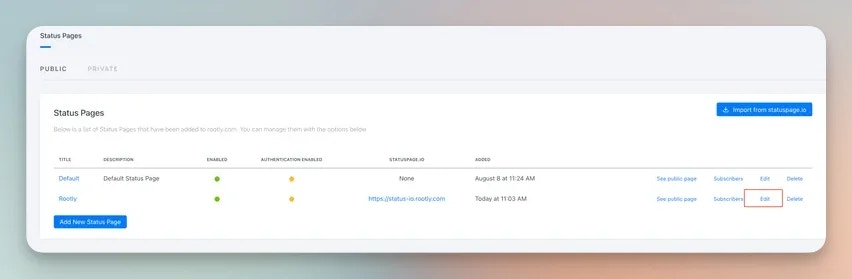
1. Within the status page configuration page select edit on a status page that has a StatusPage.IO page linked. A StatusPage.IO linked page will have the STATUSPAGE.IO column populated
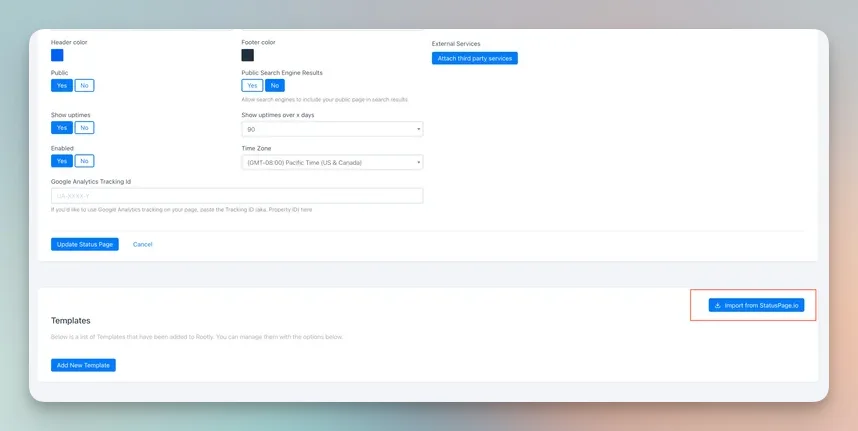
 2. Scroll down until you see Import from Statuspage.io for templates
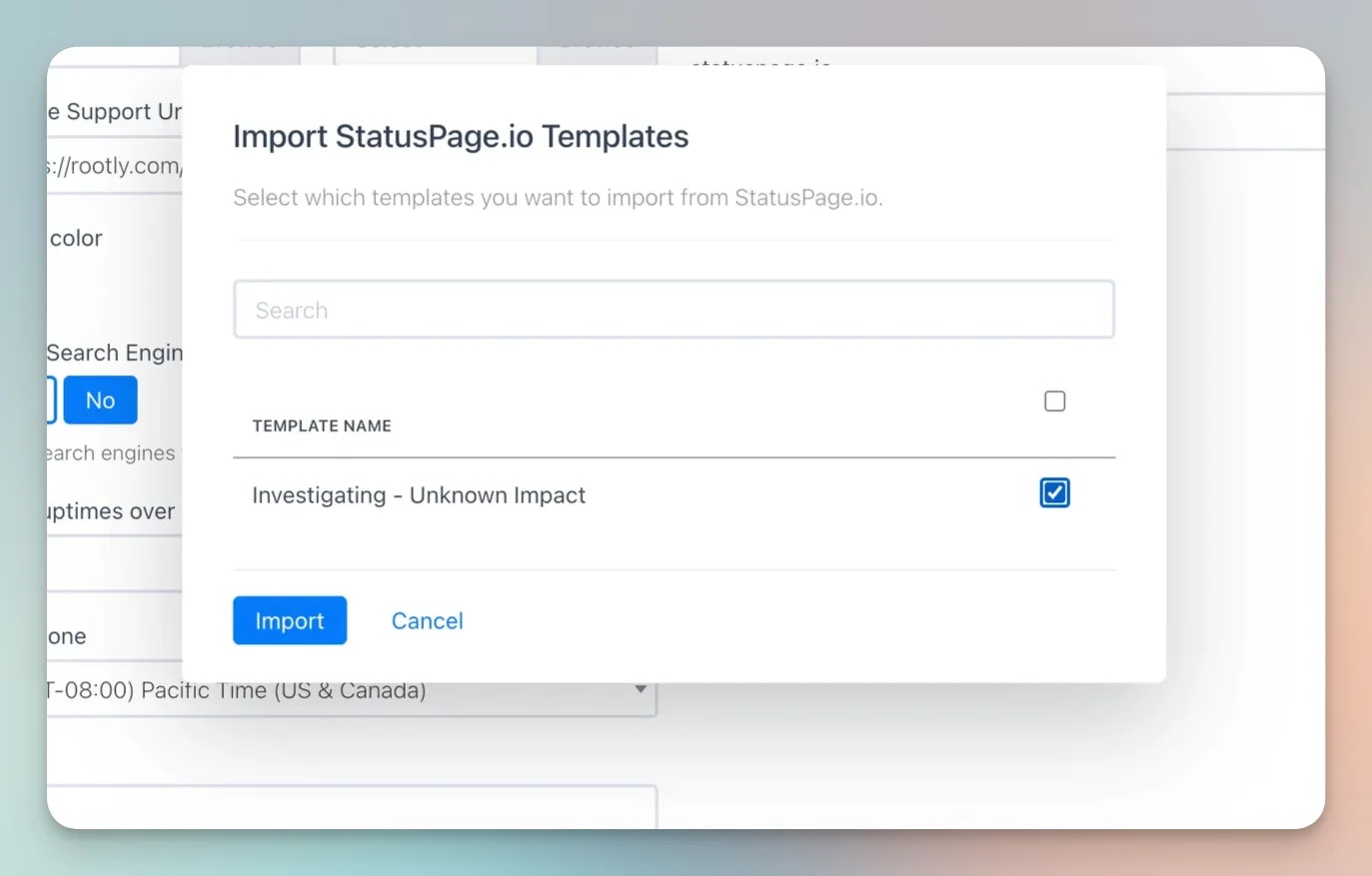
 3. Within the popup modal select which templates you wish to import from StatusPage.IO
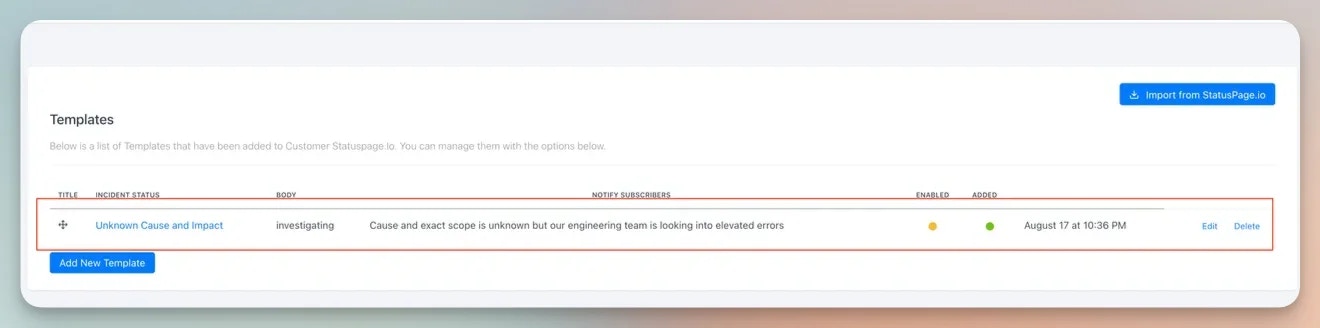
 4. The imported template should now be in Rootly under your StatusPage.IO integrated status page