> ## Documentation Index
> Fetch the complete documentation index at: https://docs.rootly.com/llms.txt
> Use this file to discover all available pages before exploring further.
# Using Status Page Templates
> Use imported StatusPage.io templates in Rootly to standardize and auto-populate status page event updates with severity, components, and message content.
## Overview
Event status updates are often standardized via templates. These are preset values that will auto-populate your event update. This guide will aim to help you use them. Using StatusPage templates requires you to first import them into Rootly. If you have not done that yet please follow this guide [here](/integrations/status-page-io/importing-templates "here").
## Steps
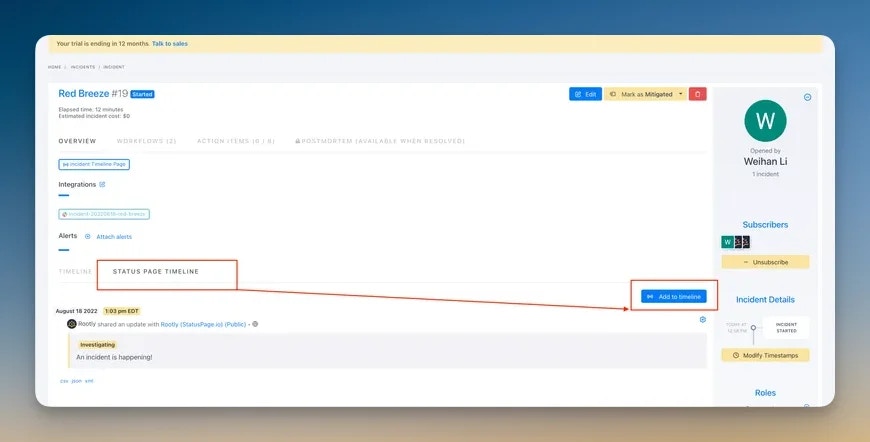
1. Within any incident in Rootly click the Status Page Timeline Tab then the Add to Timeline button
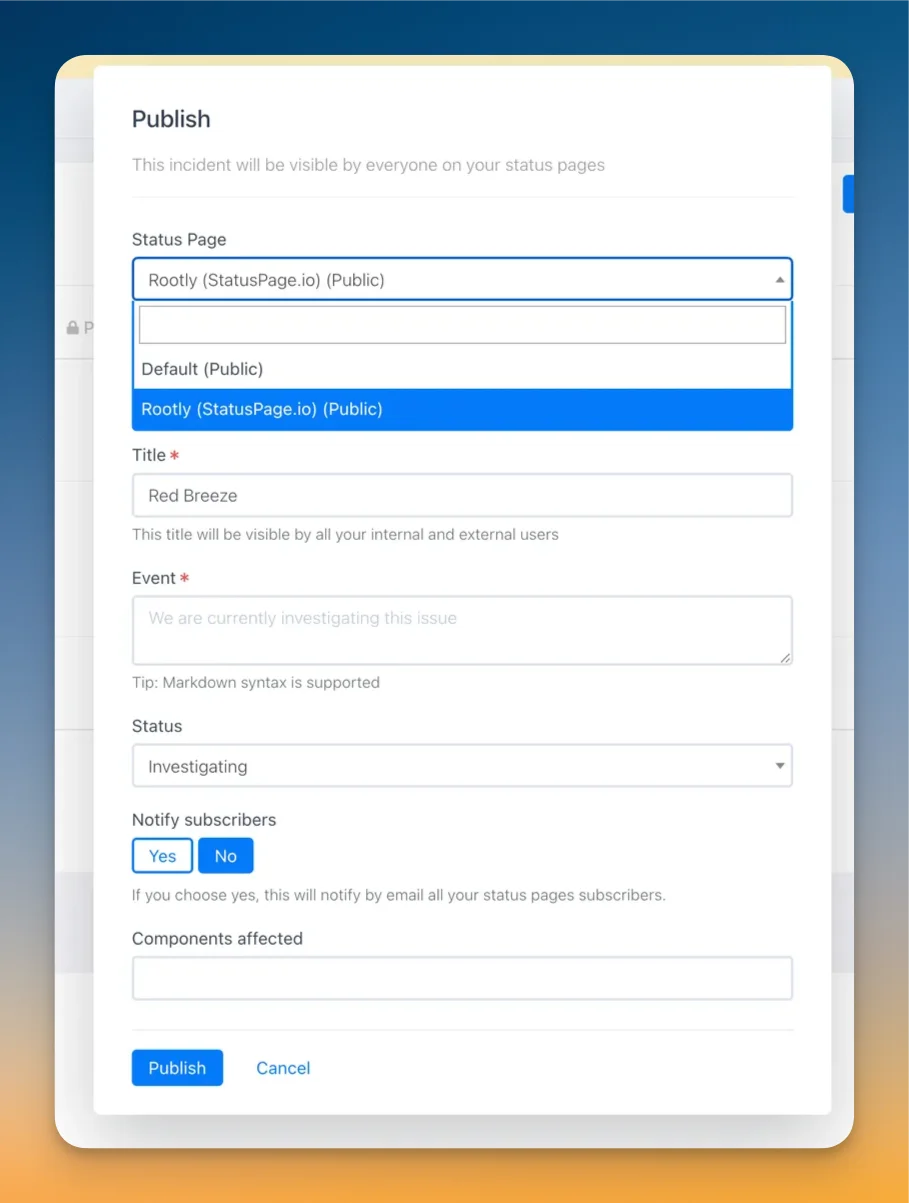
 2. Within the publish modal select a status page that has StatusPage.io integrated (These pages will have "(Statuspage.io) in the title")
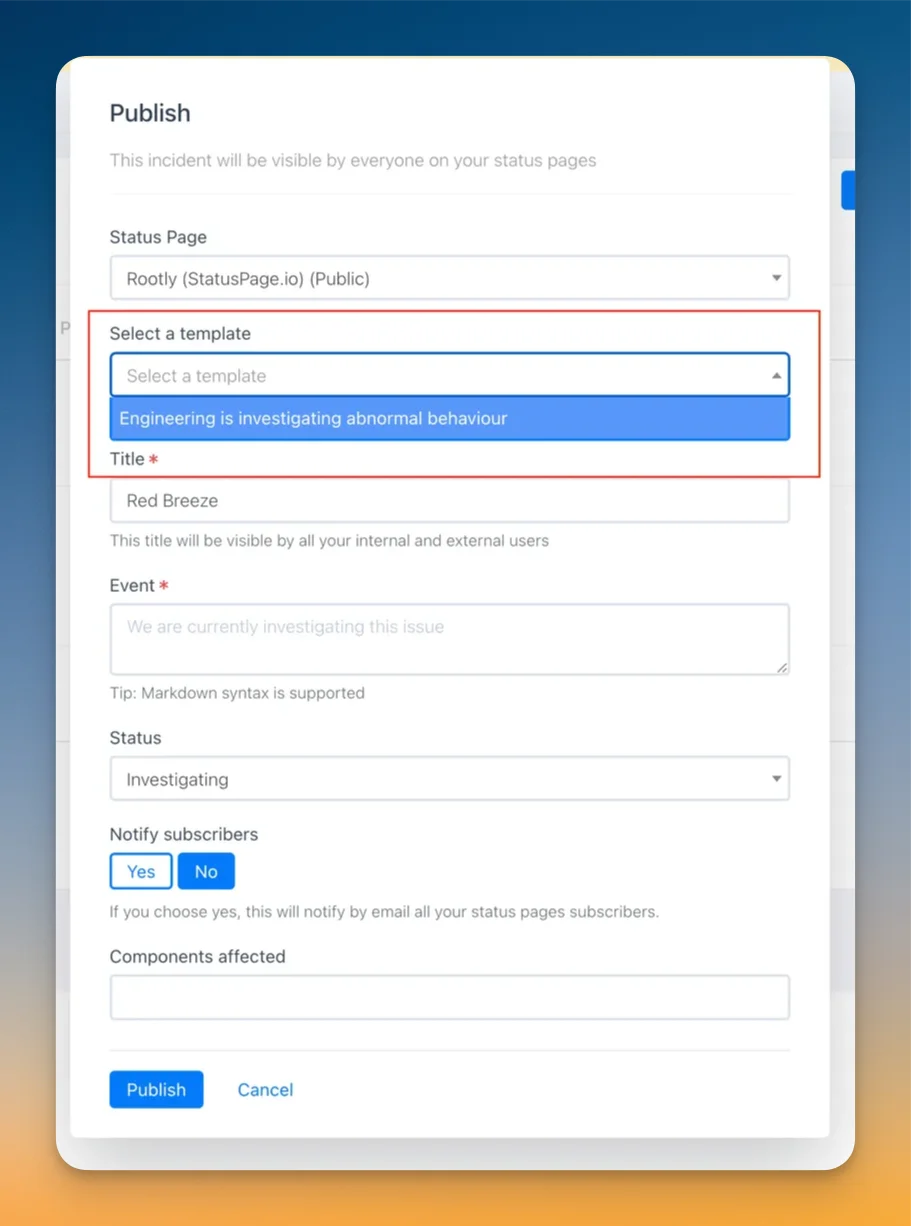
 3. Within the same publish modal select the template you wish to use for your incident event update
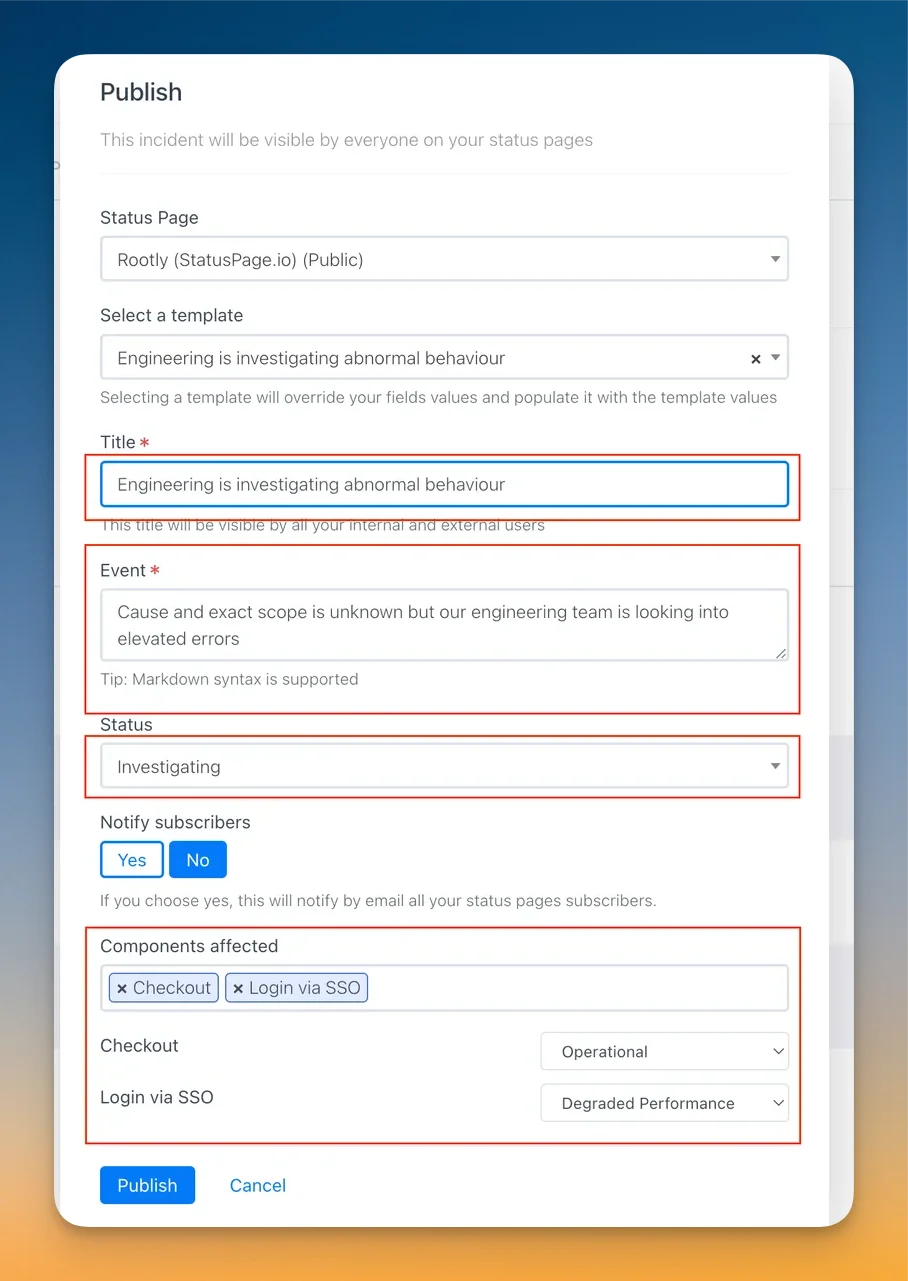
 4. Post selection, the template will populate preset such as the event message, status, and any effected components