> ## Documentation Index
> Fetch the complete documentation index at: https://docs.rootly.com/llms.txt
> Use this file to discover all available pages before exploring further.
# VictorOps (Splunk On-Call)
> Connect VictorOps (Splunk On-Call) to Rootly for API-based escalation, optional inbound webhooks, linked incident workflows, and Slack-based paging.
## Introduction
The VictorOps integration connects Rootly with Splunk On-Call so teams can escalate incidents into VictorOps, receive supported VictorOps webhook activity in Rootly, and keep incident response workflows coordinated across both systems.
This integration is a strong fit for teams that already use VictorOps for alerting or on-call response and want Rootly to act as the central place for incident coordination and automation.
With the VictorOps integration, you can:
* Connect Rootly to VictorOps with API credentials
* Receive supported VictorOps webhook events in Rootly
* Create and update VictorOps incidents from Rootly escalation flows
* Resolve linked VictorOps incidents from Rootly
* Page VictorOps teams from Slack when the Slack integration is enabled
## Before You Begin
Before installing the integration, make sure you have:
* A Rootly account with permission to manage integrations
* A VictorOps (Splunk On-Call) account with access to API credentials
* Access to create outgoing webhooks or REST hook integrations in VictorOps
* The VictorOps teams you want Rootly to page or sync with
Rootly uses two separate credential types for this integration:
* The **VictorOps API ID and API Key** are used for Rootly-to-VictorOps API requests
* The **Rootly webhook secret** is used when VictorOps sends webhook events into Rootly
## Install the VictorOps Integration in Rootly
Go to the integrations page in Rootly and choose **VictorOps (Splunk On-Call)**.
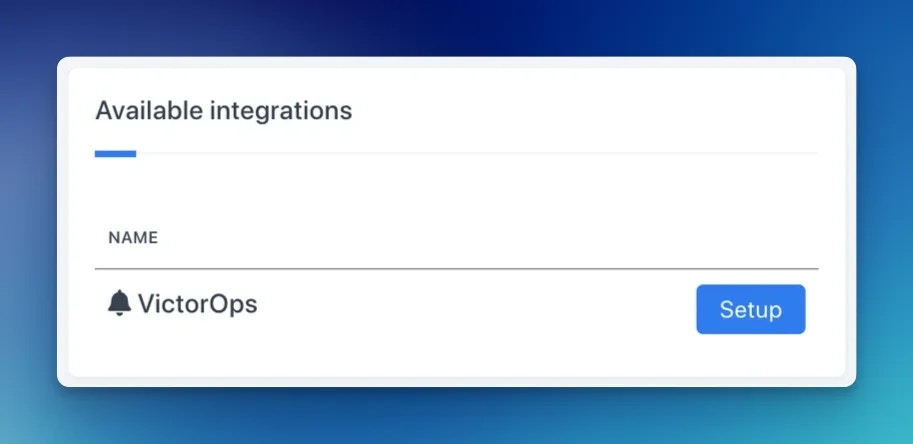 We recommend connecting VictorOps with a dedicated service account so the integration does not break if an individual user leaves your organization.
## Configure API Access in VictorOps
Rootly uses VictorOps API credentials to create incidents, reroute responders, and resolve linked incidents.
In the VictorOps portal, locate the API credentials you will use for the Rootly integration.
We recommend connecting VictorOps with a dedicated service account so the integration does not break if an individual user leaves your organization.
## Configure API Access in VictorOps
Rootly uses VictorOps API credentials to create incidents, reroute responders, and resolve linked incidents.
In the VictorOps portal, locate the API credentials you will use for the Rootly integration.
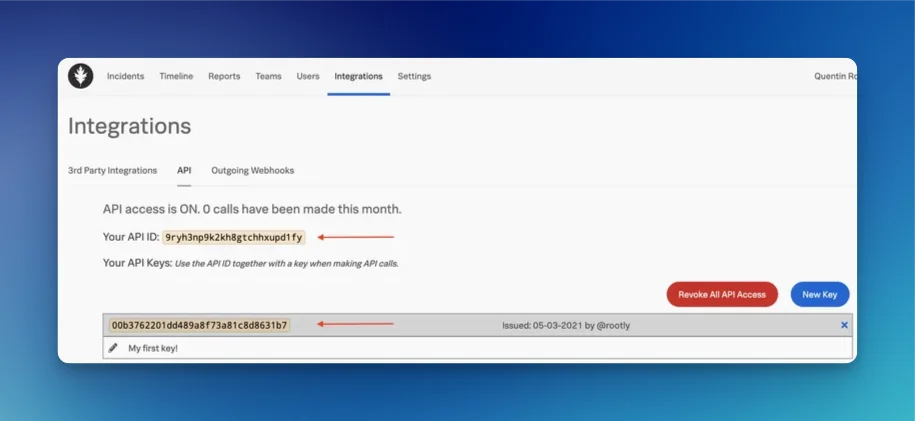 Paste the VictorOps API ID and API Key into the VictorOps integration settings in Rootly and save the integration.
## Configure VictorOps Webhooks
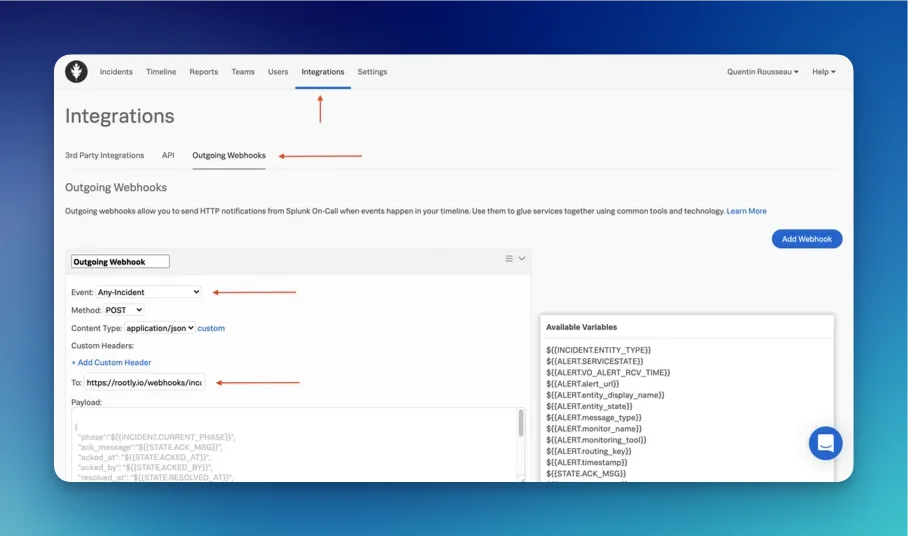
VictorOps can optionally send webhook events into Rootly so Rootly can create alerts and add linked incident activity.
In VictorOps, configure an outgoing webhook or REST hook for the integration.
Paste the VictorOps API ID and API Key into the VictorOps integration settings in Rootly and save the integration.
## Configure VictorOps Webhooks
VictorOps can optionally send webhook events into Rootly so Rootly can create alerts and add linked incident activity.
In VictorOps, configure an outgoing webhook or REST hook for the integration.
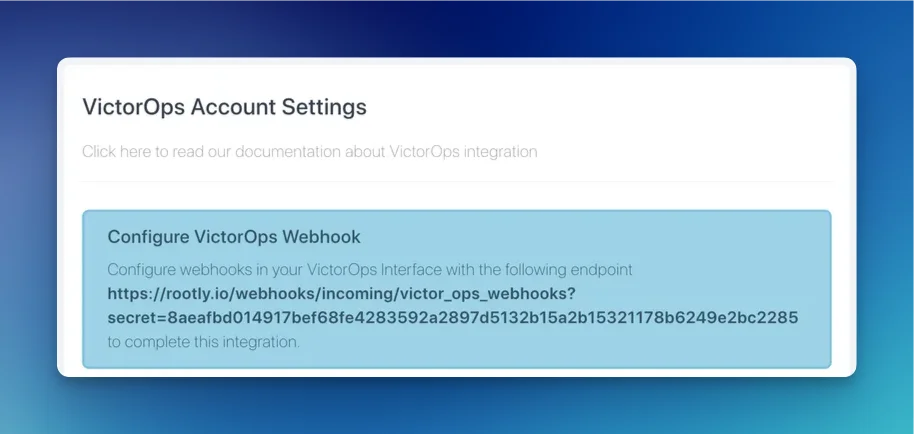 Copy the webhook URL shown in Rootly and use it when creating the VictorOps webhook.
Rootly typically expects the webhook secret to be included as a query parameter on the URL it provides, such as `?secret=...`, unless the Rootly UI shows a different format for your workspace.
Copy the webhook URL shown in Rootly and use it when creating the VictorOps webhook.
Rootly typically expects the webhook secret to be included as a query parameter on the URL it provides, such as `?secret=...`, unless the Rootly UI shows a different format for your workspace.
 ## Supported VictorOps Webhook Behavior
Rootly processes VictorOps webhooks in these cases:
* The notification type is **unset**, which is the typical new-alert style payload
* The notification type is **`ACKNOWLEDGEMENT`**
* The notification type is **`RECOVERY`**
Other notification types are ignored.
In general:
* Unset notification-type events can create Rootly alerts
* `ACKNOWLEDGEMENT` events can add linked incident activity in Rootly
* `RECOVERY` events can add linked incident activity in Rootly
If an incoming VictorOps event is already tied to a synced Rootly incident, Rootly may skip creating a duplicate alert.
## Escalate to VictorOps from Rootly
Rootly can create and update VictorOps incidents when a Rootly incident needs escalation.
This is commonly used when:
* A Rootly incident needs to notify a VictorOps team
* An escalation action should create a VictorOps incident
* A Slack-driven incident flow needs to page VictorOps responders
When Rootly escalates into VictorOps, it stores the linked VictorOps incident information on the Rootly incident for later synchronization.
## Reroute Incidents
Rootly can add responders to an existing VictorOps incident without creating a new one. This is useful when an incident is already active in VictorOps and you need to bring in additional teams or users.
You can configure this through a workflow action targeting the linked VictorOps incident. Rootly will route the incident to the specified users or teams using the VictorOps reroute API.
## Default Workflows
When the VictorOps integration is connected, Rootly can create default workflows to support common VictorOps actions.
These workflows typically include:
* Adding VictorOps on-call responders into the incident workflow
* Automatically resolving linked VictorOps incidents when the Rootly incident is resolved
Review these workflows after installation so they match your team’s escalation process.
## Import Teams
If your VictorOps migration flow is enabled in your workspace, you can import VictorOps teams into Rootly teams as part of your setup.
This is useful when you want to align Rootly team structure with your existing VictorOps configuration.
## Paging from Slack
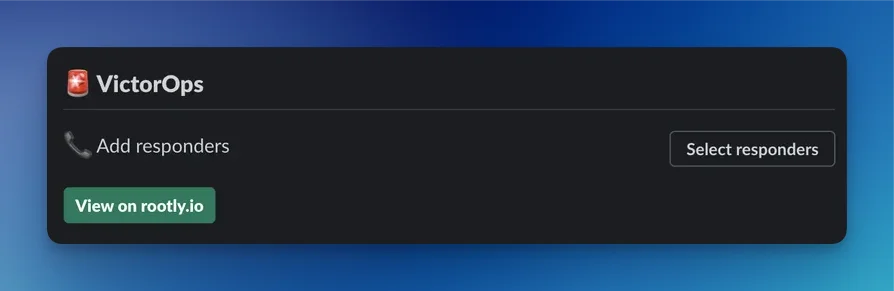
If the Slack integration is enabled, responders can page VictorOps teams directly from Slack.
Use the Slack integration to trigger VictorOps paging directly from the incident workflow in Slack.
## Supported VictorOps Webhook Behavior
Rootly processes VictorOps webhooks in these cases:
* The notification type is **unset**, which is the typical new-alert style payload
* The notification type is **`ACKNOWLEDGEMENT`**
* The notification type is **`RECOVERY`**
Other notification types are ignored.
In general:
* Unset notification-type events can create Rootly alerts
* `ACKNOWLEDGEMENT` events can add linked incident activity in Rootly
* `RECOVERY` events can add linked incident activity in Rootly
If an incoming VictorOps event is already tied to a synced Rootly incident, Rootly may skip creating a duplicate alert.
## Escalate to VictorOps from Rootly
Rootly can create and update VictorOps incidents when a Rootly incident needs escalation.
This is commonly used when:
* A Rootly incident needs to notify a VictorOps team
* An escalation action should create a VictorOps incident
* A Slack-driven incident flow needs to page VictorOps responders
When Rootly escalates into VictorOps, it stores the linked VictorOps incident information on the Rootly incident for later synchronization.
## Reroute Incidents
Rootly can add responders to an existing VictorOps incident without creating a new one. This is useful when an incident is already active in VictorOps and you need to bring in additional teams or users.
You can configure this through a workflow action targeting the linked VictorOps incident. Rootly will route the incident to the specified users or teams using the VictorOps reroute API.
## Default Workflows
When the VictorOps integration is connected, Rootly can create default workflows to support common VictorOps actions.
These workflows typically include:
* Adding VictorOps on-call responders into the incident workflow
* Automatically resolving linked VictorOps incidents when the Rootly incident is resolved
Review these workflows after installation so they match your team’s escalation process.
## Import Teams
If your VictorOps migration flow is enabled in your workspace, you can import VictorOps teams into Rootly teams as part of your setup.
This is useful when you want to align Rootly team structure with your existing VictorOps configuration.
## Paging from Slack
If the Slack integration is enabled, responders can page VictorOps teams directly from Slack.
Use the Slack integration to trigger VictorOps paging directly from the incident workflow in Slack.
 ## Troubleshooting
The most common cause is an incorrect or missing Rootly webhook secret. Rootly uses that secret to authenticate incoming VictorOps webhook events.
Confirm that VictorOps is sending one of the supported webhook notification types and that the webhook is pointed at the correct Rootly URL. Unsupported notification types are ignored.
If the VictorOps event is already associated with a synced Rootly incident, Rootly may skip creating a duplicate alert and instead add linked incident activity.
Check your VictorOps API ID and API Key, and confirm the integration still has valid access. Incoming webhook-created alerts are also subject to your Rootly alert limits.
## Troubleshooting
The most common cause is an incorrect or missing Rootly webhook secret. Rootly uses that secret to authenticate incoming VictorOps webhook events.
Confirm that VictorOps is sending one of the supported webhook notification types and that the webhook is pointed at the correct Rootly URL. Unsupported notification types are ignored.
If the VictorOps event is already associated with a synced Rootly incident, Rootly may skip creating a duplicate alert and instead add linked incident activity.
Check your VictorOps API ID and API Key, and confirm the integration still has valid access. Incoming webhook-created alerts are also subject to your Rootly alert limits.