

How It Works
A team’s private status page is only available to logged-in Rootly users who are members of that team. From the team dashboard, click Private Status Page to open the page for that team.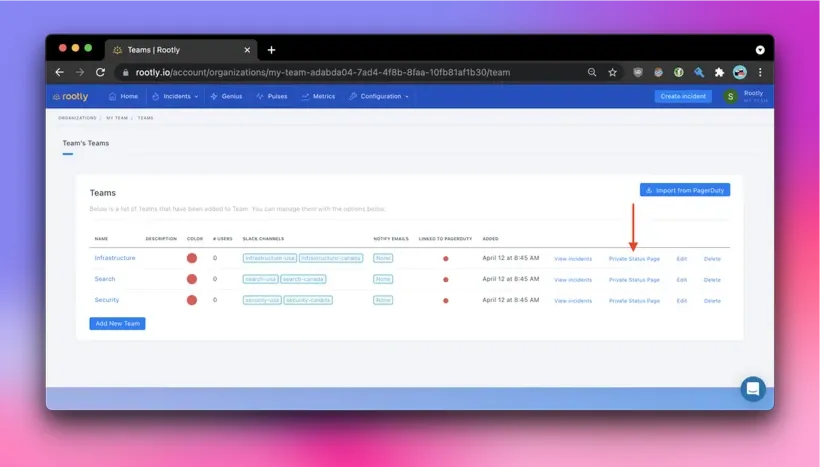
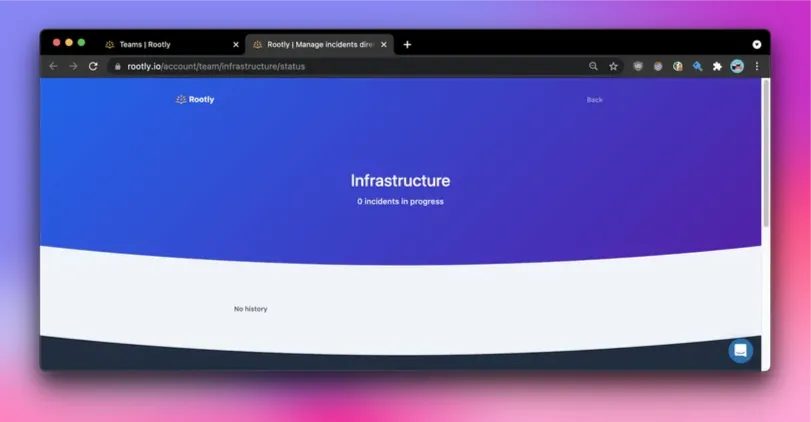
What the Status Page Shows
Depending on how the page is configured, the private status page can show:- Active incidents
- Resolved incidents and incident history
- Scheduled and completed maintenance
- Service or component status
- Uptime history
Incidents do not appear on the status page automatically. They must be attached to the status page.
Permissions
All members of the team can view that team’s private status page. Creating, editing, or deleting status pages requires the appropriate status page permissions for your role.Public vs. Private Status Pages
Private status pages are intended for internal visibility within Rootly. They are only accessible to authenticated team members. If you need to share service health outside your team or organization, you can use a public status page if your plan supports it.Customize the Status Page
You can customize the status page to match your team’s needs. Available settings may include:- Page title and description
- Header and footer styling
- Logo and other branding
- Default status messaging
- Uptime display period
- Footer links such as website, privacy, or support pages
- Timezone and tracking settings
Plan Limits
By default, each team includes one status page. Access to public status pages and other advanced status page capabilities may depend on your plan.Frequently Asked Questions
Who can view a team’s private status page?
Who can view a team’s private status page?
A team’s private status page can be viewed by logged-in Rootly users who are members of that team. It is not intended to be publicly accessible.
Do incidents appear on the status page automatically?
Do incidents appear on the status page automatically?
No. Incidents must be explicitly attached to the status page. Attaching an incident to a team does not automatically add it to that team’s status page.
What information appears on the status page?
What information appears on the status page?
The page can include active incidents, resolved incidents, maintenance windows, service or component health, and uptime history, depending on how the status page is configured.
Can I customize the status page?
Can I customize the status page?
Yes. Status pages can include customizable details such as branding, messaging, uptime settings, footer links, and timezone preferences.