Overview

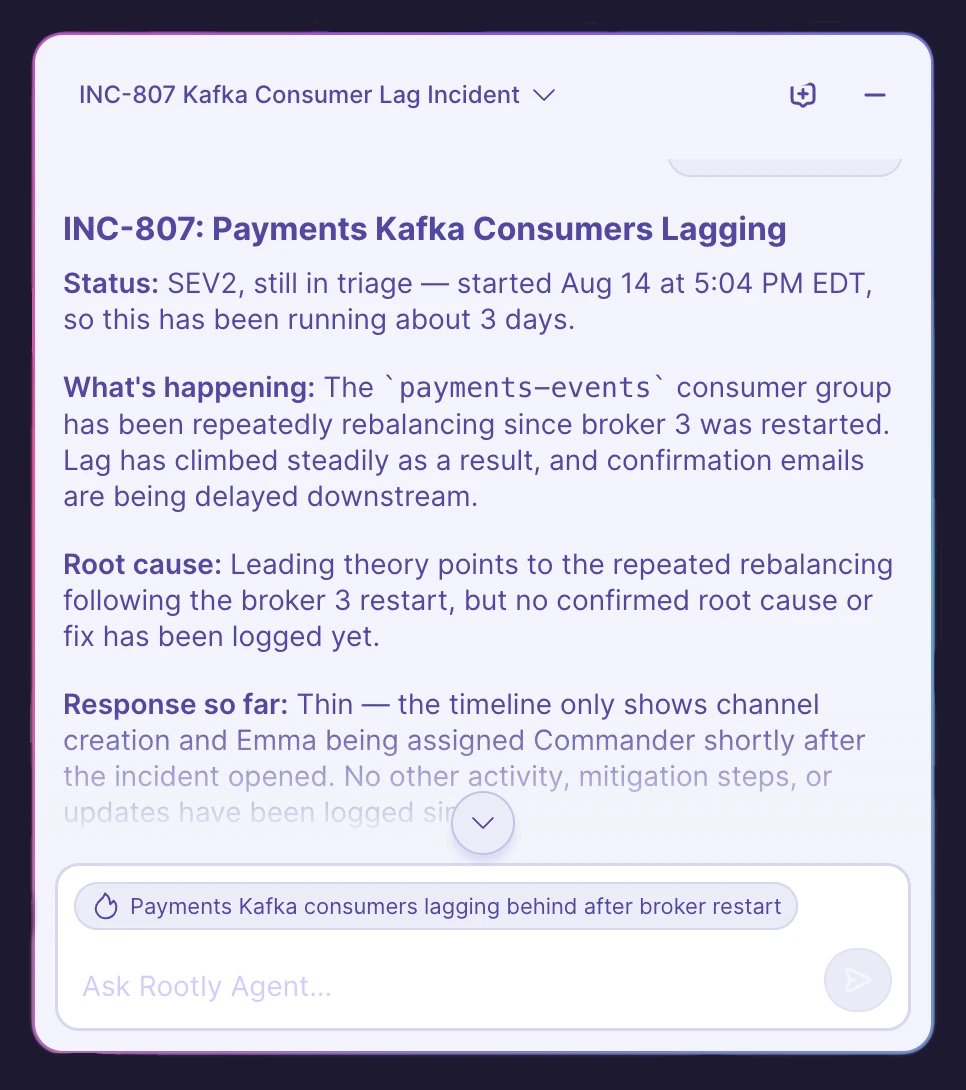
Ask Rootly Agent in Web is a conversational assistant built into the incident page of the Rootly web app. Open it from any incident to ask questions in natural language and get answers grounded in that incident’s live context—its timeline, severity, status, roles, alerts, and linked data. Ask Rootly Agent: it helps you understand and communicate, to take actions (paging, updating status or severity, managing action items), use Rootly in Slack or the incident page directly.
Looking for the conversational assistant inside your Slack incident channels—the one that can also take actions on your behalf? See @Rootly in Slack.
The Ask Rootly Agent panel open on an incident, showing suggested prompts

Opening the panel

On any incident page, open the Rootly Agent launcher in the bottom-right corner to open the chat panel.
The Ask Rootly Agent panel open on an incident, showing suggested prompts
The panel is docked alongside the incident—the rest of the page stays usable while it’s open—and you can minimize it at any time without losing the conversation. When you first open it, suggested prompts get you started. You can select a suggestion or type your own question.

What you can ask

Rootly Agent answers questions about the current incident and can look up live data as it answers. Common uses include:
  • Get caught up — “Catch me up on this incident” returns where things stand right now: severity, status, what’s working and what isn’t, the leading theory, and any open action items.
  • Find out who’s doing what — “Who is working on what?” or “Who is the commander?”
  • Understand severity — “Why is this a SEV1?” grounds the answer in your team’s configured severity definitions.
  • Review the response — “What have we tried so far?” or “What’s still outstanding?”
  • Draft communications — “Draft a customer update” or “Write an executive summary,” tailored to the audience.
  • Recap the call — “What was discussed on the bridge?”—available when Meeting Scribe has captured a transcript for the incident.
Example prompts:
  • Catch me up on this incident
  • Who is working on what?
  • Summarize what’s happened in the last 30 minutes
  • What action items are still open?
  • Draft a status update for stakeholders
  • Show the timeline in UTC
Rootly Agent keeps the conversation’s context, so you can ask follow-up questions naturally. Times are shown in your team’s time zone by default—ask for UTC or another zone if you need it. Replies are formatted in markdown—headers, bold text, bullet lists, tables, and clickable links—so they’re easy to scan. Select the copy icon on a completed reply to copy it to your clipboard, handy for pasting a drafted update or summary elsewhere.

Multiple chats and history

You can keep more than one conversation per incident—for example, one to get caught up and another to draft an update.
The Rootly Agent history menu listing past chats for the incident
  • Select + (New chat) in the panel header to start a fresh conversation.
  • Open the history menu in the header to switch back to an earlier chat for this incident. Chats are named automatically from your first question, so they’re easy to find later.
Your chats are private to you. Conversations are scoped to your user and the incident—other responders on the incident can’t see your chats, and you can’t see theirs.

Configuration

Rootly Agent in Web is available to all customers but must be enabled by an Admin.
1

Opt in to Rootly AI

Go to Rootly AI in settings and toggle on Opt in to Rootly AI capabilities.
2

Enable Rootly Agent in Web

Turn on Rootly Agent in Web. Only Admins can configure Rootly AI settings.
Rootly Agent configuration settings
Using the panel also requires an Incident Response seat.

Troubleshooting

Check that Rootly Agent in Web is enabled in Rootly AI settings, that you have an Incident Response seat, and—if the incident is not private—that you have access to it (see Data Privacy for AI).
Replies stream in as they’re generated. If you switch chats or close the panel while a reply is still being written, it finishes in the background—reopen the chat to see the complete answer.
Rootly Agent on the web is read-only. To page, update status or severity, or manage action items, use @Rootly in Slack or the incident page.