Document Types
Retrospectives
Executive Summaries
Runbooks
Status Updates
Before You Begin
Choose your setup method based on your environment:OAuth (Personal Account)
Service Account (Recommended)
Installation
Setup takes about 2 minutes via OAuth, or about 10 minutes via a service account.Quick Setup (OAuth)
OAuth connects your personal Google account in about 2 minutes.In Rootly, go to Settings → Integrations
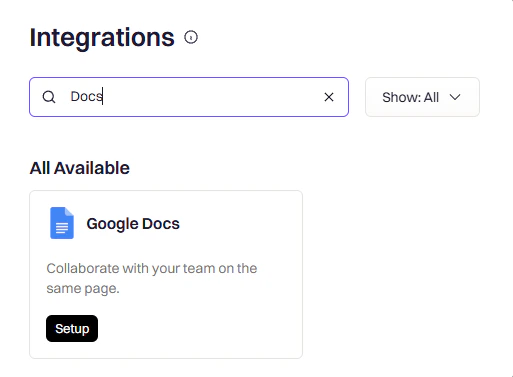
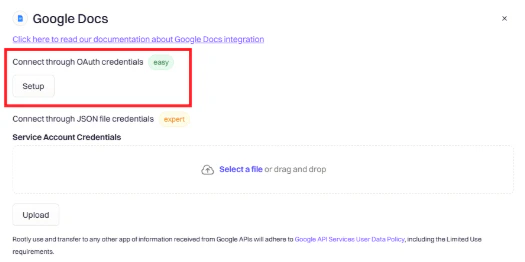
Click Setup and choose OAuth
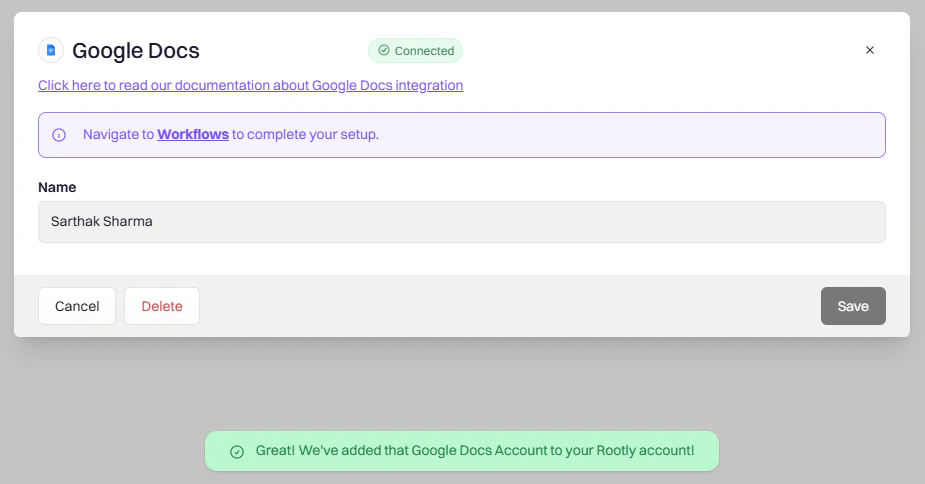
Approve the requested permissions
Production Setup (Service Account)
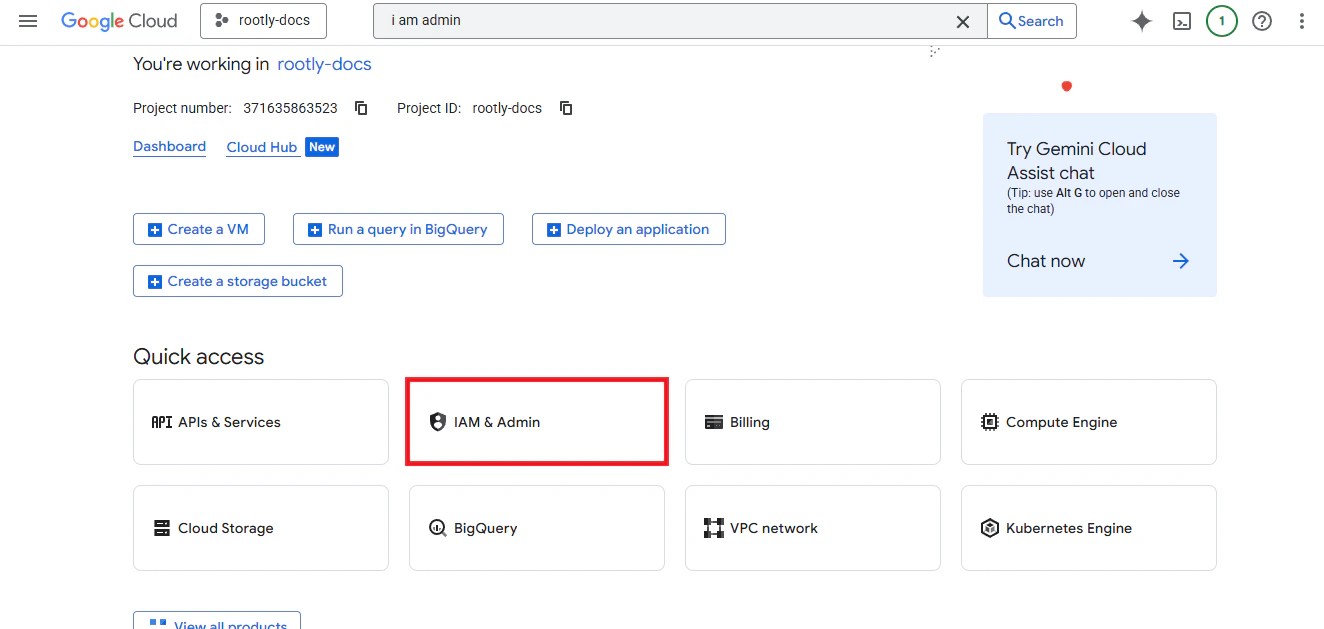
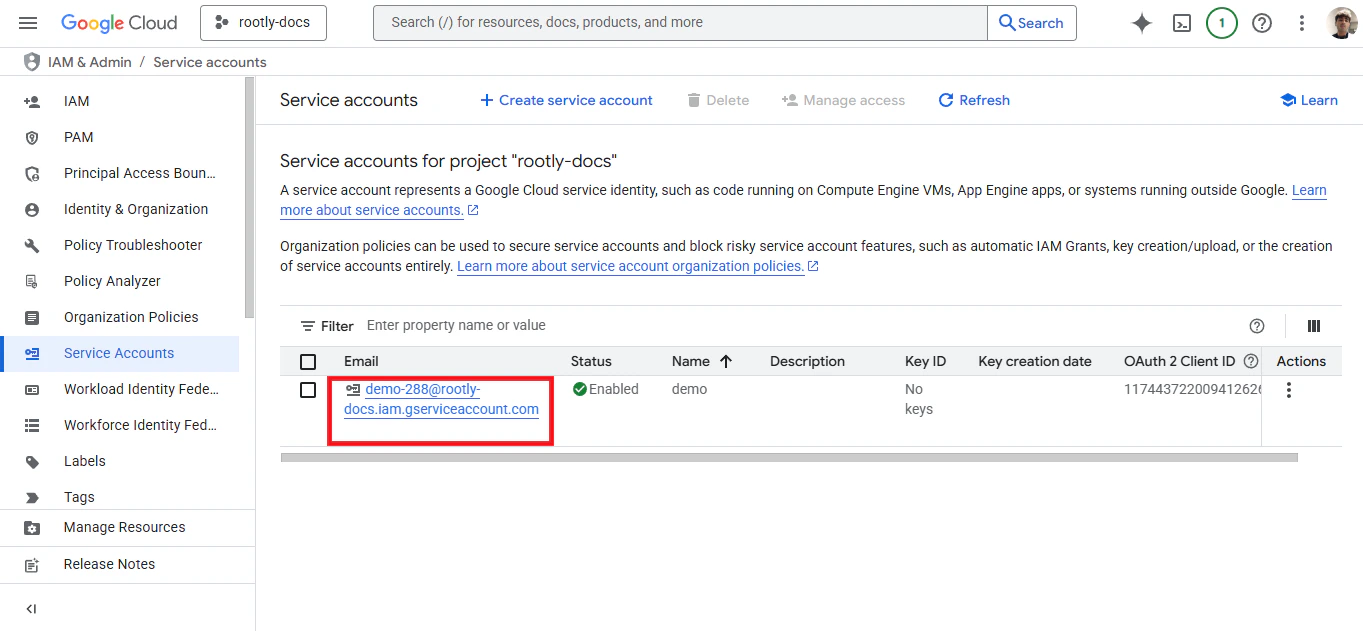
A service account keeps the integration running independent of any individual’s Google account. This setup involves creating the account in Google Cloud, uploading its credentials to Rootly, and granting it domain-wide delegation.In Google Cloud Console, go to IAM & Admin → Service Accounts
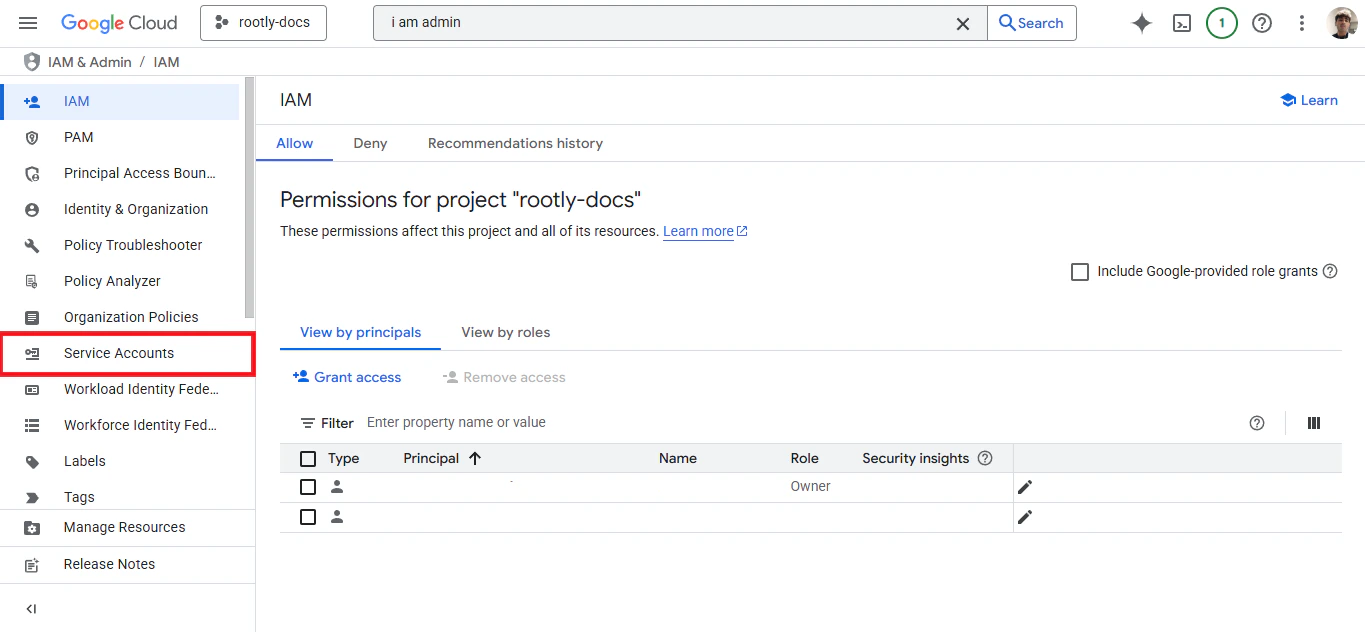
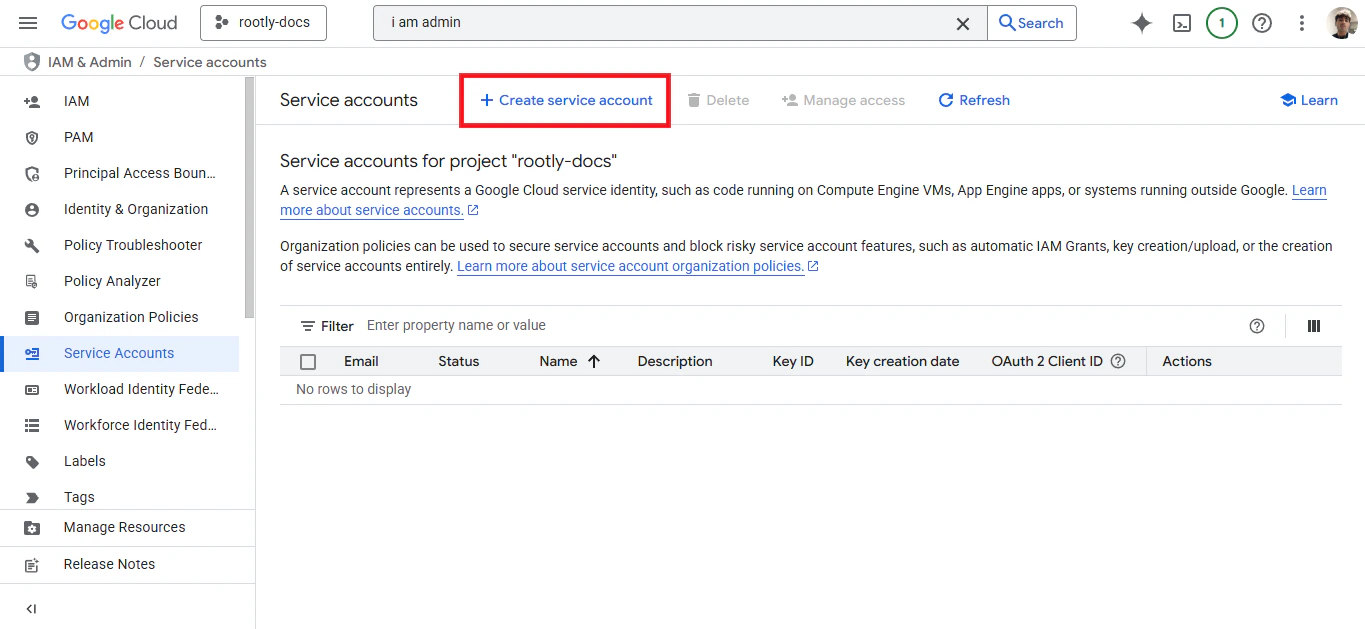
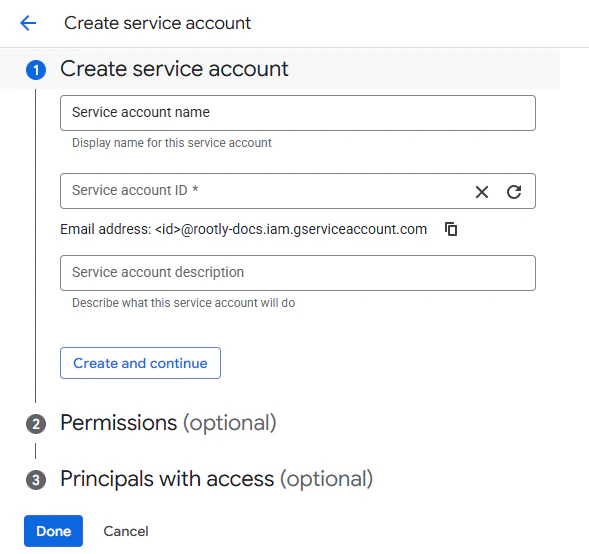
Create a new Service Account
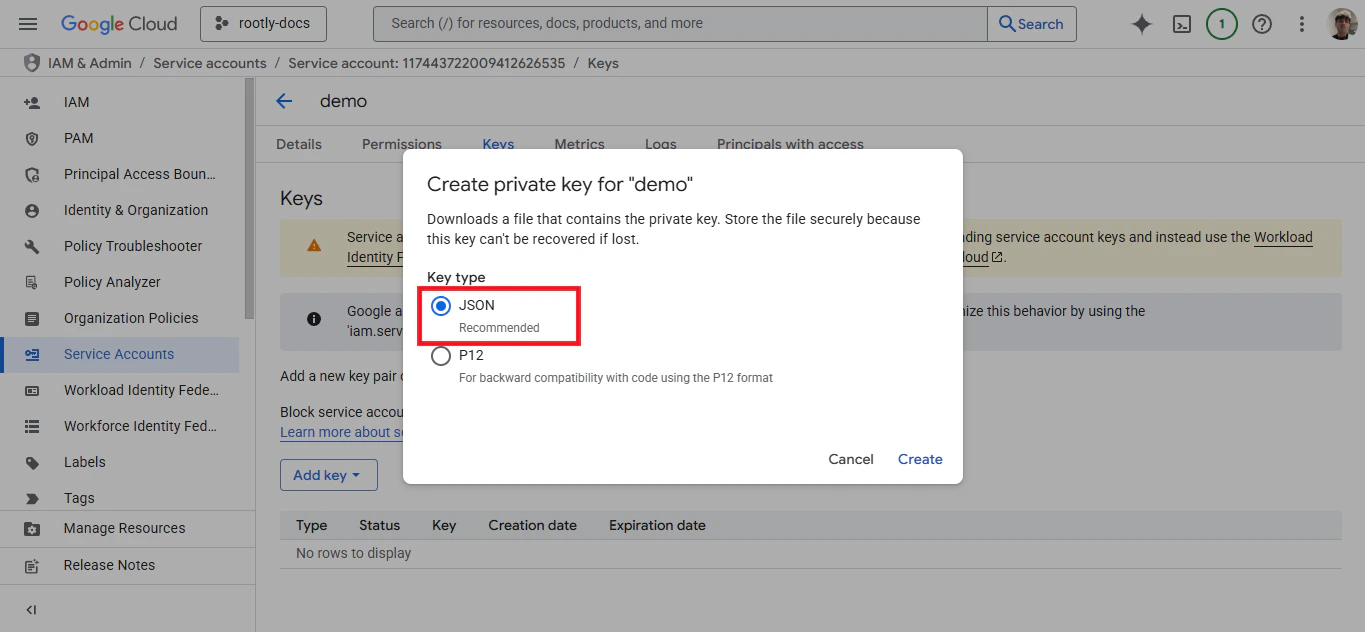
Create a JSON key for the service account
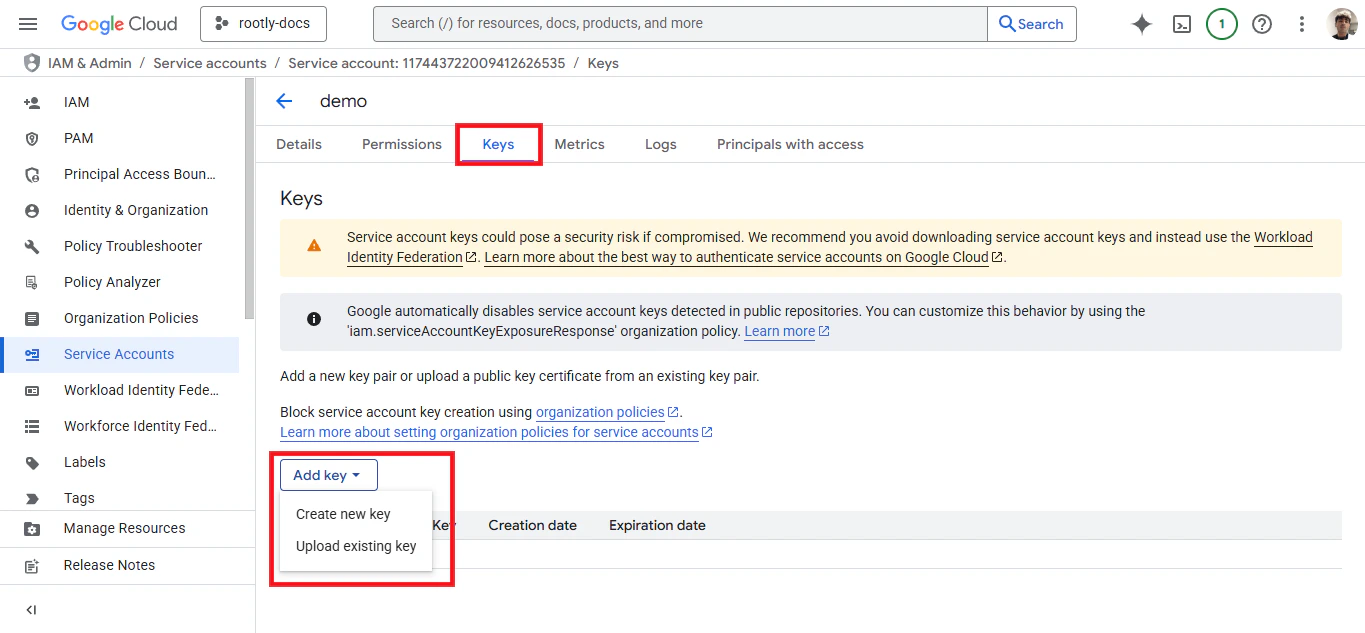
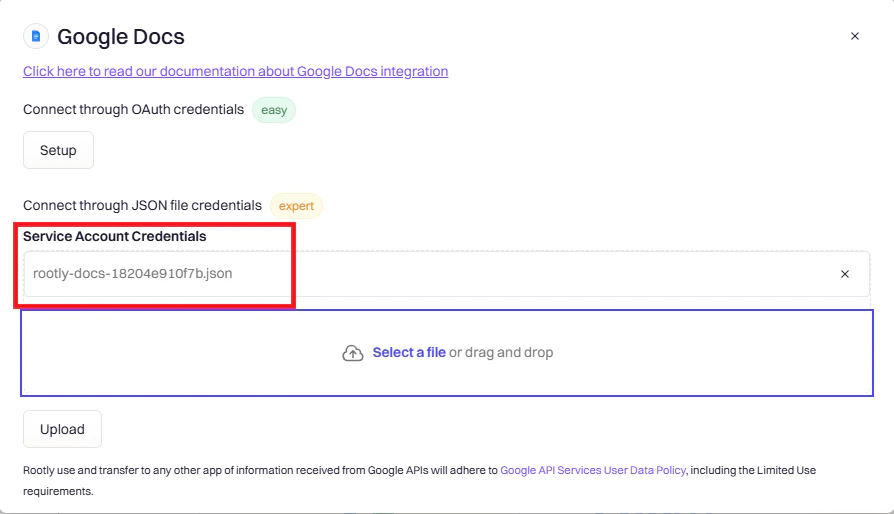
.json file will download automatically — keep it safe, you’ll need it in the next step.Upload the JSON key to Rootly
Enable Domain-wide Delegation
Verify the Connection
Once connected, confirm the integration is working before building templates and workflows.- OAuth
- Service Account
- The integration should show Connected status with your Google account email
- Try creating a test document in Google Drive to confirm access is working
Creating Documents from Templates
Rootly generates Google Docs from your templates when incidents are created, updated, or resolved. The steps below cover creating a template, sharing it with Rootly, and wiring it up in a workflow.Step 1: Create Your Template Document
Create the Document
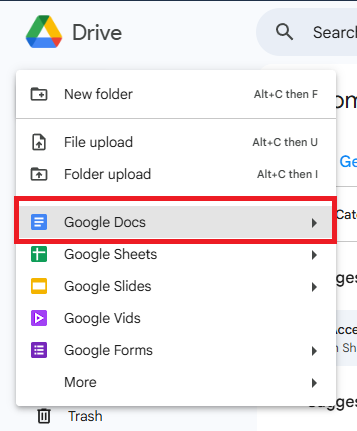
Open Google Drive and create a new Google Doc
- “Rootly Retrospective Template”
- “Executive Summary Template”
- “Incident Runbook Template”
Add structure and Liquid variables
Template Examples
- Standard Retrospective
- Detailed Retrospective
- Executive Summary
Common Liquid Variables
Step 2: Share Your Template with Rootly
Before Rootly can use your template, it needs read access to the document.- OAuth Users
- Service Account Users
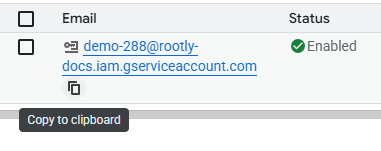

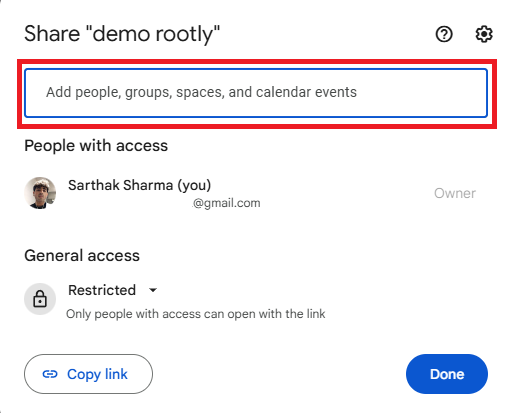
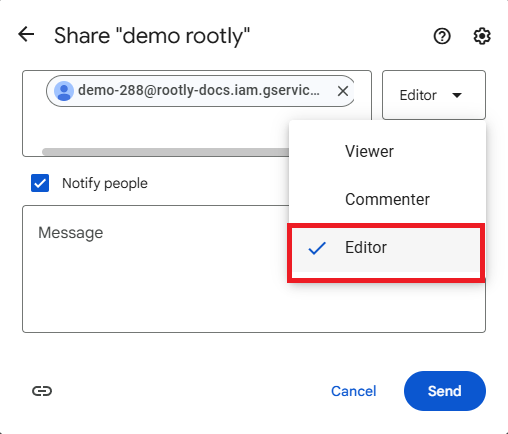
Step 3: Create a Workflow
With the template ready and shared, create a workflow that triggers document generation automatically.Navigate to Workflows and create a new workflow
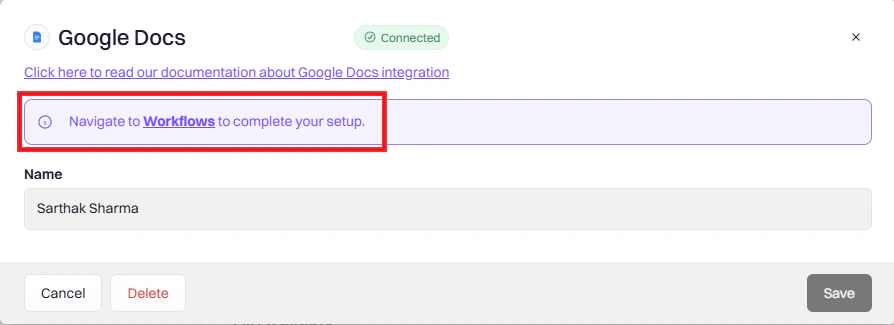
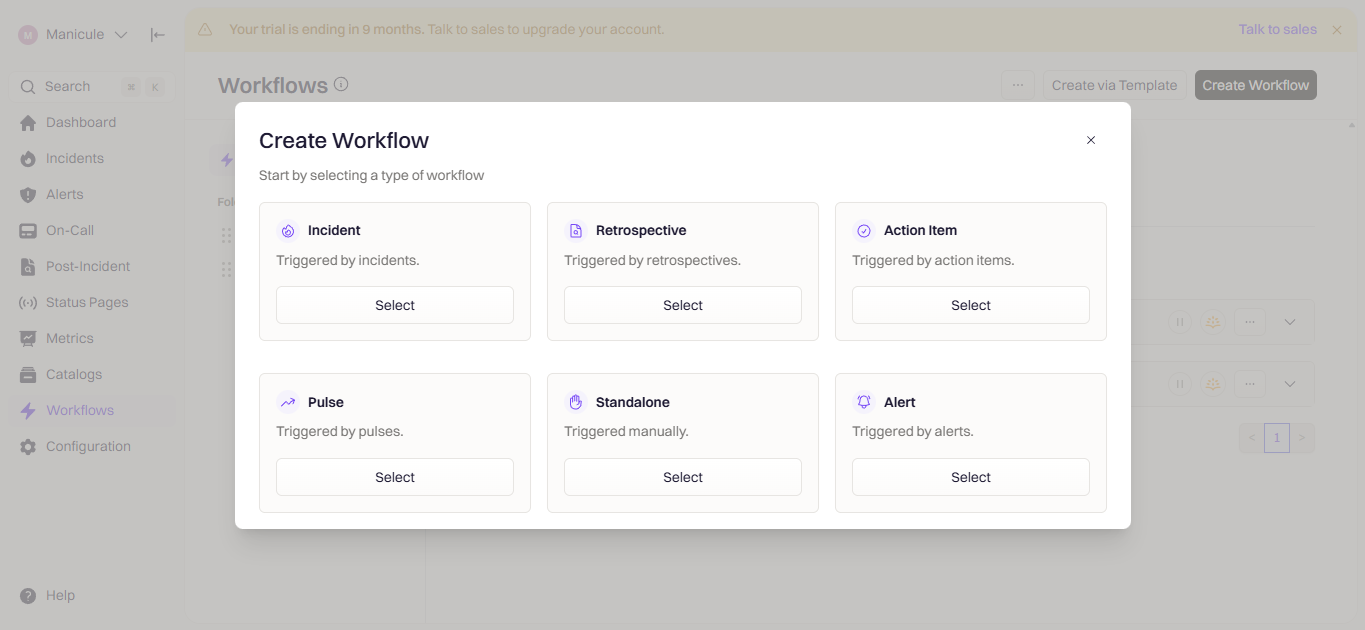
Select a trigger
- Incident — triggers on incident events like creation or resolution
- Retrospective — triggers when retrospective status changes
- Action Item — for follow-up documentation
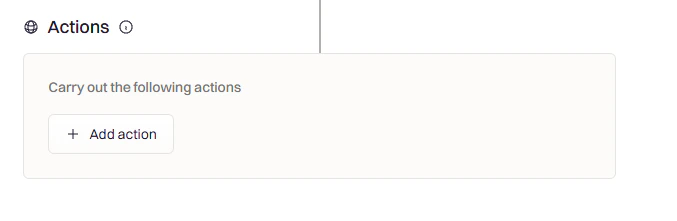
Add a Google Docs action
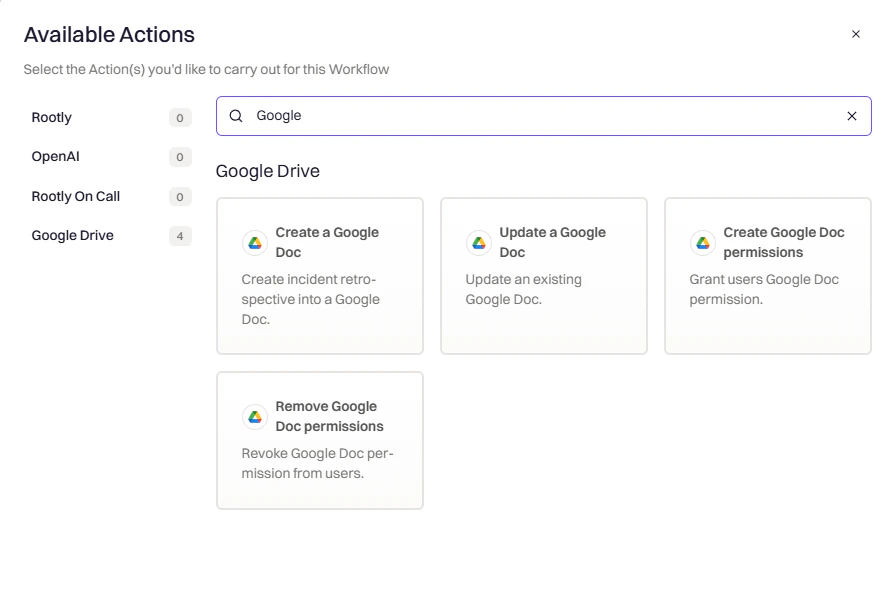
Select your template

Configure the workflow settings
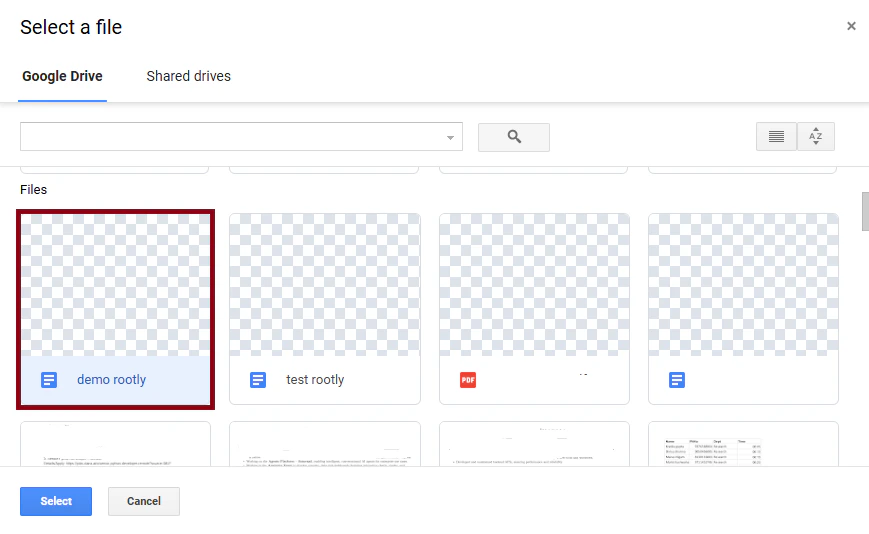
Activate the workflow
Configuration Reference
Best Practices
- Test with a real incident before relying on the workflow in production
- One template per document type — keep retrospective, runbook, and executive summary templates separate
- Use
| default:for optional fields so missing data doesn’t leave blank placeholders in your docs - Version your templates by keeping a dated copy before making significant changes
Troubleshooting
Authentication failed
Authentication failed
403 Forbidden when creating documents
403 Forbidden when creating documents
- The Client ID in Google Admin matches your service account exactly
- All three OAuth scopes are entered as shown (no extra spaces or typos)
- You’ve waited at least 15 minutes for Google to propagate the changes
Integration shows connected but documents aren't created
Integration shows connected but documents aren't created
Template and Workflow Issues
Document wasn't created
Document wasn't created
- Is the workflow toggled to active?
- Does the incident meet all the workflow conditions?
- Is your template shared with Rootly? (Service Account only)
- Check the workflow execution log for errors
Variables aren't being replaced
Variables aren't being replaced
- Double-check variable spelling — Liquid is case-sensitive
- Test the variable in the Liquid Explorer
- Make sure the field has data on the incident (for example,
mitigated_atwon’t exist on an unmitigated incident) - Use
| default: "N/A"to handle missing values gracefully
Permission errors during document creation
Permission errors during document creation
- OAuth: Re-authenticate if your access token has expired
- Service Account: Confirm the template is shared with the service account as Editor
- Confirm domain-wide delegation is still active in Google Admin
Document saved to the wrong folder
Document saved to the wrong folder
- Folder paths use forward slashes — confirm the path is correct
- Parent folders must already exist in Drive; Rootly won’t create them
- Test any Liquid expressions in the folder path separately
Uninstall
To remove the Google Docs integration, go to Settings → Integrations, find Google Docs, and click the Connected button to reveal the disconnect option.