

Overview
Rootly AI in Slack answers questions grounded in your Rootly data and takes actions on your behalf, confirming destructive actions before they fire. Everything below requires an Incident Response role.Everyday Questions
Getting Oriented
Look Up People, Teams, On-Call
Page, Escalate, Run the Incident
Write actions are capped at your existing Rootly permissions.Action Items, Retros, Comms
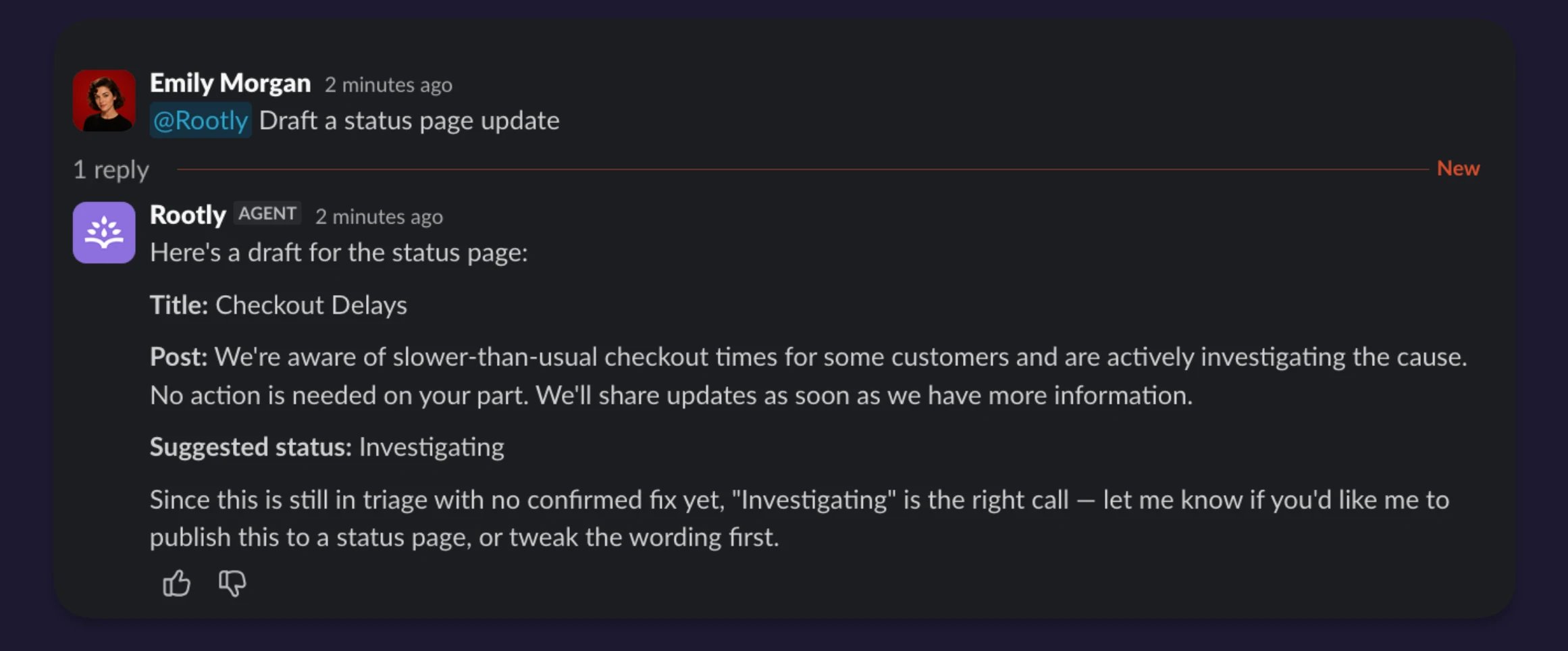
Search and Lookups
More Complex Requests
Rootly AI in Slack can also run several operations at once to answer your question, and it reasons over the results to handle requests that don’t map to one specific ask.Critical Timeline Analysis
Ask Rootly AI “What’s missing from this timeline? Be critical.” Rootly AI reads the timeline, channel discussion, roles, and standard process expectations, then identifies gaps a senior responder would catch in a retro. Things like: no commander formally assigned, no root cause documented, the incident was resolved before the fix was merged, no status page update.Severity Second Opinion
Ask “was SEV3 the right call?” Rootly AI looks at the affected services, duration, the responder pattern, and customer-impact signals in the channel, then gives a nuanced opinion, pushing back when the evidence supports it.Extended Retrospective Conversations
Rootly AI supports back-and-forth conversations during a retrospective. Ask “what could have gone better?” → “how did comms look?” → “who should have taken what role?” → “similar past incidents?” → “was the severity call right?” → “how could we have resolved faster?” Rootly AI maintains context across the thread.Adaptive Technical Depth
Rootly AI adapts to the asker. “Catch me up” produces a structured exec brief. “Catch me up, I’m a Staff Engineer” produces a technical response naming the failing code path, the relevant error codes, and the race condition. Same incident, different audience.Multi-Step Actions
Rootly AI can chain multiple write actions in a single conversation. For example: “page the on-call for payments, then mark this SEV1, and create an action item to investigate.” Each destructive step confirms separately. The final reply summarizes everything Rootly AI did.What Rootly AI Can’t Do
- Rootly writes only happen inside incident channels. The Slack side pane and DMs cannot page responders or change Rootly records. Connector and Private Agent actions have separate boundaries. Most built-in connectors expose Rootly-reviewed tools, some pass through the provider’s full catalog, and Custom MCP uses a customer tool allowlist. Private Agent is an Early Preview for approved teams with AI SRE enabled; its capabilities follow your Rootly role and the agent’s local policy. Provider permissions and command controls still govern what an available tool can do. Devin’s supported read-only platform actions, for example, are available across Slack; actions that change Devin resources additionally require permission to manage AI connectors.
- Native paging is through Rootly On-Call only. Rootly AI does not use existing PagerDuty, Opsgenie, or JSM Ops integrations for its native paging action. An available connector tool or authorized Private Agent capability that pages can define a separate boundary under its own permissions.
- No native production runtime actions. Rootly AI’s native tools do not run kubectl, roll back a deploy, restart a pod, or flip a feature flag. An available connector tool or authorized Private Agent capability can expose external runtime actions under its own permission model.
- No native code generation or PR creation. Rootly AI does not write code itself. When Devin is connected, an authorized user can ask Slack AI to launch and guide a Devin session under the connected service user’s permissions.
- Reactive, with one exception. Rootly AI answers when asked rather than volunteering. The exception is Related Incidents, which posts a card into the channel as an incident opens — when your team has turned it on.
- It won’t invent data. If the answer isn’t in your Rootly data, the channel discussion, or a connected external source, Rootly AI says so rather than guessing.