

Overview
AI & Agents is the customer-facing hub for Rootly AI configuration. Use it to manage self-service feature toggles, instructions, AI SRE rules and Memory, and connector access that is available for your account. Rootly manages AI SRE enablement and some preview controls separately; those controls are called out below.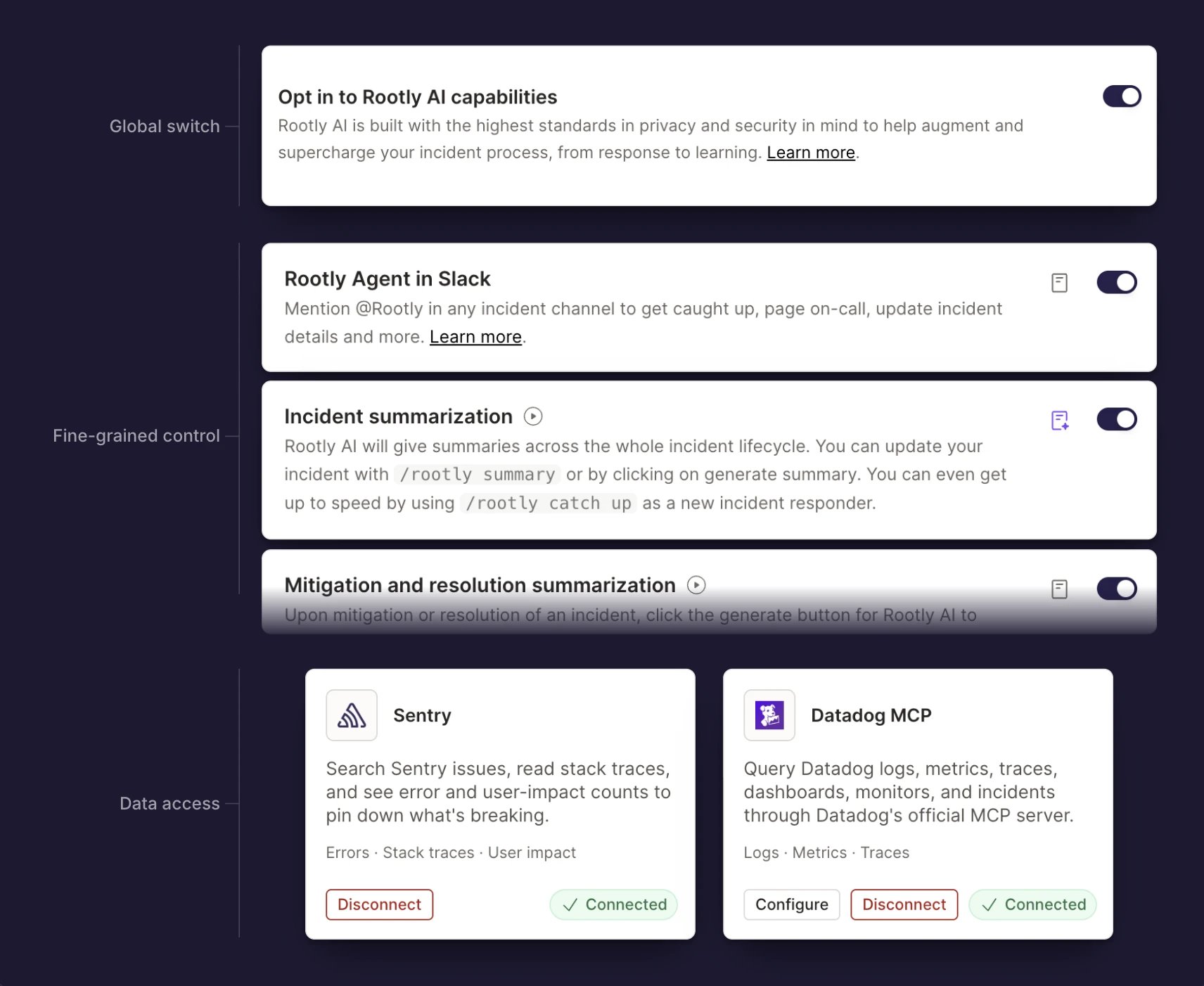
Where AI Settings Live
Rootly is consolidating the AI configuration surfaces behind a single AI SRE item in the sidebar. The settings themselves are unchanged; only where you open them differs.The consolidated AI SRE navigation is rolling out and may not be enabled for your team yet. This page uses the AI SRE → Atlas paths; if your sidebar still shows AI & Agents, open the same settings there.
Global
These settings govern Rootly AI’s self-service feature surfaces. They do not enable or disable AI SRE, which has a separate Rootly-managed gate, and they do not disconnect configured connectors.Features
Rootly AI’s core capabilities are grouped by surface area, so your team decides exactly where Rootly AI shows up.Incidents
Slack
Retros
Web
Mobile
AI SRE
Rootly AI SRE runs an investigation on an alert or incident. It tests hypotheses against evidence from your connected tools and reports the most likely root cause when the evidence supports one. Your Rootly account team enables AI SRE for the selected team. Until it’s enabled, AI & Agents → AI SRE shows a waitlist page. AI SRE is gated separately from the Opt in to Rootly AI capabilities setting under Global, so that setting doesn’t turn AI SRE on or off. See Getting Started for availability and first steps. AI SRE → Atlas groups the AI layer into entry points (an AI SRE card showing Enabled or Off, and Conversations), the context and tools behind investigations (Connectors, Private agents), and organization-wide settings (Global). Once AI SRE is enabled, these investigation cards appear alongside them:
Instructions, Knowledge graph, and Memory may not be enabled for every team. Your Rootly account team turns them on. See the Atlas overview for how these parts fit with AI connectors and private agents.
Members with an Incident Response seat can open AI SRE → Atlas to view these cards (AI & Agents → AI SRE if your sidebar doesn’t have an AI SRE item). Management authority differs by surface and role, and admins without a seat can still reach some surfaces through direct paths; see the permissions matrix. See the Rootly AI SRE overview for the complete investigation flow.
Connectors
You choose the providers Rootly AI can query during investigations and which supported connector actions it can use: observability platforms, code hosts, docs, and your own MCP servers. Most built-in connectors limit calls to a Rootly-reviewed list of tools. Atlassian, Notion, Linear, Braintrust, Honeycomb, AWS, and the Cloudflare connectors pass through the provider’s full tool catalog, so the scopes, roles, and permissions you grant in the provider set the boundary. The Custom MCP connector limits calls to the tools you allowlist. Built-in connector tools can accept provider-defined commands or queries that change data, so expose only what’s safe for unattended use. For who can view and manage connectors, see the permissions matrix. See AI Connectors for the complete setup guidance.Related Pages
Rootly AI Overview
What Rootly AI is and everything it can do.
Data Privacy for Rootly AI
What Rootly AI sees, retention, and model training controls.
AI Connectors
Every data source Rootly AI can investigate with.
Rootly AI SRE
Investigate alerts and incidents with AI SRE.
Atlas
The context layer AI SRE and Rootly AI draw on, and where each part lives.