

- Receive New Relic issue events as Rootly alerts
- Filter and route alerts using workflow conditions on fields like
priority,state, andworkflowName - Capture New Relic chart snapshots from Genius workflows during incidents
- Attach snapshot links to incident timelines for post-incident review
Before You Begin
Before setting up the integration, make sure you have:- A Rootly account with permission to manage integrations
- A New Relic account with permission to create API keys
- Your New Relic Account ID
- Access to configure notification channels in New Relic, if you plan to ingest alerts
Rootly recommends integrating with a dedicated service account so the integration does not break if an individual user leaves your organization.
Installation
Open the New Relic integration in Rootly
Navigate to the integrations page in Rootly and select New Relic.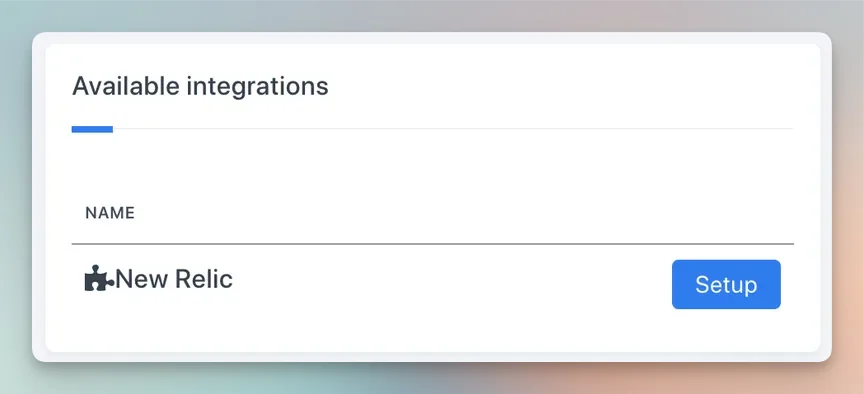
Generate a New Relic API key
In New Relic, navigate to your API keys settings.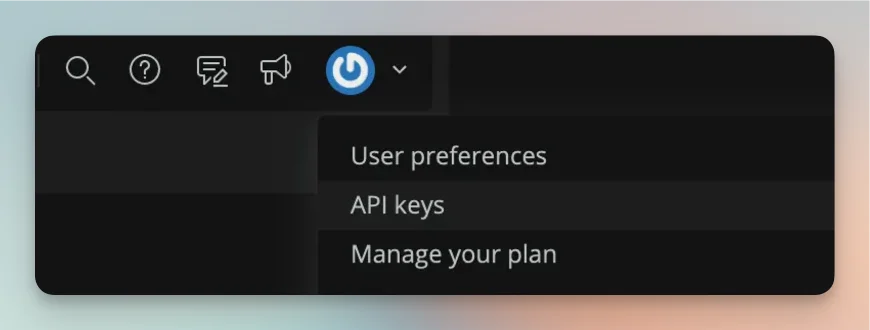

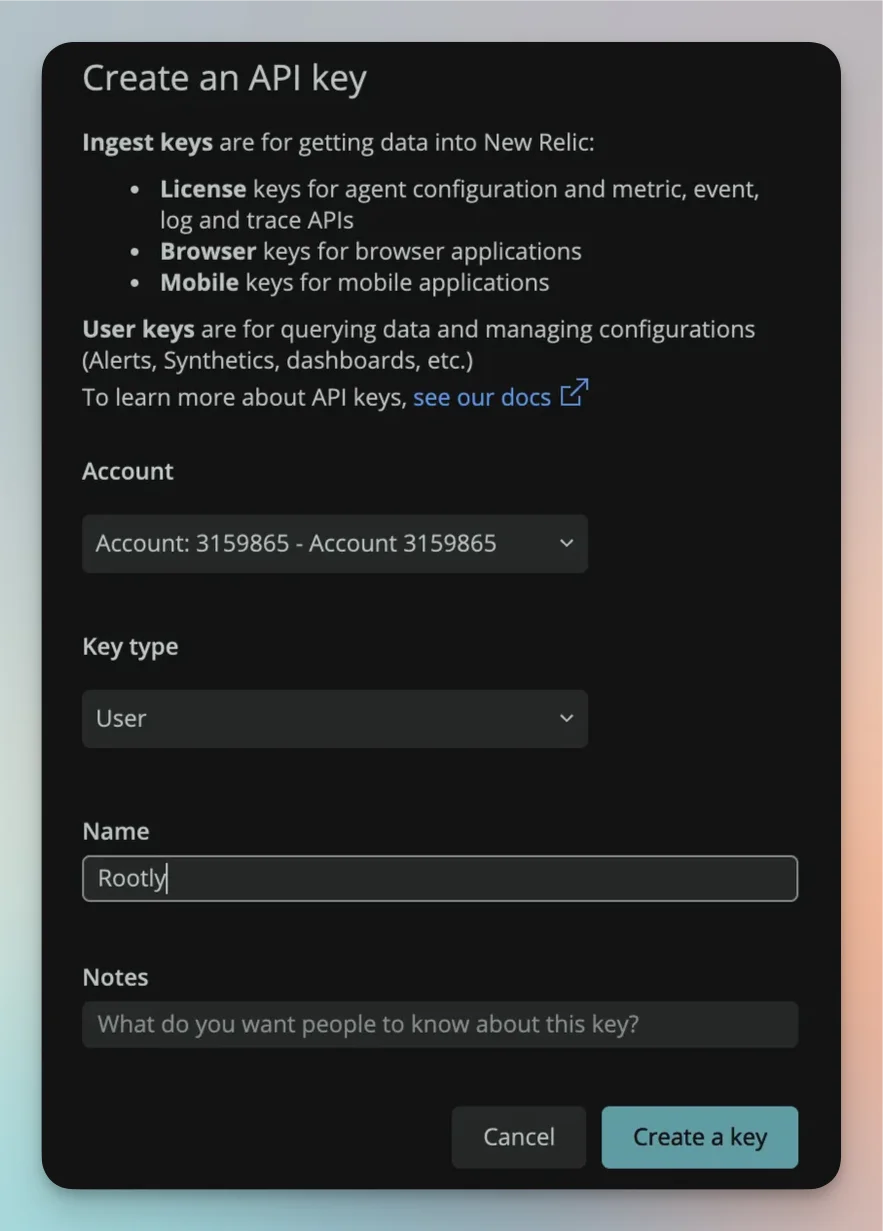
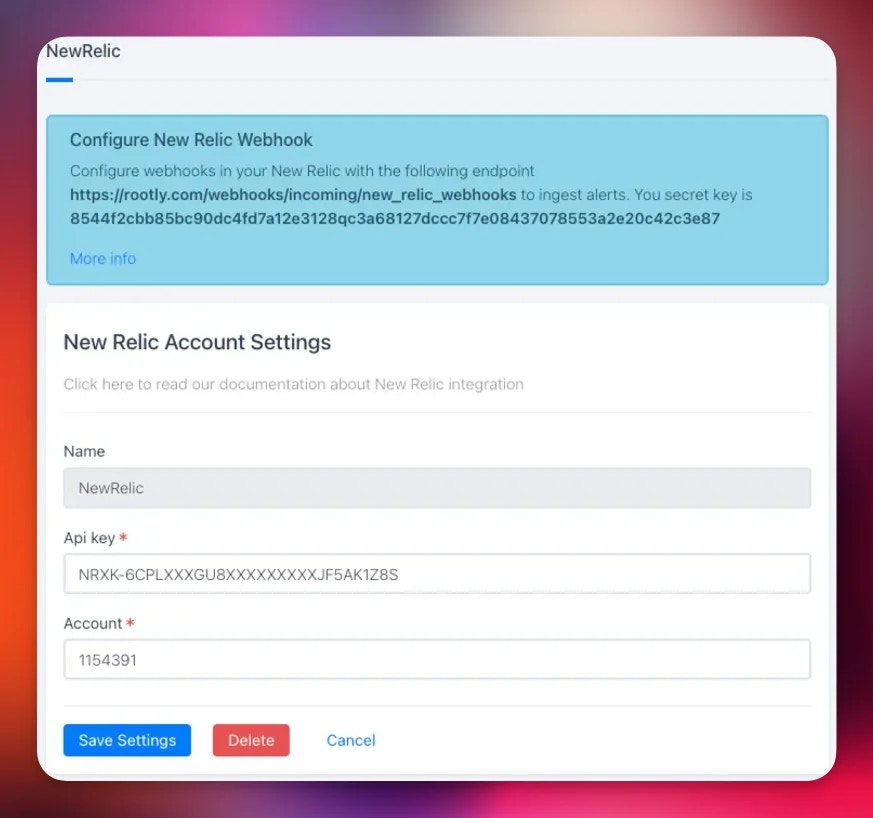
Enter your credentials in Rootly
Paste your API key and Account ID into the New Relic integration settings in Rootly and save.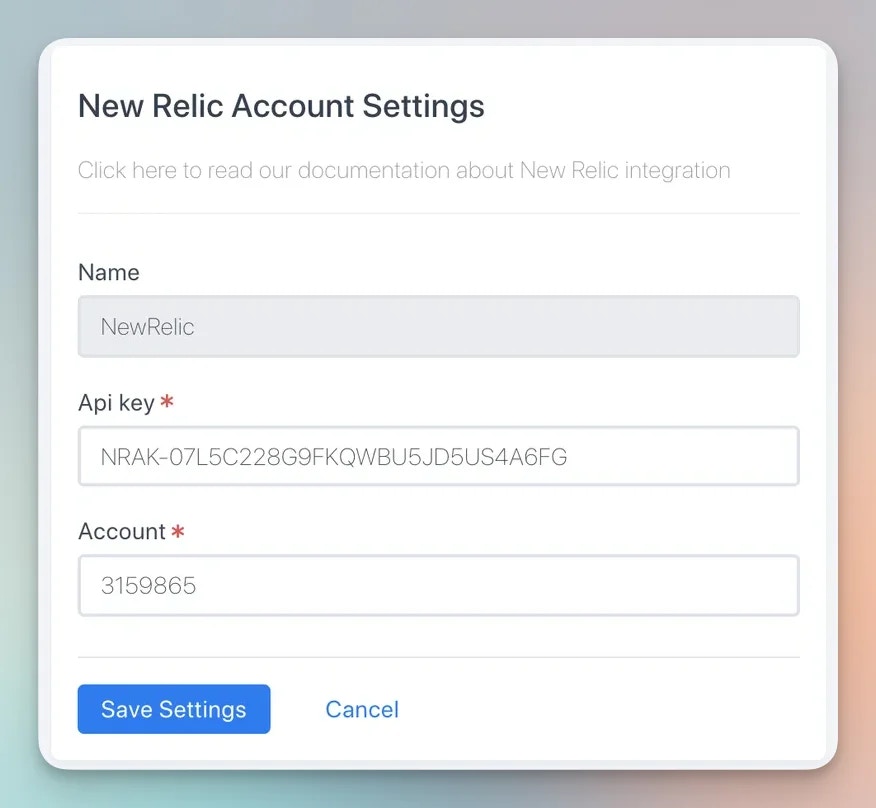
Ingest New Relic Alerts
New Relic sends alert events into Rootly through a webhook notification channel. Once alerts are flowing, alert workflows can create incidents, notify Slack channels, or page on-call targets.Configure a Webhook in New Relic
Open notification channels in New Relic
In New Relic, navigate to Alerts > Notification channels and create a new channel.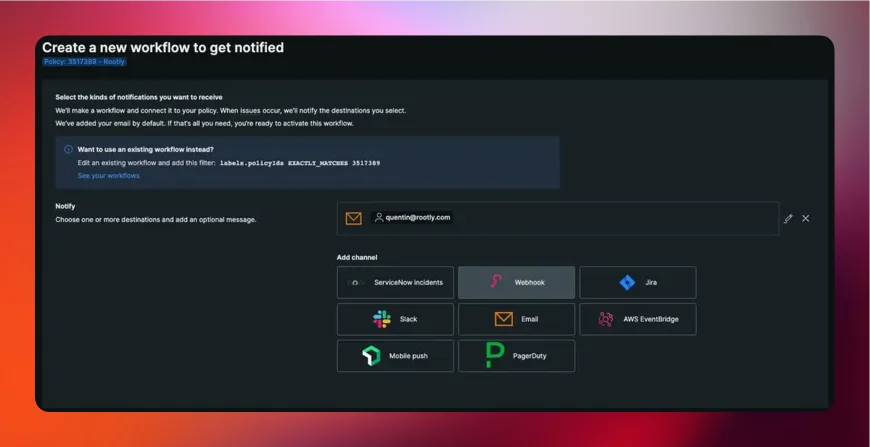
Create a Rootly webhook channel
Select Webhook as the channel type and configure it with the following values: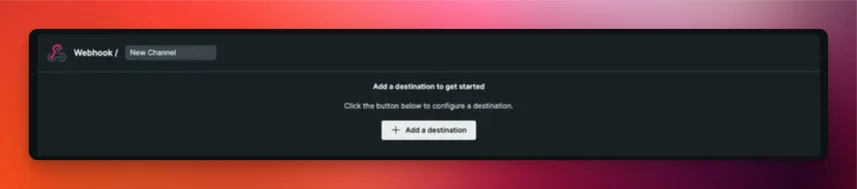
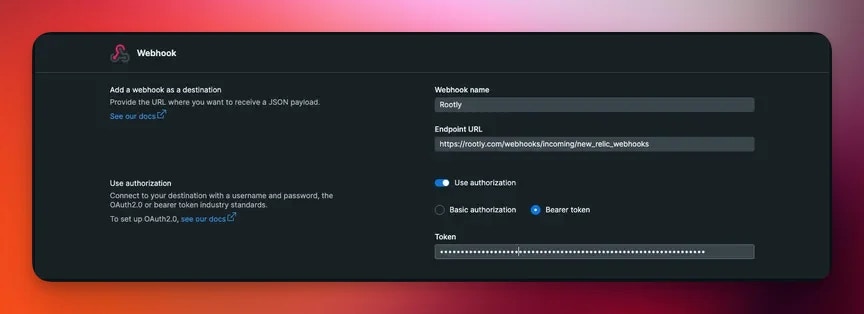
- Webhook URL:
https://webhooks.rootly.com/webhooks/incoming/new_relic_webhooks - Auth type: Bearer token
- Token: the bearer token shown in your Rootly New Relic integration settings
Your bearer token is available in Rootly under Integrations > New Relic > Configure.
Test the webhook
Click Test Notification in New Relic. A test alert should appear on your Rootly Alerts page.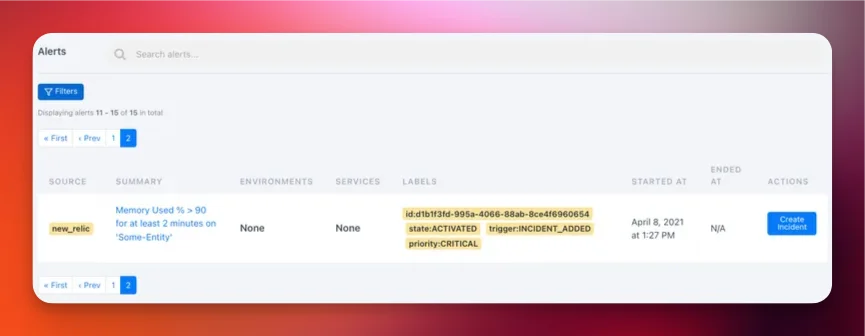
If the test alert appears in Rootly, the integration is working correctly. You can now attach this channel to New Relic alert policies.
How Alerts Are Mapped
Rootly extracts the following fields from each New Relic alert payload:- Summary — the
titlefield from the New Relic issue - External ID — the issue
id, used to deduplicate alerts - External URL — the
issueUrl, linking back to the New Relic issue - Labels —
state,trigger,priority, andworkflowNameare attached as Rootly alert labels
New Relic
priority and state values are available as alert labels in Rootly. You can use these in workflow run conditions to handle critical vs warning alerts differently.Workflow Actions
Once the integration is connected, a new task is available in your Genius workflows to capture New Relic chart snapshots during incidents.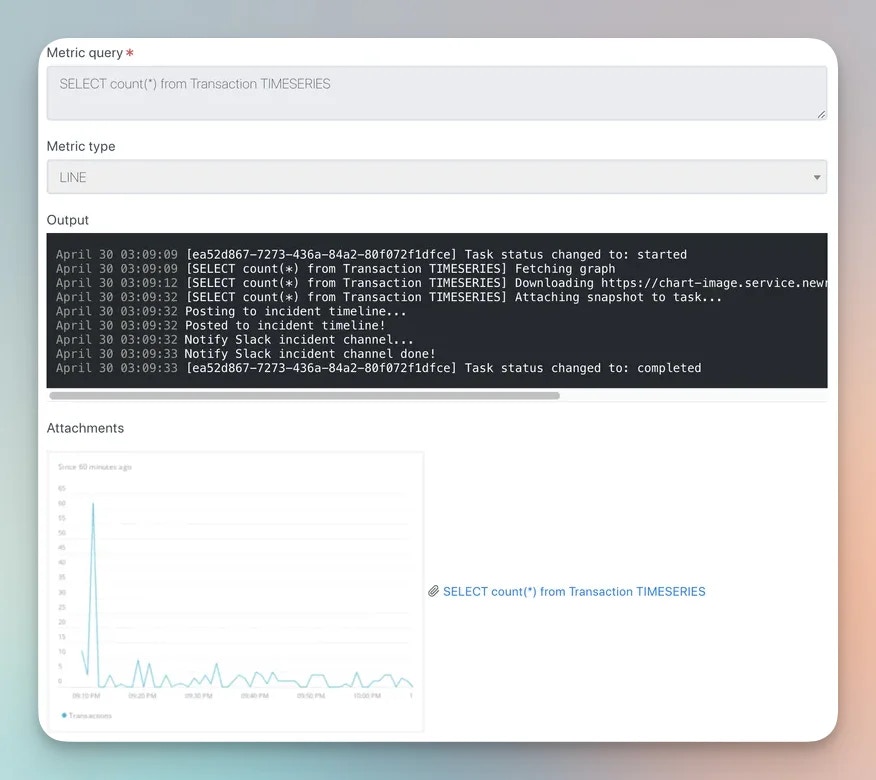
Snapshots are point-in-time captures attached to the incident timeline, so you can reference exactly what your metrics looked like when the incident occurred.
Troubleshooting
No alerts are appearing in Rootly after a New Relic alert fires
No alerts are appearing in Rootly after a New Relic alert fires
Verify that the webhook URL and bearer token are correct. Use the Test Notification button in New Relic to confirm delivery. Ensure the notification channel is attached to the alert policy that fired.
Alerts appear but are missing fields
Alerts appear but are missing fields
Rootly extracts fields from the standard New Relic issue payload. If your New Relic account uses a customized payload template for the webhook channel, ensure it still includes the standard fields:
title, id, issueUrl, state, priority, and createdAt.The bearer token is not being accepted
The bearer token is not being accepted
Confirm you are using the token from the Rootly New Relic integration settings, not your New Relic API key. These are different credentials — the bearer token is generated by Rootly for authenticating inbound webhooks.