

Overview
Rootly’s Twitter integration lets your team publish incident updates to your organization’s Twitter/X account without leaving the incident response flow. You can tweet via a workflow action or directly from the incident timeline.Workflow Tweets
Timeline Posting
Before You Begin
- You must be a Rootly admin to set up the integration
- You need access to the Twitter/X account you want to post from
Installation
Connecting Twitter to Rootly is a single OAuth step — no API keys to copy.1
Open the Twitter integration in Rootly
Go to Settings → Integrations, find Twitter, and click Setup.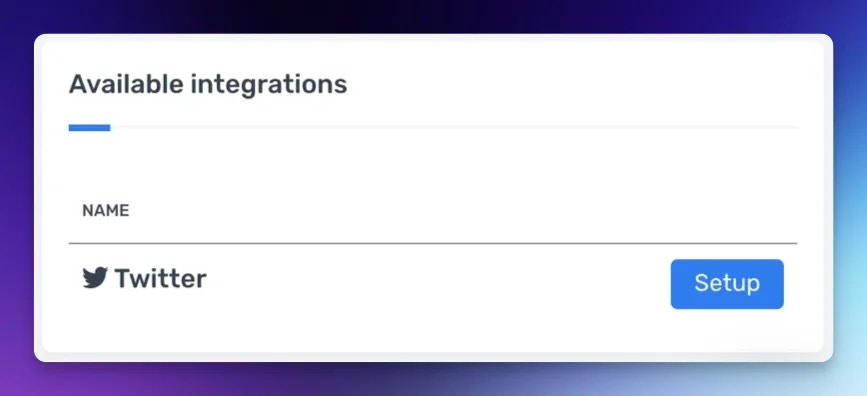
2
Authorize with Twitter
You’ll be redirected to Twitter to sign in and grant Rootly permission to post on your behalf. After authorizing, you’ll be returned to Rootly and the integration will show as connected under your account’s
@handle.Posting from the Incident Timeline
You can tweet a timeline entry directly from the incident by changing the visibility of the update. When adding a comment to the incident timeline, open the visibility dropdown and select incident responders + private status page + twitter. Rootly will post the entry as a tweet on your connected account.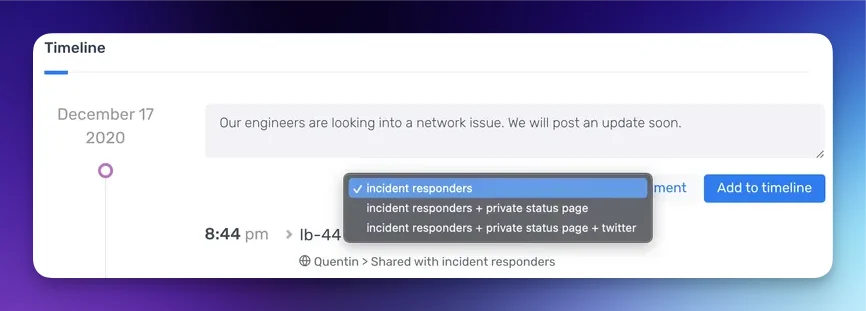
Workflow Action
Tweet a Message
Posts a tweet to your connected Twitter account from a workflow.string
required
The text content of the tweet. Supports Liquid variables — for example,
{{ incident.title }} or {{ incident.status }}. Twitter’s character limit applies.Uninstall
To remove the Twitter integration:- Go to Settings → Integrations and find Twitter
- Click Connected to reveal the disconnect option
- Click Disconnect
Frequently Asked Questions
Can I connect multiple Twitter accounts?
Can I connect multiple Twitter accounts?
No. Rootly supports one connected Twitter account per organization. To switch accounts, disconnect the current integration and reconnect with the new account.
What happens if the OAuth token expires?
What happens if the OAuth token expires?
Rootly automatically refreshes the OAuth token in the background. If refresh fails — for example, if the connected account’s permissions were revoked — tweets will fail until you reconnect. This is why a dedicated service account is recommended.
Is there a character limit on tweets?
Is there a character limit on tweets?
Yes — Twitter’s standard 280-character limit applies. Rootly does not truncate the message automatically, so keep your Liquid templates short enough to stay within the limit.
Can I attach images or media to tweets?
Can I attach images or media to tweets?
Not currently. The workflow action supports text-only tweets.