

Introduction
The Rootly–Zapier integration lets you connect Rootly to thousands of apps without writing any code. You can trigger Zaps when incident events occur in Rootly, and take actions on Rootly — creating incidents, updating their status, and more — from any app in the Zapier ecosystem.Before You Begin
Before building Zaps with Rootly, make sure you have:- A Rootly account with permission to manage integrations
- A Zapier account
- A Rootly API key — generate one in Account > Manage API keys > Generate New API Key
Installation
Open the Rootly app on Zapier
Go to zapier.com/apps/rootly/integrations and select Connect Rootly.
Authenticate with your Rootly API key
When prompted, paste your Rootly API key. Zapier uses this to authenticate all trigger and action calls on your behalf.
Build your Zap
Rootly is connected. You can now select any Rootly trigger or action when building a Zap.
Triggers
Rootly sends webhook events to Zapier when the following events occur. Use these as the starting point for your Zaps.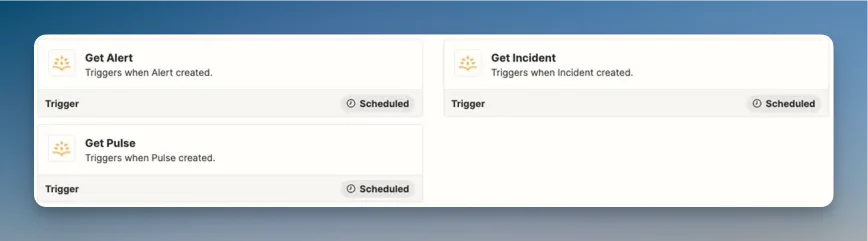
Incident Events
Scheduled Incident Events
Other Events
Actions
Use Rootly actions as steps in any Zap to manage incidents from external apps.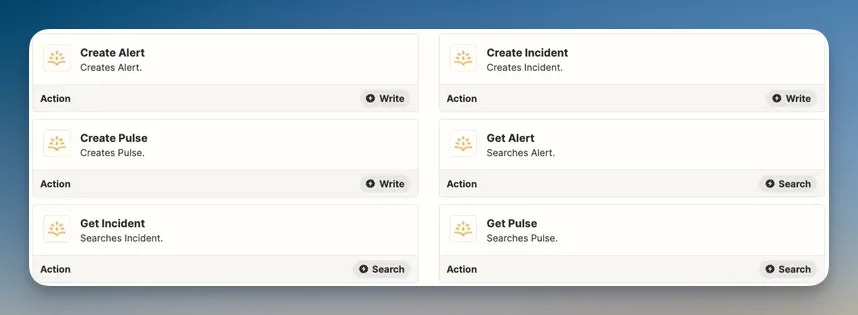
Create Incident
Creates a new Rootly incident. Supports setting the title, summary, and severity.Update Incident
Modifies an existing incident — title, summary, severity, status, services, teams, and labels are all updatable.Incident State Transitions
Trigger status changes on existing incidents:- Mark as In Triage
- Mark as Mitigated
- Mark as Resolved
- Mark as Cancelled
Create Alert
Creates or updates an alert in Rootly.Troubleshooting
Zapier cannot connect with my API key
Zapier cannot connect with my API key
Confirm the API key is active and has not been revoked. Go to Account > Manage API keys in Rootly and verify the key exists. Zapier authenticates each request using the key you provided during setup — if the key was regenerated or deleted, you’ll need to reconnect the Rootly app in Zapier.
Triggers are not firing
Triggers are not firing
Zapier polls for new trigger data on a schedule based on your Zapier plan. Events are not delivered in real time on all plans. If you need immediate delivery, check your Zapier plan’s polling frequency. Also confirm your Zap is turned on and the trigger step is configured with the correct event type.
Actions are failing with API errors
Actions are failing with API errors
Rootly’s API requires that all fields passed to actions are valid. Check the error message returned by Zapier for details — common causes include an invalid incident ID, an unsupported severity value, or a missing required field. Refer to the Rootly API reference for valid field values.
I am not seeing all trigger event types
I am not seeing all trigger event types
The events available in Zapier reflect what Rootly publishes via webhooks. If you need an event type that is not available, contact support@rootly.com.
Related Pages
Incident Workflows
Build native Rootly workflows for automation that doesn’t require Zapier.
Rootly API
The full API reference — all endpoints Zapier actions call are documented here.
Rootly on Zapier
Browse all available Rootly triggers and actions in the Zapier app directory.