

Introduction
The Kubernetes integration connects Rootly with your Kubernetes clusters using an inbound webhook. Cluster events are captured via kubewatch and forwarded to Rootly, where they appear as pulses on your incident timelines and service activity feeds. With the Kubernetes integration, you can:- Automatically track events from across your cluster as Rootly pulses in real time
- Correlate Kubernetes events with active incidents to surface infrastructure context fast
- Monitor a wide range of resource types including pods, deployments, services, nodes, and more
- Associate cluster events with Rootly services by matching the Kubernetes deployment name
This integration uses a static webhook secret rather than OAuth. Rootly generates a unique webhook URL and signing secret for your workspace — kubewatch sends events to this URL and Rootly verifies the signature on each request.
Before You Begin
Before setting up the Kubernetes integration, make sure you have:- A Rootly account with permission to manage integrations
- Access to your Kubernetes cluster to deploy or configure kubewatch
kubectlor Helm available to apply configuration to your cluster
Installation
Open the integrations page in Rootly
Navigate to the integrations page in your Rootly workspace and select Kubernetes.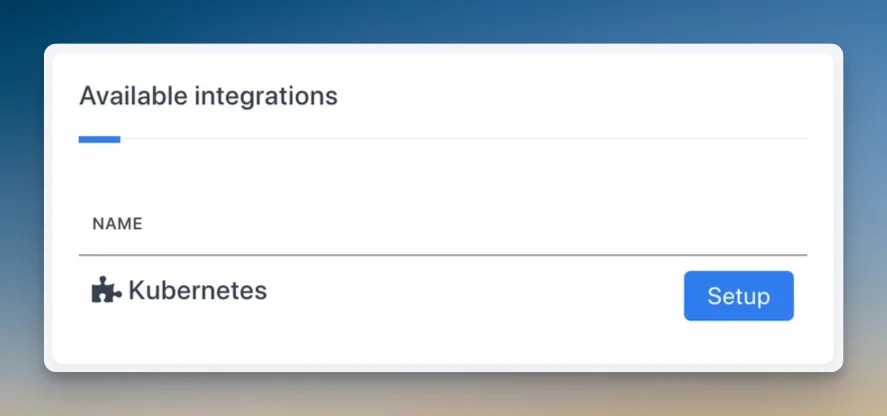
Deploy kubewatch to your cluster
Kubewatch is an open-source Kubernetes watcher maintained by Robusta. It watches for cluster events and forwards them to webhook endpoints.An example ConfigMap is available at:kubewatch webhook config example
Configure the kubewatch webhook URL
In your kubewatch configuration, set the webhook URL to the one displayed in Rootly after creating the integration.
Select resource types to monitor
In your kubewatch configuration, enable the Kubernetes resource types you want to track. Rootly supports events from all of the following:
Integration connected
Once kubewatch is running and pointing at your Rootly webhook URL, cluster events will begin appearing as pulses in Rootly. You can verify delivery by checking the pulse feed or the incident timeline for any linked services.
How Pulses Work
When kubewatch forwards a Kubernetes event to Rootly, it is recorded as a pulse with the following structure:- Source:
k8s - Summary:
[k8s][{resource kind}] {event text} - Labels: resource kind, reason, action (update)
- Refs: resource name, namespace
api-server will match events from deployments containing api-server in the name.
To link Kubernetes pulses to a service, set the Kubernetes Deployment Name field on the service in Rootly. This enables automatic correlation between cluster events and the services they affect.
Troubleshooting
No events are appearing in Rootly
No events are appearing in Rootly
First, verify that kubewatch is running and healthy in your cluster (
kubectl get pods -n kubewatch). Then check that the webhook URL in your kubewatch config matches exactly what is shown in Rootly — including the path and any query parameters. You can test delivery by checking kubewatch logs for outbound HTTP requests and any error responses.Events are arriving but not linked to a service
Events are arriving but not linked to a service
Rootly matches events to services using the Kubernetes Deployment Name field. Navigate to the service in Rootly and confirm this field is populated with the deployment name you expect. The match is a partial text search, so the deployment name does not need to be an exact match, but it must be a substring of the resource name in the event.
Rootly is returning 401 errors to kubewatch
Rootly is returning 401 errors to kubewatch
A 401 response means the webhook secret does not match. The signing secret is embedded in the webhook URL — make sure you are using the full URL copied from the Rootly integrations page without modification. If you regenerate the integration, the URL will change and you will need to update kubewatch.
Too many events are creating noise in Rootly
Too many events are creating noise in Rootly
If pulse volume is too high, narrow down the resource types you have enabled in kubewatch. For example, disabling
secret and configmap events will significantly reduce low-signal noise. You can also use kubewatch namespace filters to restrict monitoring to specific namespaces.Pod crash events are not appearing
Pod crash events are not appearing
Kubewatch watches Kubernetes events — not container logs or crash states directly. Pod crash loops may or may not generate Kubernetes events depending on the crash behavior and your cluster version. For deeper crash detection, consider pairing this integration with a monitoring tool like Datadog or Prometheus Alertmanager.
