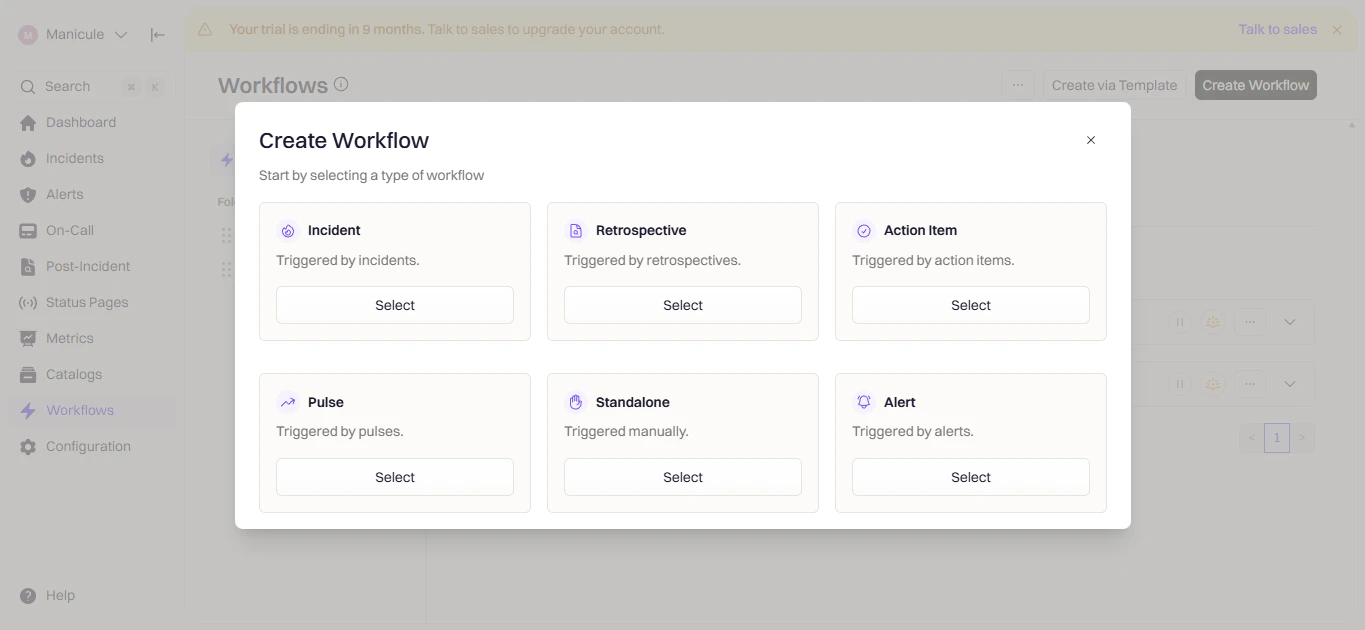
Custom workflows give you full control over Slack automation. Create channels, send messages, invite users, and more based on triggers and conditions you define. If you’re new to workflows, see the Workflows documentation first.

Available Actions

ActionWhat It Does
Create Slack ChannelCreate a dedicated incident channel
Send Slack MessagePost a message to channels/users
Send Slack ReminderSend recurring messages with snooze/pause
Send Slack BlocksSend rich Block Kit messages
Invite to Slack ChannelAdd users/groups to a channel
Rename Slack ChannelChange channel name dynamically
Update Channel TopicUpdate the channel topic
Add Slack BookmarkPin links to channel bookmark bar
Archive Slack ChannelArchive inactive channels
Change Channel PrivacySwitch between public/private

Create a Workflow

1

Open Workflows

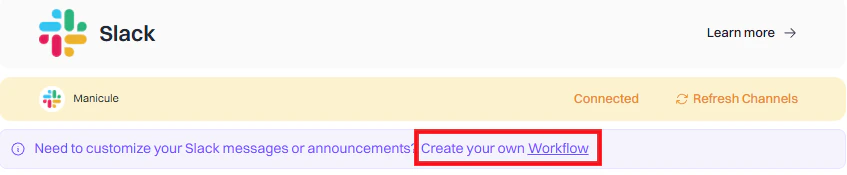
Go to Rootly → Workflows → Create Workflow.Rootly workflows pageCreate workflow button
2

Choose Workflow Type

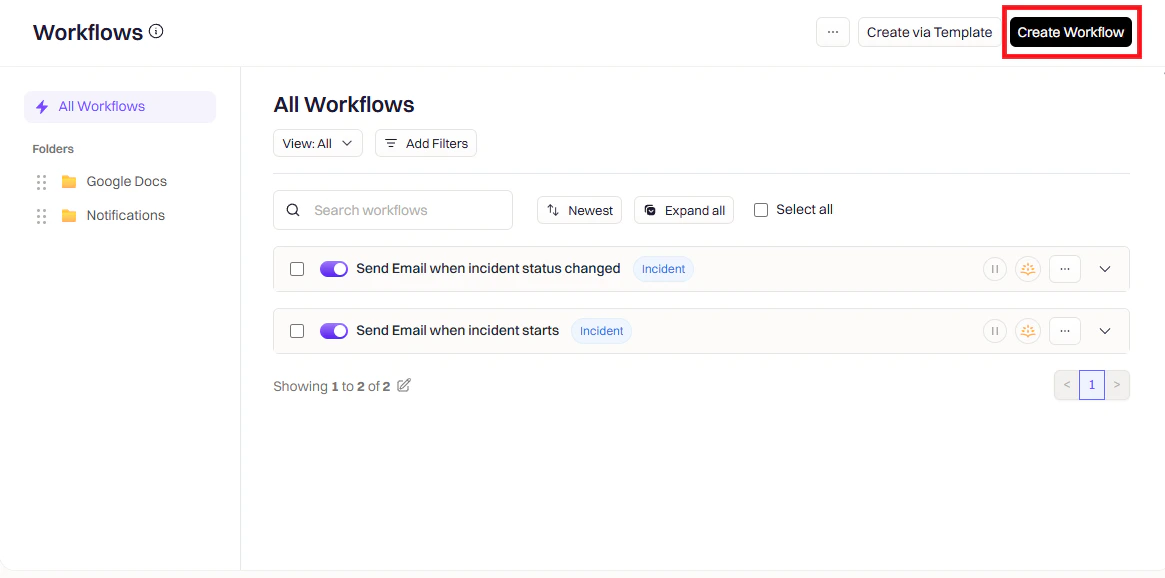
Select Incident, Retrospective, or Pulse depending on when you want the workflow to run.Workflow type selection
3

Configure Triggers

Triggers define when the workflow runs.Workflow trigger configuration
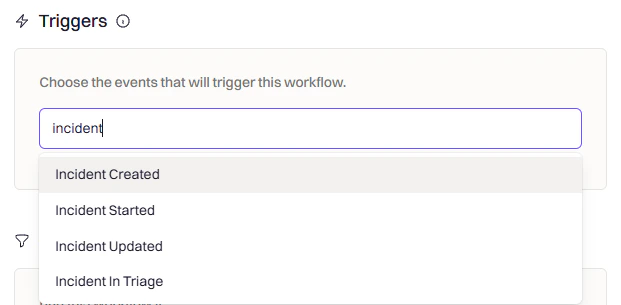
TriggerWhen It Fires
Incident CreatedNew incident declared
Incident UpdatedFields like severity or status change
Incident Status ChangedStatus moves (e.g., Active → Mitigated)
Incident Commander AssignedSomeone takes ownership
Manual TriggerRun on-demand from Slack or web UI
4

Add Conditions (Optional)

Conditions filter when the workflow should actually execute.Workflow conditions panelCommon conditions:
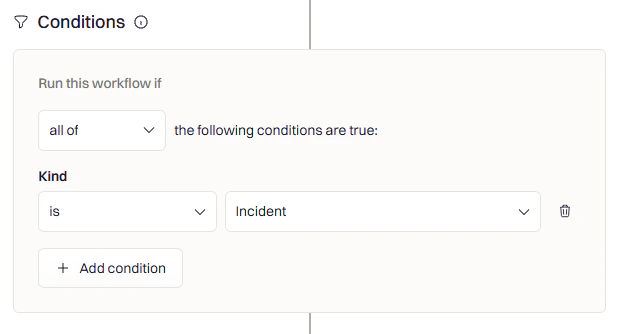
  • Severity — Only for SEV-1 or SEV-2
  • Team/Service — Only for specific teams
  • Incident Type — Only for actual incidents (not tests)
  • Environment — Only for production
5

Add Actions

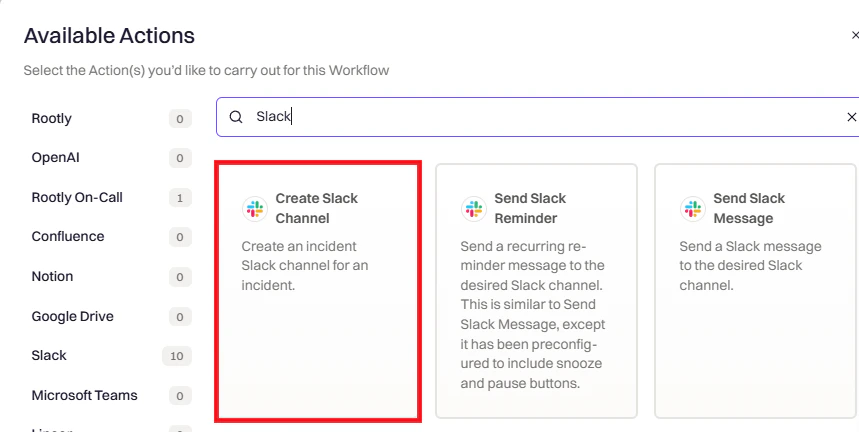
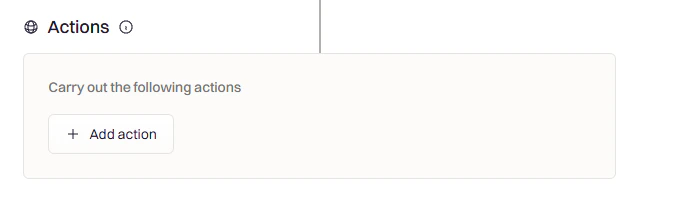
Click Add Action and search for Slack.Add action buttonSearch Slack actionsSelect one or more Slack actions. Each action is configured independently.
Action Reference

Creates a dedicated channel for the incident.Create Slack Channel action
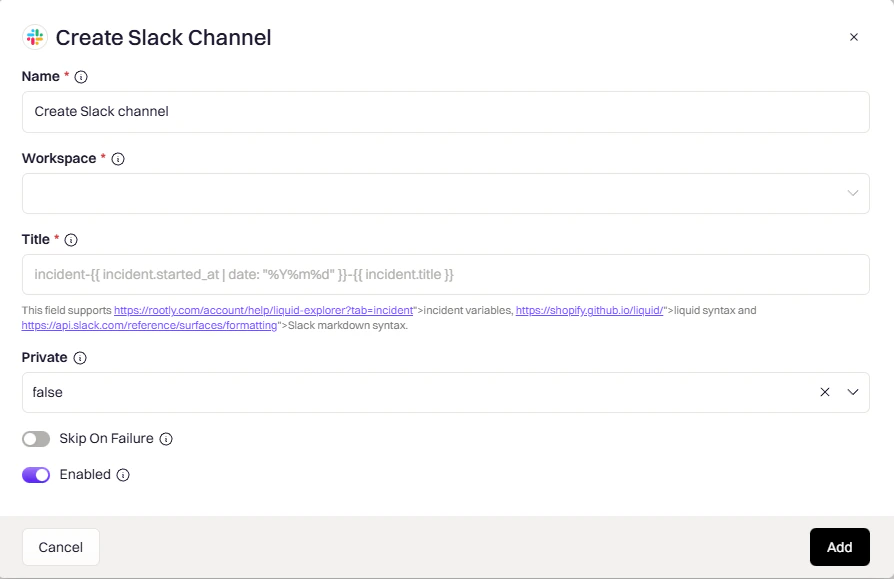
Workspace
string
required
Which Slack workspace to create the channel in.
Title
string
required
Channel name. Supports Liquid variables.Example: incident-{{ incident.sequential_id }}-{{ incident.title }}
Private
enum
Controls channel visibility:
  • auto — matches incident privacy (private incident → private channel)
  • true — always private
  • false — always public
If the incident already has a Slack channel, this action will skip channel creation to avoid duplicates.
Posts a message to channels, users, or user groups.Send Slack Message action
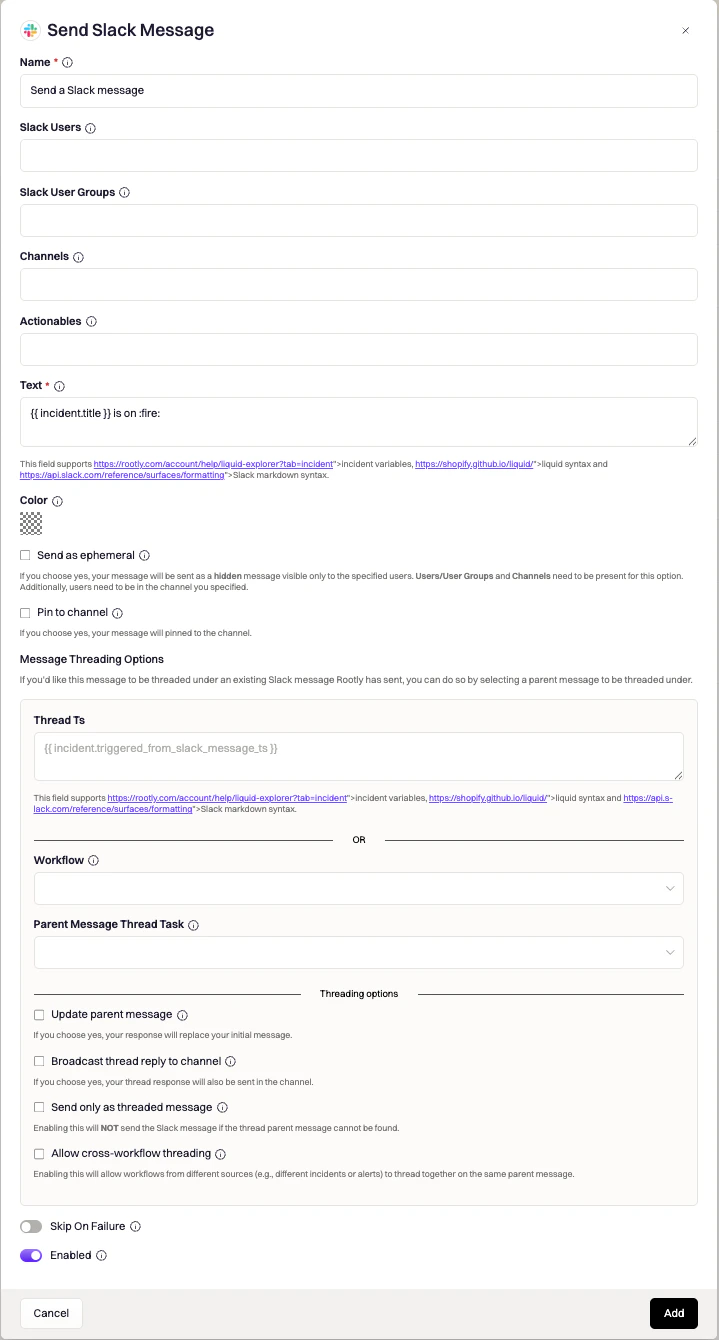
Channels
string
Target channels. Use {{ incident.slack_channel_id }} for the incident channel. Supports Liquid variables.
Slack Users
string
Individual users to message directly.
Slack User Groups
string
Groups to notify — all members receive the message.
Text
string
required
Message content. Supports Liquid variables and Slack markdown.
Message Options:
OptionDescription
Pin to ChannelPin the message
Send as EphemeralOnly visible to specified users
Thread under parentReply to an existing message
Update Parent MessageReplace the parent instead of threading
Broadcast Thread ReplyAlso post threaded reply as new message
Action Buttons — add interactive buttons to messages:
ButtonWhat It Opens
Update SummaryEdit incident summary
Manage Incident RolesAssign/remove roles
Update IncidentEdit incident fields
Leave FeedbackLog incident feedback
Manage Action ItemsTask/follow-up checklist
Add PagerDuty RespondersPage via PagerDuty
Add Opsgenie RespondersPage via Opsgenie
Same as Send Message, but with Snooze/Pause buttons and support for recurring schedules.Send Slack Reminder action
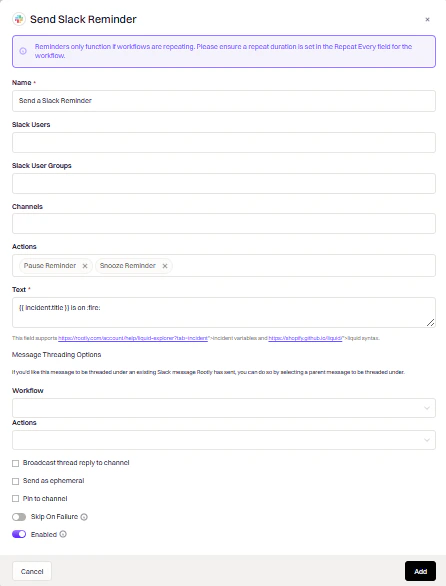
Channels
string
Target channels. Supports Liquid variables.
Text
string
required
Reminder message content. Supports Liquid variables.
Repeat
enum
How often the reminder fires. Options include once, every N minutes, hourly, and daily.
Use reminders for periodic nudges (e.g., “Update the incident summary every 30 minutes”). The Snooze and Pause buttons allow responders to defer or stop reminders without leaving Slack.
Send rich, interactive messages using Slack Block Kit.Send Slack Blocks action
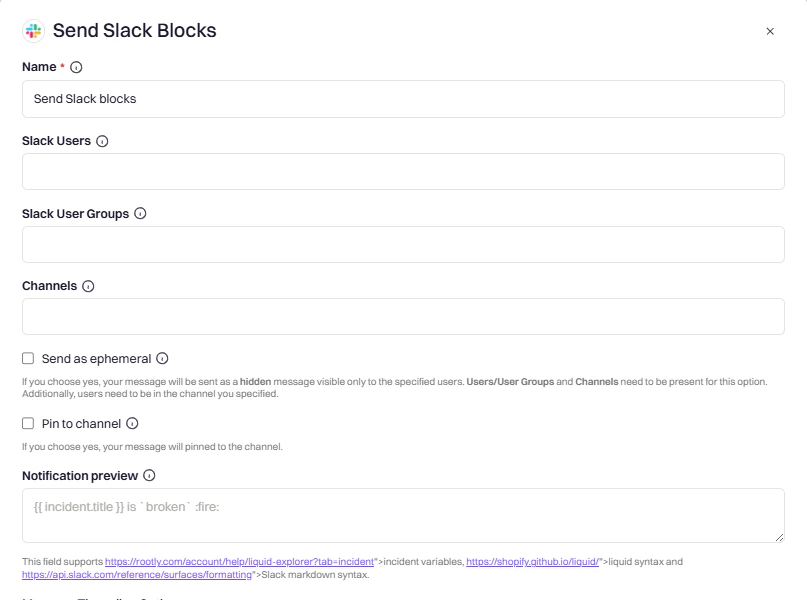
Blocks
string
required
JSON payload following Block Kit format. Supports Liquid variables.
Notification Preview
string
Text shown in push notifications when Block Kit content can’t be rendered.
Block Kit Examples:Text section with markdown:
{
  "type": "section",
  "text": {
    "type": "mrkdwn",
    "text": "*Incident:* {{ incident.title }}\n*Severity:* {{ incident.severity }}"
  }
}
Button that triggers a workflow:
{
  "type": "actions",
  "elements": [{
    "type": "button",
    "text": { "type": "plain_text", "text": "View Action Items" },
    "action_id": "trigger_custom_workflow",
    "value": "incident-list-out-incomplete-action-items"
  }]
}
Available action_id values:
action_idWhat It Does
toolbar_update_incident_summaryEdit summary modal
toolbar_update_statusChange status modal
toolbar_update_incidentEdit incident modal
manage_incident_role_assignments_dialogAssign roles modal
manage_incident_action_itemsAction items checklist
add_feedbackFeedback modal
pagerduty_respondersPagerDuty escalation
opsgenie_respondersOpsgenie escalation
snooze_reminderSnooze recurring workflow
pause_reminderPause recurring workflow
trigger_custom_workflowRun another workflow (set value to workflow slug)
open_custom_formOpen a custom form (set value to form slug)
Slack’s Block Kit Builder can’t interpret Liquid variables. Test your templates in Rootly’s Liquid Variable Explorer.
Adds users or user groups to a channel.Invite to Slack Channel action
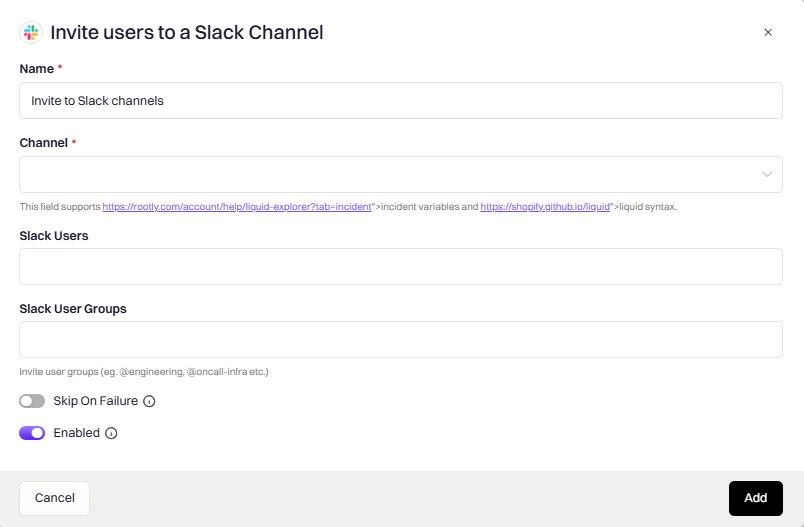
Channel
string
required
Target channel. Use {{ incident.slack_channel_id }} for the incident channel. Supports Liquid variables.
Slack Users
string
Individual users to invite. Use {{ incident.creator }} for the incident creator.
Slack User Groups
string
Groups to invite — all members are added to the channel.
Changes the channel name dynamically, useful for reflecting status changes.Rename Slack Channel action
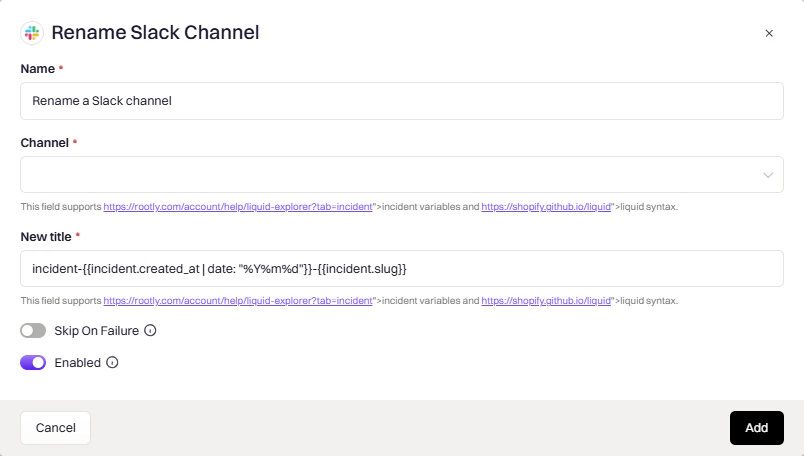
Channel
string
required
Channel to rename. Use {{ incident.slack_channel_id }}. Supports Liquid variables.
New Title
string
required
New channel name. Supports Liquid variables.Example: resolved-{{ incident.title }}
Common use case: Rename to include status when resolved (e.g., resolved-database-outage).
Sets the channel topic to display key incident info at a glance.Update Slack Channel Topic action
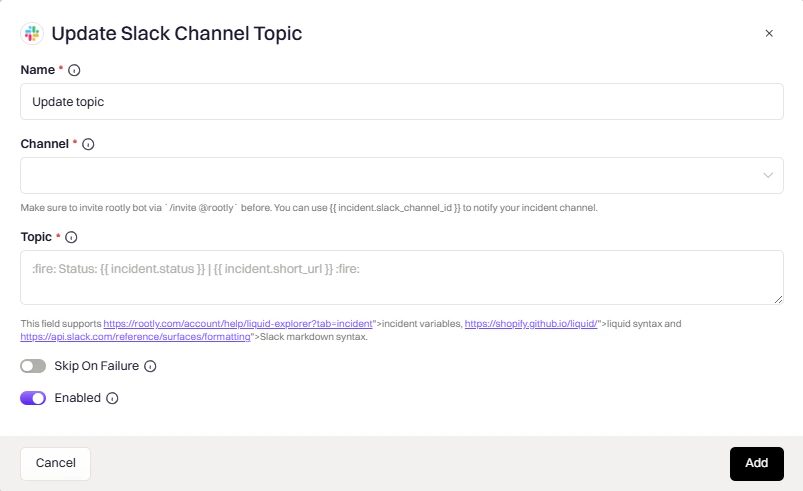
Channels
string
required
Channels to update. Supports Liquid variables.
Topic
string
required
New topic text. Supports Liquid variables and Slack markdown.
Example topic:
🔴 {{ incident.severity }} | {{ incident.status }} | Commander: {{ incident.commander.name | default: "Unassigned" }}
Pins a link to the channel’s bookmark bar for quick access during an incident.Add Slack Bookmark action
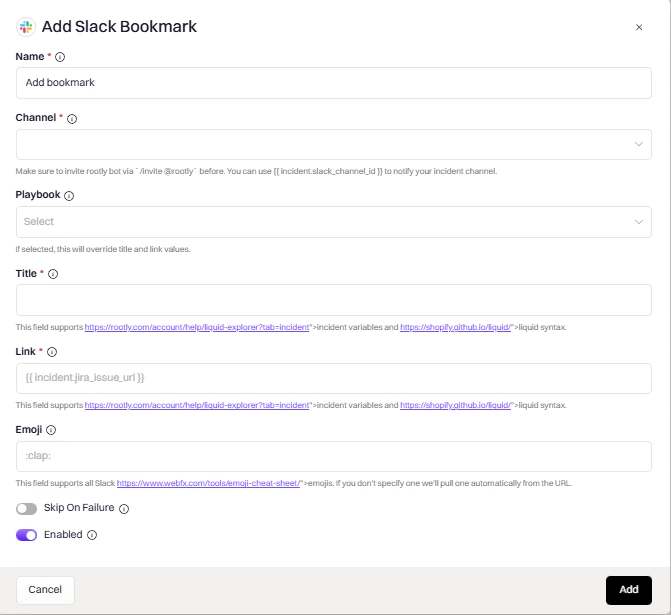
Channel
string
required
Channel to add the bookmark to. Supports Liquid variables.
Title
string
required
Bookmark display text. Supports Liquid variables.
URL to bookmark. Common values: {{ incident.url }}, {{ incident.jira_issue_url }}. Supports Liquid variables.
Emoji
string
Icon shown next to the bookmark.
Playbook
string
Optionally link to a Rootly playbook instead of specifying a title and link manually.
Archives the channel to keep your workspace clean after an incident is resolved.Archive Slack Channel action
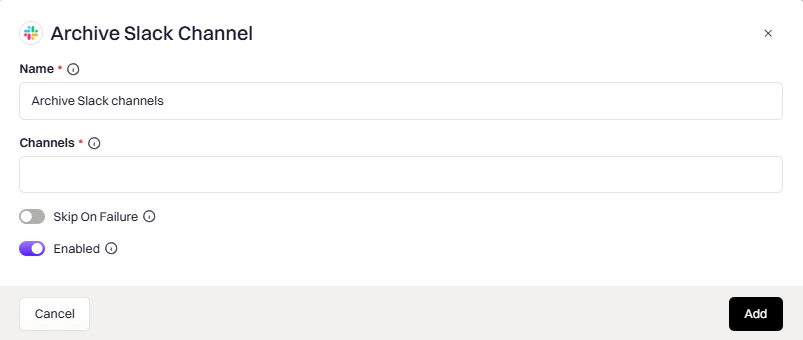
Channel
string
required
Channel to archive. Use {{ incident.slack_channel_id }}. Supports Liquid variables.
Common trigger: Incident status changed to “Closed” with a 24–48 hour delay to allow post-incident cleanup.
Switches a channel between public and private.Change Slack Channel Privacy action
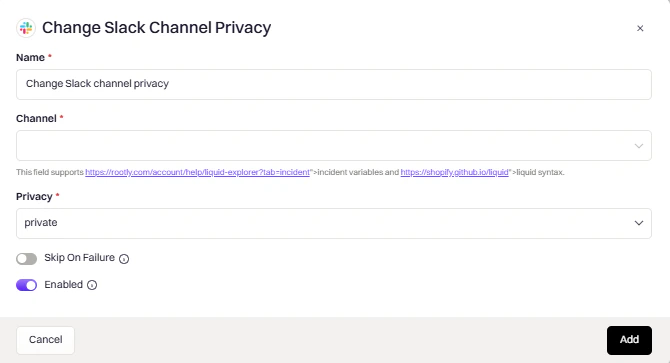
Channel
string
required
Channel to modify. Supports Liquid variables.
Privacy
enum
required
  • public — make the channel visible to all workspace members
  • private — restrict access to invited members only
Changing from private to public may not be allowed by your Slack workspace settings.

Common Liquid Variables

VariableDescription
{{ incident.slack_channel_id }}Current incident’s channel ID
{{ incident.title }}Incident title
{{ incident.severity }}Severity level
{{ incident.status }}Current status
{{ incident.url }}Link to incident in Rootly
{{ incident.creator }}User who created the incident
{{ parent_incident.slack_channel_id }}Parent incident’s channel (for sub-incidents)
Explore all variables in the Liquid Variable Explorer.